Published by PanJava
Safely share internet connection over WiFi; no root / tethering plan needed
| Version | 0.9.7 |
| Size | 13.3 MB |
| What's New | Updated SecureTether for compatibility with Android 10:Android 10 requires apps to have permission to access the device's location to be able to access WiFi Direct (see https://developer.android.com/about/versions/10/privacy/changes#location-telephony-bluetooth-wifi for details). SecureTether does not use, record, or forward this location information in any way, but does need to request this permission now in order to be able to create the hotspot on Android 10 devices. |
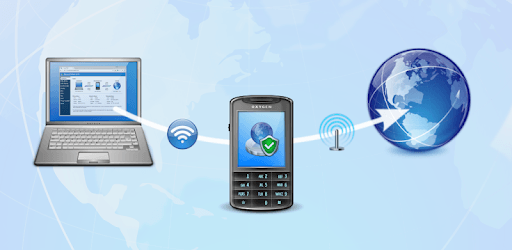
SecureTether WiFi - Secure no root mobile hotspot is an Android app developed and published by PanJava at Google Play Store on Sep 26, 2018 for Android users. SecureTether WiFi - Secure no root mobile hotspot is so popular that it has gained 5000 installs so far and growing.
Are you tired of the limitations imposed by your carrier when it comes to using your cell phone as a hotspot? Look no further than SecureTether WiFi - Secure no root mobile hotspot. This app is a game-changer, allowing you to bypass carrier restrictions and use any cell phone as a hotspot, as long as the broadcasting phone has a data connection. With its easy setup and reliable performance, this app is a must-have for anyone in need of a reliable and secure tethering solution.
SecureTether WiFi is hands down one of the best cellular data tethering apps on the Play Store. While it may require a bit more technical know-how to set up, the instructions provided are clear and easy to follow. Once you have it up and running, you can tether data to other Windows and Android devices without the need for expensive "hotspot" add-ons to your monthly bill. The app literally pays for itself, making it a worthwhile investment for anyone looking to maximize their cell phone's capabilities.
One of the standout features of SecureTether WiFi is its reliability. Users have praised the app for providing a stable and consistent connection, allowing them to function effectively without any hiccups. While it may not offer mind-blowing speeds, it delivers on its promise of a stable and consistent connection. Whether you need to surf the web, send emails, or even engage in video conferencing, SecureTether WiFi has got you covered.
The developer of SecureTether WiFi has done a remarkable job in creating an app that meets the needs of users. With its broad compatibility and user-friendly interface, it stands out from the competition. If you appreciate the developer's hard work and dedication, consider supporting their efforts. By purchasing the app, you not only unlock its full potential but also contribute to the future development and improvement of this invaluable tool.
Unfortunately, SecureTether WiFi does not currently support Xbox Series S or X. For more information and updates on compatibility, please reach out to the developer via Facebook (Brett Adam Orsborn).
The internet speed provided by SecureTether WiFi may vary depending on various factors, including your location and network conditions. While the app strives to deliver a stable connection, external factors beyond its control may affect the speed. However, the app continues to undergo improvements, so future updates may address this issue.
Yes, SecureTether WiFi is designed to work seamlessly with non-rooted devices. You can enjoy the benefits of this app without the need for any additional modifications to your device.
While there is no time limit on using SecureTether WiFi, please note that after 21 days, the speed may be limited. However, even with the speed limitation, the app remains a perfect solution for your tethering needs.
SecureTether WiFi - Secure no root mobile hotspot is a game-changing app that allows you to unleash the full potential of your cell phone. With its reliable performance, easy setup, and broad compatibility, it is the go-to solution for anyone looking to bypass carrier limitations and use their cell phone as a hotspot. Support the developer and experience the freedom of secure tethering today!
Yes, you can run SecureTether WiFi - Secure no root mobile hotspot on PC, but first, you will need emulator software installed on your Windows or MAC, which you can download for free. In the below video, you will find SecureTether WiFi - Secure no root mobile hotspot in action. Before you install the emulator, check out the minimum and recommended system requirements to run it seamlessly. They may change depending on which version of the emulator you choose. Therefore, we recommend you download the latest version of the emulator. Below you will find three free Android emulators that we have shortlisted based on their popularity:
Up to date graphics drivers from Microsoft or the chipset vendor.
Storage: 1 GB available under installation path, 1.5GB available hard drive space
Internet: Broadband Internet connection
Regardless of which Android emulator you install, the steps to install, configure, and running the SecureTether WiFi - Secure no root mobile hotspot app on PC are the same.