Published by Panini Digital Inc
Updated October 23, 2026
The official NFL trading card game! Collect, trade football cards! Play now!
| Version | 2.5.6 |
| Size | 96.5 MB |
| What's New | Minor bug fixes and improvements. Install or update to the newest version to check it out! |
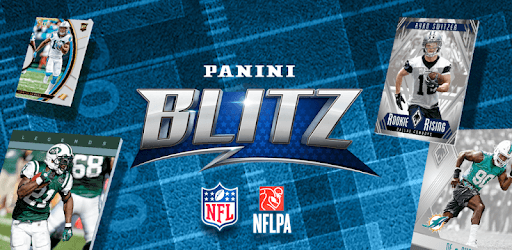
NFL Blitz - Play Football Trading Card Games is an Android app developed and published by Panini Digital Inc at Google Play Store on Sep 6, 2017 for Android users. NFL Blitz - Play Football Trading Card Games is so popular that it has gained 100000 installs so far and growing.
If you're a football enthusiast looking for an exciting way to engage with your favorite sport, look no further than NFL Blitz - Play Football Trading Card Games. This app offers a unique and immersive experience that allows you to collect and trade digital football cards while enjoying the thrill of the game.
One of the standout features of NFL Blitz is its extensive collection of cards, including the highly sought-after legends cards. These cards add a touch of nostalgia to the game, allowing you to relive iconic moments and celebrate your favorite football heroes.
While the app offers a wide range of cards to collect, some users have suggested improvements to the organization of collections. They recommend separating limited sets and providing clearer indicators of "needed" versus "have" cards. Such tweaks would enhance the overall collecting experience and make it even more enjoyable for users.
Customer support plays a crucial role in any app, and NFL Blitz doesn't disappoint in this aspect. Users have reported positive experiences with the customer service team, who promptly addressed their concerns and resolved technical issues. Whether it's fixing access problems or retrieving lost passwords, the support team has proven to be reliable and efficient.
However, some users have expressed frustration with the lack of responsiveness to their emails. It's important for the app developers to ensure that all user queries are promptly addressed to maintain a high level of customer satisfaction.
NFL Blitz aims to provide a seamless user experience across different devices. While some users have encountered compatibility issues with certain phone models, the developers have been working diligently to address these concerns. Recent updates have resolved many of these compatibility issues, allowing users to enjoy the app on a wider range of devices.
Additionally, the app developers have made efforts to improve accessibility by making the app easier to navigate. However, some users have mentioned that the transition between different tabs and activities can be slightly cumbersome. Streamlining these transitions would further enhance the overall user experience.
As a card collector, you may have reservations about the shift towards digital collecting. However, NFL Blitz offers a unique perspective on the future of card collecting. The app introduces digital cards that are minted on Panini's razor blockchain, ensuring their authenticity and permanence. These digital cards have the potential to become highly valuable collectibles, especially once an auction tool for real currency is implemented.
While the app provides a thrilling card collecting experience, it's important to address the occasional crashes that some users have reported. Opening promo packs should be a seamless process, and the developers should prioritize fixing any issues that prevent users from receiving their cards.
Unfortunately, the app does not currently have a feature for submitting suggestions. However, the developers are constantly working on updates and improvements to enhance the user experience.
If you encounter any issues or have questions, you can reach out to the customer support team via email. While response times may vary, they are dedicated to assisting users and resolving any technical problems.
The app strives to be compatible with a wide range of devices. However, some users have reported compatibility issues with specific phone models. The developers are actively working to address these concerns and ensure a smooth experience for all users.
While digital cards may have a different value proposition compared to physical cards, the app introduces a new dimension to card collecting. The digital cards minted on Panini's razor blockchain hold their own unique value and have the potential to become highly sought-after collectibles.
Overall, NFL Blitz - Play Football Trading Card Games offers an immersive and thrilling experience for football fans and card collectors alike. With its extensive collection, responsive customer support, and dedication to accessibility, this app is a must-have for any football enthusiast.
Yes, you can run NFL Blitz - Play Football Trading Card Games on PC, but first, you will need emulator software installed on your Windows or MAC, which you can download for free. In the below video, you will find NFL Blitz - Play Football Trading Card Games in action. Before you install the emulator, check out the minimum and recommended system requirements to run it seamlessly. They may change depending on which version of the emulator you choose. Therefore, we recommend you download the latest version of the emulator. Below you will find three free Android emulators that we have shortlisted based on their popularity:
Up to date graphics drivers from Microsoft or the chipset vendor.
Storage: 1 GB available under installation path, 1.5GB available hard drive space
Internet: Broadband Internet connection
Regardless of which Android emulator you install, the steps to install, configure, and running the NFL Blitz - Play Football Trading Card Games app on PC are the same.