Published by Nickelodeon
Updated August 19, 2025
Watch preschool shows and educational videos with the NOGGIN Android app!
NOGGIN Watch Kids TV Shows is an Android app developed and published by Nickelodeon at Google Play Store on Nov 18, 2015 for Android users. NOGGIN Watch Kids TV Shows is so popular that it has gained 1000000 installs so far and growing.
Kids love to have fun, and when learning can be fun too, it's a win-win situation for everyone! That's exactly what NOGGIN Watch Kids TV Shows offers—an exciting mix of entertainment and education. With a vast selection of shows, games, and activities, it keeps young minds engaged while helping them learn new things.
One of the standout features of NOGGIN Watch Kids TV Shows is how educational it is. From problem-solving games to activities that teach letters and numbers, this app does a fantastic job of making education enjoyable. Little ones are not only entertained but also get the benefit of learning without even realizing it!
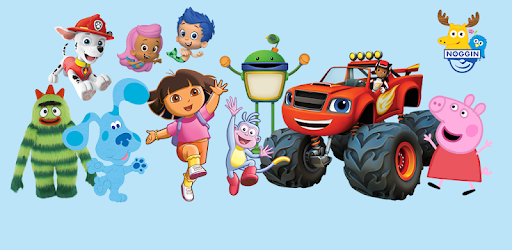
The app features many popular characters from children's favorite shows. Whether it's reading with Chase from Paw Patrol or discovering clues with Blue, kids feel a connection to the characters they love. This familiarity makes the experience even more engaging and enjoyable.
NOGGIN Watch Kids TV Shows offers a wide variety of content that caters to different interests. From episodes of well-known cartoons to interactive games and ebooks, there's something for every child. This diversity ensures that kids never get bored and always have something new to explore.
The app takes learning to the next level by making it interactive. Kids can solve puzzles, play games, and read books, all while acquiring valuable skills. The activities encourage them to interact and move, making the learning process dynamic and engaging.
One of the best things about NOGGIN Watch Kids TV Shows is that it offers an ad-free experience. Parents can relax knowing that their kids won't be interrupted by advertisements. This uninterrupted content allows children to fully immerse themselves in the learning experience.
The user-friendly design of NOGGIN Watch Kids TV Shows makes it easy for even the youngest users to navigate. Kids as young as three can run the app on their own, exploring and learning independently. It's a fantastic tool for fostering autonomy in young learners.
NOGGIN Watch Kids TV Shows is also perfect for long trips or waiting times. The variety of games and activities available on tablets can keep kids entertained during car rides or while waiting at appointments. It's a fantastic way to keep them occupied and learning, no matter where they are.
NOGGIN Watch Kids TV Shows is more than just an app—it's an educational tool that parents can feel good about. It combines learning and fun in a way that makes both kids and parents happy. With so many features and beloved characters, it's no wonder that kids absolutely love it. And the smiles on their faces while they play and learn are priceless!
Yes, you can run NOGGIN Watch Kids TV Shows on PC, but first, you will need emulator software installed on your Windows or MAC, which you can download for free. In the below video, you will find NOGGIN Watch Kids TV Shows in action. Before you install the emulator, check out the minimum and recommended system requirements to run it seamlessly. They may change depending on which version of the emulator you choose. Therefore, we recommend you download the latest version of the emulator. Below you will find three free Android emulators that we have shortlisted based on their popularity:
Up to date graphics drivers from Microsoft or the chipset vendor.
Storage: 1 GB available under installation path, 1.5GB available hard drive space
Internet: Broadband Internet connection
Regardless of which Android emulator you install, the steps to install, configure, and running the NOGGIN Watch Kids TV Shows app on PC are the same.