
Published by Nexelon inc.
Updated March 23, 2026
★Beautiful and Peaceful Fishing★ ▣No internet connection required▣
| Version | 0.0.287 |
| Size | 133.3 MB |
| What's New | - Improved gameplay convenience |
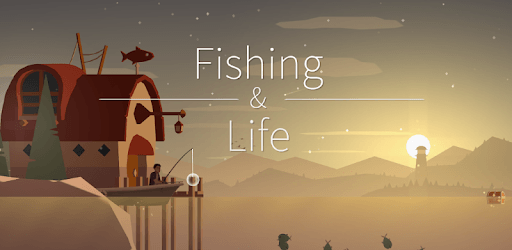
Fishing Life is an Android app developed and published by Nexelon inc. at Google Play Store on Apr 15, 2019 for Android users. Fishing Life is so popular that it has gained 40059262 installs so far and growing.
Looking for a game that will help you unwind and escape the stresses of everyday life? Look no further than Fishing Life! This captivating fishing game offers a serene and calming experience that will leave you feeling refreshed and rejuvenated. With its stunning graphics, immersive gameplay, and soothing music, Fishing Life is the perfect choice for anyone in need of a little relaxation.
Fishing Life allows you to immerse yourself in the tranquil world of fishing. Cast your line into the shimmering waters and feel the thrill of reeling in a variety of fish species. From colorful tropical fish to majestic deep-sea creatures, the game offers a wide range of fish to discover and catch. Each fish is beautifully rendered with attention to detail, making the experience feel incredibly lifelike.
As you progress in the game, you'll have the opportunity to explore different fishing spots, each with its own unique charm and challenges. Whether you prefer the calmness of a peaceful lake or the excitement of the open ocean, Fishing Life has a fishing spot that will suit your mood.
One of the standout features of Fishing Life is its ability to help you unwind and find inner peace. The game's soothing music and gentle sound effects create a calming atmosphere that will transport you to a world of tranquility. The beautiful visuals and serene fishing spots further enhance the relaxing experience, allowing you to escape the hustle and bustle of everyday life.
Unlike many other games, Fishing Life does not require an internet connection to play. This means you can enjoy the game anytime, anywhere, without worrying about your data or Wi-Fi availability. Whether you're on a long car ride or simply want to relax at home, Fishing Life is the perfect companion.
Fishing Life is a game that keeps on giving. The developers at Nexon Ink are dedicated to providing regular updates and new content to keep the game fresh and exciting. With each update, you can expect new fish species, fishing spots, and gameplay features to explore. This ensures that you'll always have something new to discover and keeps the game engaging and enjoyable for the long term.
Unfortunately, Fishing Life does not currently support cross-device progress transfer. Each device will have its own separate game data. However, the game is highly addictive and enjoyable, so starting fresh on a new device can be just as fun!
Yes! The developers are constantly working on adding new fish species to the game. With each update, you can expect to encounter new and exciting fish that will further enhance your fishing experience.
To remove ads in Fishing Life, you can download Lucky Patcher (LP) and follow a tutorial to disable ads. However, even without removing ads, the game offers a seamless and uninterrupted gameplay experience.
So why wait? Dive into the world of Fishing Life and experience the ultimate relaxation and joy of fishing. Download the game now and embark on a journey of tranquility and serenity!
Yes, you can run Fishing Life on PC, but first, you will need emulator software installed on your Windows or MAC, which you can download for free. In the below video, you will find Fishing Life in action. Before you install the emulator, check out the minimum and recommended system requirements to run it seamlessly. They may change depending on which version of the emulator you choose. Therefore, we recommend you download the latest version of the emulator. Below you will find three free Android emulators that we have shortlisted based on their popularity:
Up to date graphics drivers from Microsoft or the chipset vendor.
Storage: 1 GB available under installation path, 1.5GB available hard drive space
Internet: Broadband Internet connection
Regardless of which Android emulator you install, the steps to install, configure, and running the Fishing Life app on PC are the same.