
Published by Miniclip.com
Updated October 4, 2025
Enjoy an easy to play multiplayer baseball game!
| Version | 1.2.0033258 |
| Size | 711.6 MB |
| What's New | - The ‘Steel Captains’ season begins with ironclad focus - unlock the season-exclusive ‘Steel Captains’ uniform and the ‘Tom ignore’ emoji- New player Ozzy, an epic-grade infielder with the “Mr. Clutch” skill, shines offensively and defensively when it matters most.- Take part in the Coach’s Call-Up event for a chance to acquire Rose!- Don’t miss the Player of the Month: the legendary pitcher Josh!- General improvements and bug fixes. |
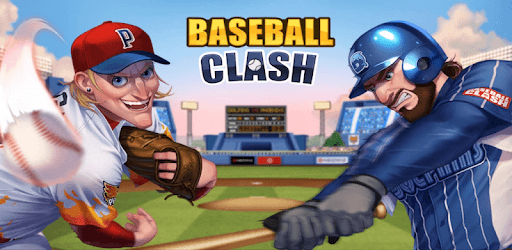
Baseball Clash: Real-time game is an Android app developed and published by Miniclip.com at Google Play Store on Nov 6, 2020 for Android users. Baseball Clash: Real-time game is so popular that it has gained 130695 installs so far and growing.
If you're on the lookout for a fun and thrilling baseball game that doesn't require spending a fortune, then Baseball Clash: Real-time game may be just the thing for you. This game is built for those who love the sport and want to experience the excitement of baseball right on their mobile devices.
Baseball Clash captures the essence of baseball in a way that is both realistic and captivating. The game is easy to pick up, but it offers enough depth to keep you engaged for hours. It’s like having a mini baseball league in your pocket, where each match feels like a real game. You get to experience the ups and downs of playing baseball without leaving your home.
One of the great things about Baseball Clash: Real-time game is its simplicity. The controls are straightforward, making it accessible even for those who are new to mobile gaming. Despite its simple mechanics, the game offers a level of complexity that will challenge seasoned players too. It's a perfect balance that ensures both beginners and experts can enjoy the game equally.
For those with a busy lifestyle, Baseball Clash offers quick matches that only last one inning. This feature makes it easy to sneak in a game or two during a break or while waiting for an appointment. Even if the match is tied, the game remains fast-paced and engaging, making every second of playtime enjoyable.
What sets Baseball Clash apart from other mobile baseball games is its real-time player versus player (PvP) action. Compete against players from all over the world and test your baseball skills. The feeling of playing against real people adds an extra layer of excitement to the game, making each match unpredictable and thrilling.
Baseball Clash also boasts a variety of players, each with unique skills. This diversity makes team-building an enjoyable part of the game. You get to work on your players’ skills, making them better all-around baseball stars. This adds a strategic element to the game, as you need to figure out the best way to utilize each player’s strengths on the field.
The game takes pride in its high-quality visuals, giving it a realistic touch. Unlike cartoons or overly simplistic designs, Baseball Clash offers a more grounded experience. You'd feel like you're right there on the field, making those crucial plays. Additionally, the inclusion of women players in the teams adds a refreshing and modern touch to the game.
While Baseball Clash: Real-time game offers a fantastic experience, there is always room for improvement. Some players have noticed occasional glitches, which can be frustrating during a crucial moment in the game. However, the fun and challenge the game provides make it easy to overlook these minor issues. The developers continue to work on making the game better, so the future looks bright for this engaging baseball title.
One of the standout features of Baseball Clash is that you don’t need to spend a dime to have fun. Though the game offers in-app purchases, progressing through different leagues and challenges doesn’t hinge on spending money. This means everyone can enjoy and succeed in the game, regardless of their budget.
So, if you are a baseball enthusiast looking for a mobile game that combines fun, realism, and competitive spirit, Baseball Clash: Real-time game might just be the perfect fit. With its easy-to-learn mechanics, quick matches, and real-time PvP action, it offers a complete package for baseball lovers. Give it a try, and immerse yourself in the exciting world of Baseball Clash!
Yes, you can run Baseball Clash: Real-time game on PC, but first, you will need emulator software installed on your Windows or MAC, which you can download for free. In the below video, you will find Baseball Clash: Real-time game in action. Before you install the emulator, check out the minimum and recommended system requirements to run it seamlessly. They may change depending on which version of the emulator you choose. Therefore, we recommend you download the latest version of the emulator. Below you will find three free Android emulators that we have shortlisted based on their popularity:
Up to date graphics drivers from Microsoft or the chipset vendor.
Storage: 1 GB available under installation path, 1.5GB available hard drive space
Internet: Broadband Internet connection
Regardless of which Android emulator you install, the steps to install, configure, and running the Baseball Clash: Real-time game app on PC are the same.