Bricks Breaker King for PC

Bricks Breaker King for PC

Published by mobirix

Updated April 15, 2026

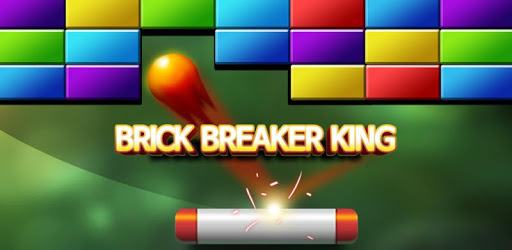
We invite you to the fantastic world of the block breaking.

What's New

Version1.5.6
Size37.8 MB
What's NewMinor bug fixes and improvements. Install or update to the newest version to check it out!

Bricks Breaker King Screenshots

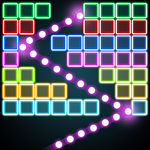
Bricks Breaker King PC screenshot

About Bricks Breaker King For PC

Bricks Breaker King is an Android app developed and published by mobirix at Google Play Store on Nov 5, 2014 for Android users. Bricks Breaker King is so popular that it has gained 5000000 installs so far and growing.

Discover the Addictive Fun of Bricks Breaker King

Bricks Breaker King is not just an ordinary brick-breaking game; it brings an extra touch of nostalgic simplicity that keeps players coming back for more. Whether you are a long-time fan of classic arcade games or a newcomer to the world of brick breakers, Bricks Breaker King is designed to captivate your attention for hours on end.

Immersive Gameplay

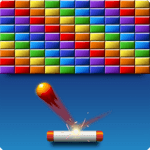
At its core, Bricks Breaker King stays true to the traditional brick-breaking genre. Players control a paddle and aim to clear bricks by bouncing a ball off the paddle. However, what sets this game apart is its loyal adaptation of the classic arcade version’s elements, such as the unique little capsules that drop from broken bricks. These capsules can significantly aid your gameplay, adding a twist that is both exciting and rewarding.

Multiple Gaming Modes and Features

Bricks Breaker King offers two engaging gaming modes that cater to different types of players. For those who enjoy taking on the world, the multiplayer option allows you to challenge other players, adding a competitive edge to the game. The game also integrates seamlessly with Google Play Games, letting you track your progress and compete with friends. Whether you prefer solo challenges or competing against others, there's a mode for you.

Challenging Levels

One of the standout features of Bricks Breaker King is its challenging levels. Players often find themselves hooked, trying to clear level after level. The game keeps you on your toes with increasingly difficult stages, such as the notorious level 238 or the formidable level 500, known for their escalating complexity. Sometimes maddening, always challenging, the game's difficulty is a testament to its engaging design.

Perfect for All Ages

The simplistic and intuitive controls make Bricks Breaker King a game that can be enjoyed by players of all ages. The sense of achievement that comes with clearing a tough level is universal, making it a great way to bond with family members or friends. Even younger players can find joy in smashing those bricks and collecting power-ups.

Nostalgic Feel

For those who have been playing brick-breaking games since their inception, Bricks Breaker King offers a delightful trip down memory lane. The game’s design, including its control mechanics and in-game features, evokes a sense of nostalgia that many players cherish. It’s a perfect blend of old and new—modern enough to satisfy today’s gamers but with a comforting nod to its arcade roots.

Addictive and Fun

Once you start playing Bricks Breaker King, it's hard to put it down. Its addictive nature ensures you'll want to keep trying "just one more level." Whether you’re looking to kill some time or immerse yourself in hours of fun, this game has what it takes to keep you entertained. The game’s vibrant visuals and smooth mechanics further enhance the experience, making it hard to resist coming back for more.

Optimized Performance

While Bricks Breaker King is known for its fun and challenging gameplay, it’s also worth noting that the game is generally well-optimized. Though some players occasionally experience lag, these minor hiccups do not detract significantly from the overall experience. As with any game, performance can vary based on the device used, but the game manages to deliver a smooth experience for the most part

A Game for Everyone

Bricks Breaker King is more than just a game; it’s a joyful experience for anyone who loves a good challenge. Whether you download it on your smartphone or tablet, the game ensures hours of pure, unadulterated fun. Don't be surprised if you find yourself completely immersed, trying to beat just one more level before you put it down.

Can I run Bricks Breaker King on PC?

Yes, you can run Bricks Breaker King on PC, but first, you will need emulator software installed on your Windows or MAC, which you can download for free. In the below video, you will find Bricks Breaker King in action. Before you install the emulator, check out the minimum and recommended system requirements to run it seamlessly. They may change depending on which version of the emulator you choose. Therefore, we recommend you download the latest version of the emulator. Below you will find three free Android emulators that we have shortlisted based on their popularity:

How to Install Bricks Breaker King on Windows PC

BlueStacks

Minimum
  • OS: Microsoft Windows 7 and above.
  • Processor: Intel or AMD Processor.
  • RAM: Your PC must have at least 4GB of RAM. (Note that having 4GB or more disk space is not a substitute for RAM)
  • Storage: 5GB Free Disk Space.
  • You must be an Administrator on your PC.
Recommended:
  • OS: Microsoft Windows 10
  • Processor: Intel or AMD Multi-Core Processor with Single Thread benchmark score > 1000.
  • Graphics: Intel/Nvidia/ATI, Onboard or Discrete controller with benchmark score >= 750.
  • Please ensure Virtualization is enabled on your PC/Laptop.
  • RAM: 8GB or higher
  • Storage: SSD (or Fusion/Hybrid Drives)
  • Internet: Broadband connection to access games, accounts and related content.

Up to date graphics drivers from Microsoft or the chipset vendor.

  • To start with, download Bluestacks from its official website. The latest version of BluesStacks is v 5, and it is around 400 MB.
  • Once the download is done, click on the Bluestacks set up file to install it on your Windows PC. Follow the on-screen instructions and install it accordingly.
  • The next step is to launch the emulator using the desktop shortcut and sign in using your Google account.
  • Now, head over to Bluestacks home screen and click on the Google Play Store icon.
  • Hit the search bar in Google Play and search for Bricks Breaker King.
  • Install Bricks Breaker King from the Play Store by clicking the Install option, which completes downloading of Bricks Breaker King on PC.

NoxPlayer

Minimum
  • Operating System: Windows XP SP3, Windows Vista, Windows 7, Windows 8, Windows 10, and DirectX 9.0c
  • Processor: At least dual-core processor, both Intel, and AMD are OK
  • Video: Supports Open GL 2.0 or above
  • Memory: 1.5 GB RAM
Recommended
  • Operating System: Windows 7, Windows 8, Windows 10
  • Processor: Multiple core processors which support VT-x or AMB-V Virtualization Technology, better performance with this function enabled
  • Video: The higher performance, the better
  • Memory: 4 GB RAM

Storage: 1 GB available under installation path, 1.5GB available hard drive space

Internet: Broadband Internet connection

  • Download NoxPlayer from the official website. The latest version of NoxPlayer is v 3, and it is around 600 MB.
  • Now install the emulator using the downloaded setup file. Just go through the on-screen instructions and install NoxPlayer on your computer or laptop.
  • After the installation process, launch the Nox Android emulator and log in using your Google account when it asks you.
  • Click on the Google Play Store icon and head over to the search bar to search Bricks Breaker King. Once found, click on the Install button to install Bricks Breaker King for PC.
  • If you do not find Bricks Breaker King on Google Play Store or if you want to skip logging in to Google, you can sideload APK (download the .APK file from this page and open it with NoxPlayer).
  • Launch Bricks Breaker King from home-screen and start playing it on PC right away!

MEmu

Minimum
  • 2 cores x86/x86_64 Processor (Intel or AMD CPU)
  • WinXP SP3 / Win7 / Win8 / Win10 (Not recommended to run on Server/Enterprise)
  • Latest Windows DirectX 11 / Graphics driver with OpenGL 2.0
  • Hardware Virtualization Technology (Intel VT-x/AMD-V) shall be enabled in BIOS
  • 2GB of RAM (4GB for x64 system)
  • 5GB of hard disk free space
Recommended
  • OS: Microsoft Windows 10 with VT Enabled
  • CPU: Single Thread PassMark score > 1500 (Intel/AMD Multi-Core).
  • Graphics: Intel/Nvidia/ATI, Onboard or Discrete controller with PassMark score > 750.
  • Latest Windows DirectX 11 / Graphics driver with OpenGL 4.5 or higher
  • RAM: 8GB or higher
  • HDD: SSD, 10GB of hard disk free space
  • Internet: Broadband connection with low latency for FPS games
  • Download MEmu Play from the official website. The latest version of NoxPlayer is v 7.5.
  • When the download is completed, install the MEmu emulator on your PC. Follow the on-screen instructions and keep on clicking the Next button until the final step.
  • Now, using the desktop shortcut, look for the MEmu Play emulator and launch it. Once done, it will ask you to log in using your Google account, proceed with the same.
  • MEmu Play will ask you to log in using your Google account. When you log in, it will sync your Google account to MEmu Play. Launch the Google Play Store by clicking on the icon and search for Bricks Breaker King.
  • Click on the Install button once you find Bricks Breaker King from the search results. You can also sideload APK (download the .APK file from this page and open it with MEmu) if you want to skip above step.
  • After the installation of Bricks Breaker King, you're all set to use the app on PC!

Regardless of which Android emulator you install, the steps to install, configure, and running the Bricks Breaker King app on PC are the same.

Download Bricks Breaker King For PC