Published by Magnetic Lab
Updated May 30, 2026
Best expense manager for financial planning, expense tracking and reports
| Version | 1.23 |
| Size | 13.7 MB |
| What's New | Minor bug fixes and improvements. Install or update to the newest version to check it out! |
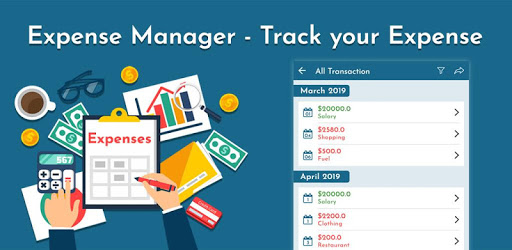
Expense Manager - Track your Expense is an Android app developed and published by Magnetic Lab at Google Play Store on Apr 19, 2019 for Android users. Expense Manager - Track your Expense is so popular that it has gained 10000 installs so far and growing.
Expense Manager is a powerful app that allows you to effortlessly track your income and expenses, helping you stay on top of your finances. With its user-friendly interface and helpful features, this app has become a favorite among users looking for a convenient way to manage their expenses. Let's take a closer look at what makes Expense Manager stand out from the crowd.
One of the standout features of Expense Manager is its ability to effortlessly track your income and expenses. With just a few taps, you can easily add your income and expenses, categorize them, and save them for future reference. The app then prepares a comprehensive report, giving you a clear overview of your financial situation.
Expense Manager boasts a user-friendly interface that makes it easy for anyone to navigate and use. Whether you're a tech-savvy individual or someone who's not very familiar with technology, you'll find this app incredibly intuitive. The simple and clean design ensures that you can quickly find the features you need without any hassle.
Worried about losing your financial data? Expense Manager has got you covered. The app offers a backup option that allows you to securely store your data. With just a few taps, you can back up your information to your preferred cloud storage service, such as Google Drive. This ensures that your data is safe and easily accessible whenever you need it.
Expense Manager understands that everyone's financial situation is unique. That's why the app offers flexibility in adding categories. You can easily customize the categories to suit your specific needs, making it easier to track your expenses accurately. Whether you want to add a category for groceries, transportation, or entertainment, Expense Manager allows you to do so with ease.
Yes, Expense Manager is designed to cater to both personal and business expenses. You can easily create separate categories for each and track them accordingly.
Absolutely! Expense Manager prioritizes the security of your financial data. With the backup option, you can ensure that your data is safely stored and easily recoverable in case of any mishaps.
Unfortunately, Expense Manager does not currently offer the option to set a budget for each category. However, the app provides a comprehensive report that allows you to analyze your spending habits and make necessary adjustments.
At the moment, Expense Manager follows the calendar month as the default dashboard month. However, the app developers are considering adding the option for users to customize their dashboard month according to their preferred start and end dates.
In conclusion, Expense Manager is a user-friendly and effective app that simplifies the process of tracking your income and expenses. With its intuitive interface, flexible category options, and backup feature, managing your finances has never been easier. Download Expense Manager today and take control of your financial well-being!
Yes, you can run Expense Manager - Track your Expense on PC, but first, you will need emulator software installed on your Windows or MAC, which you can download for free. In the below video, you will find Expense Manager - Track your Expense in action. Before you install the emulator, check out the minimum and recommended system requirements to run it seamlessly. They may change depending on which version of the emulator you choose. Therefore, we recommend you download the latest version of the emulator. Below you will find three free Android emulators that we have shortlisted based on their popularity:
Up to date graphics drivers from Microsoft or the chipset vendor.
Storage: 1 GB available under installation path, 1.5GB available hard drive space
Internet: Broadband Internet connection
Regardless of which Android emulator you install, the steps to install, configure, and running the Expense Manager - Track your Expense app on PC are the same.