
Published by Maximo Lab
Updated October 28, 2025
A must-have app for any Instagram user. Discover all your friends secrets.🕵📱
| Version | 9.0.4 |
| Size | 5.8 MB |
| What's New | Fixed: Follower list not fully loadedNew: Option to change connection method |
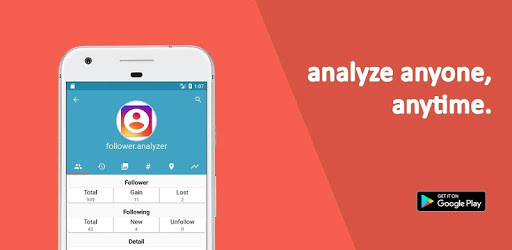
Follower Analyzer (Instagram) is an Android app developed and published by Maximo Lab at Google Play Store on Aug 27, 2016 for Android users. Follower Analyzer (Instagram) is so popular that it has gained 1000000 installs so far and growing.
In today's digital age, managing your social media presence is crucial. Follower Analyzer (Instagram) is an incredible tool that helps users stay on top of their Instagram game. This app simplifies the process of tracking who follows you and who doesn’t, allowing you to make informed decisions about your Instagram connections.
Follower Analyzer (Instagram) stands out because it lets you see who has unfollowed you. Have you ever wondered if someone you follow is following you back? With this app, you can easily find out. This feature ensures you maintain a balanced and meaningful list of followers and followings.
One of the most useful features is the ability to track unfollowers. Whenever someone unfollows you, the app will notify you. This helps you manage your followers and allows you to return the favor if necessary. Keeping tabs on such actions lets you maintain the integrity of your follower count.
The Fans feature is another perk of Follower Analyzer (Instagram). It identifies people you don’t follow back, categorizing them as fans. This whimsical touch makes managing your followers a bit more fun while helping you recognize and appreciate those who support your content.
Follower Analyzer (Instagram) shines in its simplicity and ease of use. The app is designed to be user-friendly, ensuring everyone can navigate its features effortlessly. The process of checking who unfollowed you, who isn't following back, and who your fans are, is as straightforward as it can get.
This app is helpful in managing your entire Instagram experience. Whether you want to vet who you follow, keep an eye on your progress, or simply manage your followers better, Follower Analyzer (Instagram) makes it possible. The organized interface makes tracking your account's metrics more efficient.
For Instagram users who are serious about growing their accounts, Follower Analyzer (Instagram) is indispensable. It supports effective follower management, providing essential insights that help users understand their audience better. The app's consistent performance reinforces its value, making it a steadfast choice for many.
Follower Analyzer (Instagram) has received praise for its performance and reliability. The app is celebrated for its straightforward design and usefulness. Users have found that it significantly aids in managing their Instagram accounts, making their interactions on the platform more deliberate and meaningful.
Many people recommend Follower Analyzer (Instagram) for anyone aiming to keep track of their Instagram growth. It's particularly useful for those who wish to monitor their followers closely and make data-driven decisions about their social media engagement. This trusted app serves its purpose effectively, earning the appreciation of its users.
In summary, Follower Analyzer (Instagram) is a beneficial tool for anyone looking to manage their Instagram account effectively. Its features such as tracking unfollowers and identifying fans make it stand out. Easy to use and highly recommended, this app ensures you stay on top of your Instagram game with minimal effort.
Yes, you can run Follower Analyzer (Instagram) on PC, but first, you will need emulator software installed on your Windows or MAC, which you can download for free. In the below video, you will find Follower Analyzer (Instagram) in action. Before you install the emulator, check out the minimum and recommended system requirements to run it seamlessly. They may change depending on which version of the emulator you choose. Therefore, we recommend you download the latest version of the emulator. Below you will find three free Android emulators that we have shortlisted based on their popularity:
Up to date graphics drivers from Microsoft or the chipset vendor.
Storage: 1 GB available under installation path, 1.5GB available hard drive space
Internet: Broadband Internet connection
Regardless of which Android emulator you install, the steps to install, configure, and running the Follower Analyzer (Instagram) app on PC are the same.