Published by Pure Browser
Updated November 24, 2025
Fast and mini browser with Ad Blocker,video download and privacy mode
| Version | 1.3.5 |
| Size | 3.6 MB |
| What's New | 1. Update the ad blocker rules2. Optimize video download function,support for playing videos using a third-party player3. Add Web page background color function4. Add shortcuts to the phone desktop function5. Add the Search Bar Widget6. Add the fast switch UserAgent and clear data function in the main menu7. fix some bugs |
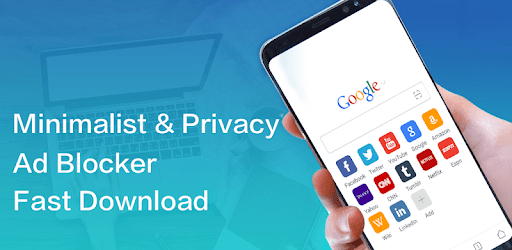
Pure Browser - Fast & Video download & Ad Blocker is an Android app developed and published by Pure Browser at Google Play Store on May 31, 2018 for Android users. Pure Browser - Fast & Video download & Ad Blocker is so popular that it has gained 100000 installs so far and growing.
Looking for a browser that offers lightning-fast speed, seamless video downloads, and effective ad blocking? Look no further than Pure Browser - the ultimate browser experience. With its sleek design and powerful features, Pure Browser is here to revolutionize your browsing experience. Let's dive into what makes this app a game-changer.
One of the standout features of Pure Browser is its full-screen capability. Say goodbye to cluttered screens and hello to more screen real estate. The top URL bar now hides itself while scrolling, revealing more content and providing you with a truly immersive browsing experience. The developer has taken user feedback seriously and continuously works on improving the app, making it a top priority to deliver what users want.
Are you tired of being bombarded with annoying ads while browsing? Pure Browser has got you covered. With its powerful ad-blocking feature, you can bid farewell to intrusive ads and enjoy a seamless browsing experience. Not only does this enhance your browsing speed, but it also saves you valuable data. No more wasting precious bandwidth on unwanted ads.
Pure Browser understands that personalization is key. That's why it offers various customization options to suit your needs. Whether you prefer a dark mode for a more comfortable browsing experience in low light conditions or you want to organize your search suggestions in a user-friendly manner, Pure Browser has got you covered. It's all about putting you in control and enhancing your browsing experience.
When it comes to browsers, simplicity and efficiency are paramount. Pure Browser delivers on both fronts. With a lightweight and sleek look, this browser offers all the essential features without unnecessary fluff. The forward-backward arrows conveniently located near the status bar make navigation smooth and effortless. Say goodbye to clunky interfaces and hello to a streamlined browsing experience.
Yes, you can easily get in touch with the developer. Simply head to the app's official website or check out their contact details in the app store.
Pure Browser allows you to download files with ease. However, it is recommended to specify a download folder in the External/Main folder of your SD card. This ensures that your downloaded files are easily accessible even if you uninstall the app.
Pure Browser's ad-blocking feature is highly effective in blocking intrusive ads, providing you with a seamless browsing experience. However, please note that some embedded videos on websites may still play automatically, consuming internet bandwidth. The developer is continuously working on improving this aspect.
The developer is aware of occasional redirection issues and is actively working to resolve them. Rest assured that your browsing experience is a top priority, and the team behind Pure Browser is committed to fixing any issues promptly.
In conclusion, Pure Browser is a game-changing app that offers a fast, efficient, and personalized browsing experience. With its full-screen capability, powerful ad-blocking feature, and sleek design, this browser is a must-have for anyone seeking a seamless browsing experience. Download Pure Browser today and take your browsing to the next level.
Yes, you can run Pure Browser - Fast & Video download & Ad Blocker on PC, but first, you will need emulator software installed on your Windows or MAC, which you can download for free. In the below video, you will find Pure Browser - Fast & Video download & Ad Blocker in action. Before you install the emulator, check out the minimum and recommended system requirements to run it seamlessly. They may change depending on which version of the emulator you choose. Therefore, we recommend you download the latest version of the emulator. Below you will find three free Android emulators that we have shortlisted based on their popularity:
Up to date graphics drivers from Microsoft or the chipset vendor.
Storage: 1 GB available under installation path, 1.5GB available hard drive space
Internet: Broadband Internet connection
Regardless of which Android emulator you install, the steps to install, configure, and running the Pure Browser - Fast & Video download & Ad Blocker app on PC are the same.