Case Chase - Case Simulator for CS:GO for PC

Case Chase - Case Simulator for CS:GO for PC

Published by EcoRush Games

Updated December 13, 2025

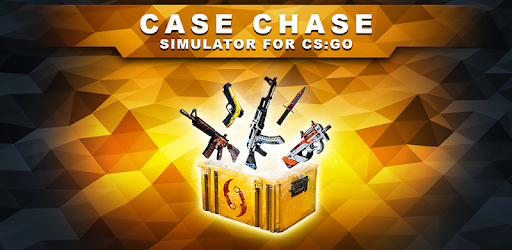
CS clicker & case opening simulator. Open a box and get a loot from the crates!

What's New

Version1.24.1
Size117.3 MB
What's NewWelcome to the latest version of Case Chase.Here is what's new:- Added a lot of new Stickers and Capsules- Charms has been added to game- Major Bug fixes and improvementsThank you for being part of the Case Chase community!

Case Chase - Case Simulator for CS:GO Screenshots

Case Chase - Case Simulator for CS:GO PC screenshot

About Case Chase - Case Simulator for CS:GO For PC

Case Chase - Case Simulator for CS:GO is an Android app developed and published by EcoRush Games at Google Play Store on Jul 7, 2017 for Android users. Case Chase - Case Simulator for CS:GO is so popular that it has gained 1000000 installs so far and growing.

Case Chase - Case Simulator for CS:GO: A Fun and Addictive Game for CS:GO Enthusiasts

If you're a CS:GO fan who has always wanted to experience the thrill of opening cases without spending real money, then Case Chase - Case Simulator for CS:GO is the perfect game for you. This game has gained popularity among CS:GO enthusiasts for its engaging gameplay and the absence of annoying ads. Let's dive into what makes this game so enjoyable and why it has captured the attention of players worldwide.

A Game Developed with Care and Passion

One of the standout features of Case Chase is the dedication of its developers. They have shown a genuine commitment to their players by actively responding to ratings and feedback. This level of engagement creates a sense of community and reassures players that their opinions matter. The developers' passion for the game is evident in every aspect, from the meticulously designed questions and quizzes to the nostalgic and satisfying gameplay that mirrors the CS:GO experience.

A Unique Clicker Feature

Have you ever wished you could earn free coins or cases without straining your wrist from endless clicking? Case Chase has a clever solution for that. By simply going to the clicker screen and holding at least seven fingers on the case or coin clicker, the game automatically clicks for you. This ingenious feature is particularly useful for those with a broken screen or anyone looking for a more relaxed way to accumulate in-game currency.

Premium Benefits and Value

While the premium version of Case Chase offers numerous advantages, such as exclusive items and bonuses, the game remains enjoyable for those who prefer not to make in-app purchases. The developers understand that not everyone wants to spend a significant amount of money on a mobile game. They have struck a balance that ensures all players can have a great experience, regardless of their spending preferences.

Expanding Possibilities with Custom Cases

Case Chase allows players to create custom cases, adding a new level of excitement to the game. Imagine designing your own case and having other players open it. For every custom case opened, the creator receives a reward. This feature fosters creativity and encourages players to engage with the game on a deeper level. It's a fantastic opportunity to showcase your creativity and earn rewards at the same time.

Feedback and Future Improvements

The developers of Case Chase value player feedback and continuously strive to enhance the game. They have received suggestions from players, such as adding the paracord knife to a special case or introducing a market where players can buy and sell skins. While these features may not be available yet, the developers are actively working to make the game even better and provide an exceptional gaming experience for all CS:GO enthusiasts.

Frequently Asked Questions (FAQ)

1. Is Case Chase - Case Simulator for CS:GO available for free?

Yes, Case Chase is free to download and play. However, there is an option to purchase the premium version for additional benefits.

2. Can I earn in-game currency without clicking manually?

Absolutely! Case Chase has a convenient clicker feature that allows you to earn coins or cases by simply holding multiple fingers on the clicker screen.

3. Are there any plans to introduce a trading system?

While a trading system is not currently available, the developers are actively considering player suggestions and working on future updates to enhance the gameplay experience.

4. Can I create and open custom cases in Case Chase?

Yes, Case Chase allows players to create their own custom cases. When other players open your custom case, you will receive a reward.

5. Is there a market where players can buy and sell skins?

At the moment, there is no market feature in Case Chase. However, the developers are open to player suggestions and may consider introducing this feature in future updates.

In conclusion, Case Chase - Case Simulator for CS:GO offers a fun and addictive gaming experience for CS:GO enthusiasts. With its engaging gameplay, responsive developers, and unique features like the clicker screen and custom cases, this game has captivated players worldwide. Whether you're a casual player or aiming for the top ranks, Case Chase has something for everyone. Download the game today and embark on an exciting CS:GO adventure!

Can I run Case Chase - Case Simulator for CS:GO on PC?

Yes, you can run Case Chase - Case Simulator for CS:GO on PC, but first, you will need emulator software installed on your Windows or MAC, which you can download for free. In the below video, you will find Case Chase - Case Simulator for CS:GO in action. Before you install the emulator, check out the minimum and recommended system requirements to run it seamlessly. They may change depending on which version of the emulator you choose. Therefore, we recommend you download the latest version of the emulator. Below you will find three free Android emulators that we have shortlisted based on their popularity:

How to Install Case Chase - Case Simulator for CS:GO on Windows PC

BlueStacks

Minimum
  • OS: Microsoft Windows 7 and above.
  • Processor: Intel or AMD Processor.
  • RAM: Your PC must have at least 4GB of RAM. (Note that having 4GB or more disk space is not a substitute for RAM)
  • Storage: 5GB Free Disk Space.
  • You must be an Administrator on your PC.
Recommended:
  • OS: Microsoft Windows 10
  • Processor: Intel or AMD Multi-Core Processor with Single Thread benchmark score > 1000.
  • Graphics: Intel/Nvidia/ATI, Onboard or Discrete controller with benchmark score >= 750.
  • Please ensure Virtualization is enabled on your PC/Laptop.
  • RAM: 8GB or higher
  • Storage: SSD (or Fusion/Hybrid Drives)
  • Internet: Broadband connection to access games, accounts and related content.

Up to date graphics drivers from Microsoft or the chipset vendor.

  • To start with, download Bluestacks from its official website. The latest version of BluesStacks is v 5, and it is around 400 MB.
  • Once the download is done, click on the Bluestacks set up file to install it on your Windows PC. Follow the on-screen instructions and install it accordingly.
  • The next step is to launch the emulator using the desktop shortcut and sign in using your Google account.
  • Now, head over to Bluestacks home screen and click on the Google Play Store icon.
  • Hit the search bar in Google Play and search for Case Chase - Case Simulator for CS:GO.
  • Install Case Chase - Case Simulator for CS:GO from the Play Store by clicking the Install option, which completes downloading of Case Chase - Case Simulator for CS:GO on PC.

NoxPlayer

Minimum
  • Operating System: Windows XP SP3, Windows Vista, Windows 7, Windows 8, Windows 10, and DirectX 9.0c
  • Processor: At least dual-core processor, both Intel, and AMD are OK
  • Video: Supports Open GL 2.0 or above
  • Memory: 1.5 GB RAM
Recommended
  • Operating System: Windows 7, Windows 8, Windows 10
  • Processor: Multiple core processors which support VT-x or AMB-V Virtualization Technology, better performance with this function enabled
  • Video: The higher performance, the better
  • Memory: 4 GB RAM

Storage: 1 GB available under installation path, 1.5GB available hard drive space

Internet: Broadband Internet connection

  • Download NoxPlayer from the official website. The latest version of NoxPlayer is v 3, and it is around 600 MB.
  • Now install the emulator using the downloaded setup file. Just go through the on-screen instructions and install NoxPlayer on your computer or laptop.
  • After the installation process, launch the Nox Android emulator and log in using your Google account when it asks you.
  • Click on the Google Play Store icon and head over to the search bar to search Case Chase - Case Simulator for CS:GO. Once found, click on the Install button to install Case Chase - Case Simulator for CS:GO for PC.
  • If you do not find Case Chase - Case Simulator for CS:GO on Google Play Store or if you want to skip logging in to Google, you can sideload APK (download the .APK file from this page and open it with NoxPlayer).
  • Launch Case Chase - Case Simulator for CS:GO from home-screen and start playing it on PC right away!

MEmu

Minimum
  • 2 cores x86/x86_64 Processor (Intel or AMD CPU)
  • WinXP SP3 / Win7 / Win8 / Win10 (Not recommended to run on Server/Enterprise)
  • Latest Windows DirectX 11 / Graphics driver with OpenGL 2.0
  • Hardware Virtualization Technology (Intel VT-x/AMD-V) shall be enabled in BIOS
  • 2GB of RAM (4GB for x64 system)
  • 5GB of hard disk free space
Recommended
  • OS: Microsoft Windows 10 with VT Enabled
  • CPU: Single Thread PassMark score > 1500 (Intel/AMD Multi-Core).
  • Graphics: Intel/Nvidia/ATI, Onboard or Discrete controller with PassMark score > 750.
  • Latest Windows DirectX 11 / Graphics driver with OpenGL 4.5 or higher
  • RAM: 8GB or higher
  • HDD: SSD, 10GB of hard disk free space
  • Internet: Broadband connection with low latency for FPS games
  • Download MEmu Play from the official website. The latest version of NoxPlayer is v 7.5.
  • When the download is completed, install the MEmu emulator on your PC. Follow the on-screen instructions and keep on clicking the Next button until the final step.
  • Now, using the desktop shortcut, look for the MEmu Play emulator and launch it. Once done, it will ask you to log in using your Google account, proceed with the same.
  • MEmu Play will ask you to log in using your Google account. When you log in, it will sync your Google account to MEmu Play. Launch the Google Play Store by clicking on the icon and search for Case Chase - Case Simulator for CS:GO.
  • Click on the Install button once you find Case Chase - Case Simulator for CS:GO from the search results. You can also sideload APK (download the .APK file from this page and open it with MEmu) if you want to skip above step.
  • After the installation of Case Chase - Case Simulator for CS:GO, you're all set to use the app on PC!

Regardless of which Android emulator you install, the steps to install, configure, and running the Case Chase - Case Simulator for CS:GO app on PC are the same.


Download Case Chase - Case Simulator for CS:GO For PC