Wing Chun Trainer for PC

Wing Chun Trainer for PC

Published by king game

Updated April 21, 2026

Wing Chun Coach teach you self-defense

What's New

Version402
Size50.2 MB
What's New- App rebuilt with target API level 35 to meet Google Play requirements.- Minor bug fixes and performance improvements.

Wing Chun Trainer Screenshots

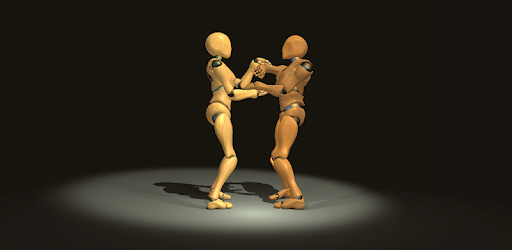
Wing Chun Trainer PC screenshot

About Wing Chun Trainer For PC

Wing Chun Trainer is an Android app developed and published by king game at Google Play Store on Apr 2, 2018 for Android users. Wing Chun Trainer is so popular that it has gained 100000 installs so far and growing.

Unlock the Power of Wing Chun with the Wing Chun Trainer App

Are you a martial arts enthusiast looking for a comprehensive training tool? Look no further than the Wing Chun Trainer app. This app is designed to help you master the art of Wing Chun, a traditional Chinese martial art known for its efficiency and effectiveness in close combat situations.

Experience the Benefits

So far, so great! The Wing Chun Trainer app has received rave reviews from users who are impressed with its features and functionality. As a martial arts student myself, I understand the importance of finding a reliable training tool, and this app definitely delivers.

One of the standout features of this app is its ability to break down complex movements into easy-to-follow steps. Whether you're a beginner or an experienced practitioner, you'll find value in the detailed instructions and demonstrations provided by the app.

With the Wing Chun Trainer app, you have the opportunity to learn at your own pace. The slow-motion and view adjustment features allow you to analyze each movement in detail, ensuring that you grasp the techniques thoroughly.

Unlock Your Potential

While the app offers a range of free lessons, there are additional skills and techniques that can be purchased. These paid lessons are definitely worth the investment, especially when you consider the time and effort it would take to learn these steps in a traditional class setting.

One user mentioned that the wooden man sections of the app are particularly valuable. The sound, speed, and technique adjustments can be made on the fly, providing a customizable training experience. The unity system ensures a smooth and seamless user interface, enhancing the overall training experience.

It's worth noting that the app is not a substitute for training with a human partner. Wing Chun is a study of body mechanics and the application of force, and having a partner to practice with is invaluable. However, the Wing Chun Trainer app serves as an excellent companion for solo training sessions.

Join the Wing Chun Community

With its user-friendly interface and comprehensive training materials, the Wing Chun Trainer app has garnered a loyal following. Users have praised the app for its simplicity and effectiveness, and many have expressed their desire for the app to expand its offerings to include other Chinese martial arts like kung fu and wushu.

If you're looking to enhance your Wing Chun skills or explore the world of martial arts, the Wing Chun Trainer app is a must-have. Download it today and unlock your full potential in the world of martial arts.

Frequently Asked Questions

1. Is the wooden dummy section included in the app's price?

The wooden dummy section is a paid feature in the Wing Chun Trainer app. The price for the entire package can be found within the app.

2. Can I use the app as a supplement to my Wing Tsun class?

Absolutely! The Wing Chun Trainer app is designed to complement your training sessions. It provides additional guidance and practice opportunities for areas you may need help with.

3. Are there plans to expand the app to include other martial arts?

While the focus of the Wing Chun Trainer app is currently on Wing Chun, there have been requests from users to include other martial arts like Jeet Kune Do. The developers are taking these suggestions into consideration for future updates.

Can I run Wing Chun Trainer on PC?

Yes, you can run Wing Chun Trainer on PC, but first, you will need emulator software installed on your Windows or MAC, which you can download for free. In the below video, you will find Wing Chun Trainer in action. Before you install the emulator, check out the minimum and recommended system requirements to run it seamlessly. They may change depending on which version of the emulator you choose. Therefore, we recommend you download the latest version of the emulator. Below you will find three free Android emulators that we have shortlisted based on their popularity:

How to Install Wing Chun Trainer on Windows PC

BlueStacks

Minimum
  • OS: Microsoft Windows 7 and above.
  • Processor: Intel or AMD Processor.
  • RAM: Your PC must have at least 4GB of RAM. (Note that having 4GB or more disk space is not a substitute for RAM)
  • Storage: 5GB Free Disk Space.
  • You must be an Administrator on your PC.
Recommended:
  • OS: Microsoft Windows 10
  • Processor: Intel or AMD Multi-Core Processor with Single Thread benchmark score > 1000.
  • Graphics: Intel/Nvidia/ATI, Onboard or Discrete controller with benchmark score >= 750.
  • Please ensure Virtualization is enabled on your PC/Laptop.
  • RAM: 8GB or higher
  • Storage: SSD (or Fusion/Hybrid Drives)
  • Internet: Broadband connection to access games, accounts and related content.

Up to date graphics drivers from Microsoft or the chipset vendor.

  • To start with, download Bluestacks from its official website. The latest version of BluesStacks is v 5, and it is around 400 MB.
  • Once the download is done, click on the Bluestacks set up file to install it on your Windows PC. Follow the on-screen instructions and install it accordingly.
  • The next step is to launch the emulator using the desktop shortcut and sign in using your Google account.
  • Now, head over to Bluestacks home screen and click on the Google Play Store icon.
  • Hit the search bar in Google Play and search for Wing Chun Trainer.
  • Install Wing Chun Trainer from the Play Store by clicking the Install option, which completes downloading of Wing Chun Trainer on PC.

NoxPlayer

Minimum
  • Operating System: Windows XP SP3, Windows Vista, Windows 7, Windows 8, Windows 10, and DirectX 9.0c
  • Processor: At least dual-core processor, both Intel, and AMD are OK
  • Video: Supports Open GL 2.0 or above
  • Memory: 1.5 GB RAM
Recommended
  • Operating System: Windows 7, Windows 8, Windows 10
  • Processor: Multiple core processors which support VT-x or AMB-V Virtualization Technology, better performance with this function enabled
  • Video: The higher performance, the better
  • Memory: 4 GB RAM

Storage: 1 GB available under installation path, 1.5GB available hard drive space

Internet: Broadband Internet connection

  • Download NoxPlayer from the official website. The latest version of NoxPlayer is v 3, and it is around 600 MB.
  • Now install the emulator using the downloaded setup file. Just go through the on-screen instructions and install NoxPlayer on your computer or laptop.
  • After the installation process, launch the Nox Android emulator and log in using your Google account when it asks you.
  • Click on the Google Play Store icon and head over to the search bar to search Wing Chun Trainer. Once found, click on the Install button to install Wing Chun Trainer for PC.
  • If you do not find Wing Chun Trainer on Google Play Store or if you want to skip logging in to Google, you can sideload APK (download the .APK file from this page and open it with NoxPlayer).
  • Launch Wing Chun Trainer from home-screen and start playing it on PC right away!

MEmu

Minimum
  • 2 cores x86/x86_64 Processor (Intel or AMD CPU)
  • WinXP SP3 / Win7 / Win8 / Win10 (Not recommended to run on Server/Enterprise)
  • Latest Windows DirectX 11 / Graphics driver with OpenGL 2.0
  • Hardware Virtualization Technology (Intel VT-x/AMD-V) shall be enabled in BIOS
  • 2GB of RAM (4GB for x64 system)
  • 5GB of hard disk free space
Recommended
  • OS: Microsoft Windows 10 with VT Enabled
  • CPU: Single Thread PassMark score > 1500 (Intel/AMD Multi-Core).
  • Graphics: Intel/Nvidia/ATI, Onboard or Discrete controller with PassMark score > 750.
  • Latest Windows DirectX 11 / Graphics driver with OpenGL 4.5 or higher
  • RAM: 8GB or higher
  • HDD: SSD, 10GB of hard disk free space
  • Internet: Broadband connection with low latency for FPS games
  • Download MEmu Play from the official website. The latest version of NoxPlayer is v 7.5.
  • When the download is completed, install the MEmu emulator on your PC. Follow the on-screen instructions and keep on clicking the Next button until the final step.
  • Now, using the desktop shortcut, look for the MEmu Play emulator and launch it. Once done, it will ask you to log in using your Google account, proceed with the same.
  • MEmu Play will ask you to log in using your Google account. When you log in, it will sync your Google account to MEmu Play. Launch the Google Play Store by clicking on the icon and search for Wing Chun Trainer.
  • Click on the Install button once you find Wing Chun Trainer from the search results. You can also sideload APK (download the .APK file from this page and open it with MEmu) if you want to skip above step.
  • After the installation of Wing Chun Trainer, you're all set to use the app on PC!

Regardless of which Android emulator you install, the steps to install, configure, and running the Wing Chun Trainer app on PC are the same.


Download Wing Chun Trainer For PC