Published by Contacts Messages Apps
Updated October 2, 2026
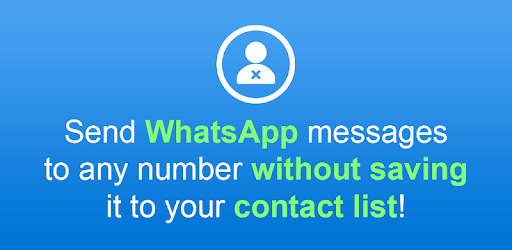
Send WhatsApp messages without saving the phone number to your contacts!
| Version | 1.3.35 |
| Size | 9.7 MB |
| What's New | Send WhatsApp messages to unsaved contact or directly to a phone number, without having to save the contact on your phone. |
Easy Message is an Android app developed and published by Contacts Messages Apps at Google Play Store on Apr 23, 2018 for Android users. Easy Message is so popular that it has gained 1272436 installs so far and growing.
Are you tired of the hassle of saving contacts just to send a simple WhatsApp message? Look no further - Easy Message is here to revolutionize the way you communicate on WhatsApp. With its user-friendly interface and powerful features, this app is a game-changer for anyone who relies on WhatsApp for daily communication.
One of the standout features of Easy Message is its ability to send multiple messages at once. No more wasting time sending individual messages - with Easy Message, you can reach out to multiple contacts with just a few taps. Whether you need to inform your customers about a company promotion or simply want to chat with a group of friends, Easy Message has got you covered.
Gone are the days of cluttered contact lists and the need to save every person's number. Easy Message allows you to chat with anyone on WhatsApp without the hassle of saving their number in your contacts. This is especially useful when you want to reach out to someone quickly and don't want to clutter your phone with unnecessary contacts.
Easy Message lives up to its name by providing a clean and intuitive user interface that focuses on solving your communication problems directly. Say goodbye to annoying features and useless ads - Easy Message is designed to make your WhatsApp experience seamless and enjoyable.
Yes, Easy Message allows you to send multiple messages to different contacts simultaneously, saving you time and effort.
No, Easy Message eliminates the need to save numbers in your contacts. You can easily approach any number on WhatsApp without cluttering your contact list.
Yes, Easy Message is completely free to download and use. Enjoy all its features without any hidden costs or subscriptions.
No, Easy Message prioritizes your user experience by providing a clean interface without any annoying ads. Say goodbye to interruptions and distractions.
Yes, Easy Message is available for both Android and iOS devices. Download it from the respective app stores and start enjoying its benefits.
With Easy Message, you can take your WhatsApp experience to the next level. Say goodbye to unnecessary contact clutter and hello to efficient and hassle-free communication. Download Easy Message today and discover a whole new way to connect on WhatsApp!
Yes, you can run Easy Message on PC, but first, you will need emulator software installed on your Windows or MAC, which you can download for free. In the below video, you will find Easy Message in action. Before you install the emulator, check out the minimum and recommended system requirements to run it seamlessly. They may change depending on which version of the emulator you choose. Therefore, we recommend you download the latest version of the emulator. Below you will find three free Android emulators that we have shortlisted based on their popularity:
Up to date graphics drivers from Microsoft or the chipset vendor.
Storage: 1 GB available under installation path, 1.5GB available hard drive space
Internet: Broadband Internet connection
Regardless of which Android emulator you install, the steps to install, configure, and running the Easy Message app on PC are the same.