Published by GOMO Apps
Updated September 17, 2025
Smart applock, lock apps🔐, hide picture, safe Lock screen🔒, 1000+ wallpapers
| Version | 1.88.12 |
| Size | 15.5 MB |
| What's New | 1、Fix the bugs |
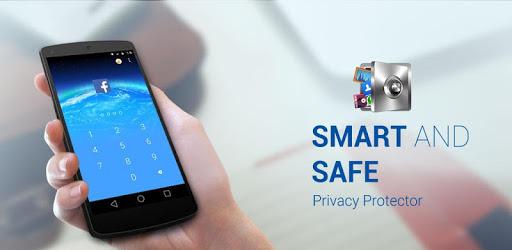
AppLock is an Android app developed and published by GOMO Apps at Google Play Store on Jul 16, 2015 for Android users. AppLock is so popular that it has gained 10000000 installs so far and growing.
In today's digital era, keeping your personal information safe is more important than ever. AppLock is a fantastic solution to protect your important applications, pictures, videos, and other personal stuff on your phone. It offers an easy-to-use interface, high security, and the ability to lock any app, ensuring that your private data remains secure.
AppLock provides robust security features that prevent unauthorized access to your phone's apps and data. With it, you can confidently leave your phone unattended, knowing that nobody can access your information without your permission. This level of security makes AppLock stand out among other similar applications.
One of the fun features of AppLock is the ability to change the theme, allowing you to customize the appearance according to your taste. This personalization feature makes the app not only functional but also visually appealing.
Besides locking your apps, AppLock also helps in cleaning your phone by removing unnecessary files and trash, ensuring that your device remains clutter-free and runs smoothly. This means you not only get security but also a boost in phone performance.
AppLock is designed for everyone. Whether you are a tech-savvy individual or someone new to using security apps, you'll find it straightforward and user-friendly. The app ensures that any vital information you have on your phone, such as photos and videos, is safe from prying eyes.
AppLock comes highly recommended for its ease of use and the high level of security it provides. Users appreciate being able to lock any app on their phone with simple steps, making it a popular choice for protecting personal information.
Using AppLock is an overall pleasant experience. Its quick response and straightforward interface make it a reliable tool for everyday security needs. However, it’s also suggested that enhancements such as an app hiding option could further improve user satisfaction.
While AppLock is incredibly secure, it’s important to remember your password for future access. On occasions where users forget their password, reaching out for support ensures you can regain access and continue to benefit from the app's protection features.
AppLock stands out as a remarkably useful app for anyone looking to enhance their phone's security. Its combination of user-friendliness, effective security measures, and additional features like theme customization and phone cleaning makes it a compelling choice. Protect your phone with AppLock and enjoy peace of mind, knowing your private data is secure.
Yes, you can run AppLock on PC, but first, you will need emulator software installed on your Windows or MAC, which you can download for free. In the below video, you will find AppLock in action. Before you install the emulator, check out the minimum and recommended system requirements to run it seamlessly. They may change depending on which version of the emulator you choose. Therefore, we recommend you download the latest version of the emulator. Below you will find three free Android emulators that we have shortlisted based on their popularity:
Up to date graphics drivers from Microsoft or the chipset vendor.
Storage: 1 GB available under installation path, 1.5GB available hard drive space
Internet: Broadband Internet connection
Regardless of which Android emulator you install, the steps to install, configure, and running the AppLock app on PC are the same.