Published by Yubin Chen
Updated July 5, 2026
Add date/time to photo and video easily and save to a new file
| Version | 1.63 |
| Size | 16.1 MB |
| What's New | - Bug fixes |
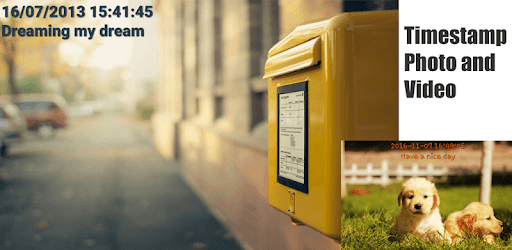
Timestamp Photo and Video Free is an Android app developed and published by Yubin Chen at Google Play Store on May 9, 2017 for Android users. Timestamp Photo and Video Free is so popular that it has gained 1362769 installs so far and growing.
Are you tired of trying to prove the authenticity of your photos and videos? Look no further than Timestamp Photo and Video Free, the app that makes adding timestamps a breeze. With its user-friendly interface and powerful features, this app is a must-have for anyone who wants to add a timestamp to their media.
One of the standout features of Timestamp Photo and Video Free is its simplicity. Unlike other apps that require complicated setups or technical knowledge, this app is designed with the everyday user in mind. Simply open the app, select the photo or video you want to timestamp, and let the app do the rest. It's that easy!
Not only is the app easy to use, but it is also highly effective. The timestamps added by Timestamp Photo and Video Free are accurate and reliable, ensuring that your media is properly documented. Whether you need to prove the date and time of an event or simply want to add a professional touch to your photos and videos, this app has you covered.
Timestamp Photo and Video Free offers a plethora of customization options to suit your personal preferences. You can easily change the fonts, colors, and size of the timestamp to match your style. This level of customization sets this app apart from others in the market, giving you the freedom to make your media truly unique.
Additionally, this app pulls the date and time information directly from the photo or video's metadata, ensuring that the timestamp is accurate and reliable. This is a feature that many similar apps lack, making Timestamp Photo and Video Free a standout choice.
With Timestamp Photo and Video Free, you don't need to rely on the app's camera. You can use your default camera app and still benefit from the timestamp feature. This level of convenience and versatility makes this app a go-to choice for users who want to seamlessly integrate timestamp functionality into their existing workflow.
Furthermore, this app allows you to create customized videos using your photos and videos from your phone gallery. Whether you want to create a slideshow for a special occasion or simply showcase your unviewed photos on a big screen TV, Timestamp Photo and Video Free has you covered. With easy-to-use features and the ability to add music to your videos, this app takes your media viewing experience to the next level.
Yes, you can use your default camera app and still benefit from the timestamp feature provided by Timestamp Photo and Video Free. This app seamlessly integrates with your existing workflow, making it convenient and versatile.
Absolutely! Timestamp Photo and Video Free offers a wide range of customization options. You can change the fonts, colors, and size of the timestamp to match your personal style.
This app pulls the date and time information directly from the photo or video's metadata. This ensures that the timestamp is accurate and reliable, unlike some similar apps that rely on the download date.
Yes, you can create customized videos using your photos and videos from your phone gallery. Timestamp Photo and Video Free allows you to add music and create personalized slideshows for special occasions or simply for showcasing your unviewed photos on a big screen TV.
Yes, Timestamp Photo and Video Free supports multiple file formats, ensuring that you can timestamp both photos and videos without any limitations.
Don't miss out on the opportunity to add timestamps to your photos and videos with ease. Download Timestamp Photo and Video Free today and experience the convenience and reliability of this exceptional app.
Yes, you can run Timestamp Photo and Video Free on PC, but first, you will need emulator software installed on your Windows or MAC, which you can download for free. In the below video, you will find Timestamp Photo and Video Free in action. Before you install the emulator, check out the minimum and recommended system requirements to run it seamlessly. They may change depending on which version of the emulator you choose. Therefore, we recommend you download the latest version of the emulator. Below you will find three free Android emulators that we have shortlisted based on their popularity:
Up to date graphics drivers from Microsoft or the chipset vendor.
Storage: 1 GB available under installation path, 1.5GB available hard drive space
Internet: Broadband Internet connection
Regardless of which Android emulator you install, the steps to install, configure, and running the Timestamp Photo and Video Free app on PC are the same.