Published by GOMO
Updated October 5, 2025
The magical selfie camera with AR stickers, live filters, face swap & collage🌠
| Version | 4.60 |
| Size | 59.0 MB |
| What's New | New Features: -Fix some bugs |
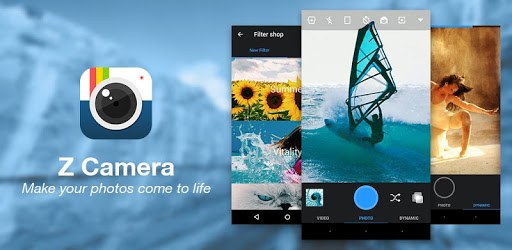
Z Camera - Photo Editor, Beauty Selfie, Collage is an Android app developed and published by GOMO at Google Play Store on Feb 11, 2015 for Android users. Z Camera - Photo Editor, Beauty Selfie, Collage is so popular that it has gained 100000000 installs so far and growing.
If you're searching for an incredible photo editing app, look no further than Z Camera. This app offers an impressive range of features, making it a top choice for anyone who loves to take and edit photos. Whether you want to enhance your selfies, lock your photo gallery, or create beautiful collages, Z Camera is the perfect companion. Let's dive into what makes this app so special.
One of the standout features of Z Camera is its secure gallery lock. This allows you to keep your personal photos safe and private. The gallery lock is easy to use and adds an extra layer of security to your favorite memories. You won't have to worry about anyone accessing your private moments without your permission.
Z Camera excels in making your selfies flawless. If you have pimples or blemishes you'd like to hide, Z Camera's filters are your best friend. The beauty features smooth out your skin, remove imperfections, and give your selfies a polished look. The transformation is so seamless that you'll be amazed at how good your photos turn out.
Creating collages is a breeze with Z Camera. The app provides various templates and tools to arrange your photos in a beautiful and artistic way. It's perfect for collecting your favorite moments and sharing them with friends and family. Having the option to design collages adds a creative touch to your photo editing experience.
Even though Z Camera offers advanced editing tools, it's user-friendly enough for beginners. You can easily adjust brightness, contrast, and saturation to make your photos pop. Add filters to give your images a unique vibe, or crop and rotate them to get the perfect composition.
Once you have edited your photos, sharing them is simple. With just a few taps, you can upload your masterpieces to social media platforms like Instagram. Your followers will be impressed by the clarity and vibrancy of your photos. Z Camera makes it easy to create visually stunning images that stand out.
If you enjoy taking photos, Z Camera is a must-have app. It's perfect for capturing and enhancing your favorite moments. The app provides a wide range of features without being overly complicated, making it suitable for everyone, from beginners to more experienced photographers.
Z Camera stands out for its ease of use and versatility. The secure gallery lock ensures your photos are safe, while the beauty features help you look your best in every selfie. The collage creation options add a creative flair to your photo collections, and the editing tools are powerful yet straightforward. More than just a photo editor, Z Camera is a complete package for anyone looking to improve their photo-taking experience.
In conclusion, Z Camera - Photo Editor, Beauty Selfie, Collage is an outstanding choice for anyone who loves to edit their photos. Its combination of security, beauty enhancements, and creative tools makes it a must-have app for your mobile device. Download Z Camera today and start making your photos truly shine.
Yes, you can run Z Camera - Photo Editor, Beauty Selfie, Collage on PC, but first, you will need emulator software installed on your Windows or MAC, which you can download for free. In the below video, you will find Z Camera - Photo Editor, Beauty Selfie, Collage in action. Before you install the emulator, check out the minimum and recommended system requirements to run it seamlessly. They may change depending on which version of the emulator you choose. Therefore, we recommend you download the latest version of the emulator. Below you will find three free Android emulators that we have shortlisted based on their popularity:
Up to date graphics drivers from Microsoft or the chipset vendor.
Storage: 1 GB available under installation path, 1.5GB available hard drive space
Internet: Broadband Internet connection
Regardless of which Android emulator you install, the steps to install, configure, and running the Z Camera - Photo Editor, Beauty Selfie, Collage app on PC are the same.