Published by Shenzhenshi JinJiaTai Technology CO.,LTD
Updated November 17, 2025
A professional smart band app.
| Version | 3.6.5 |
| Size | 7.7 MB |
| What's New | Bug fixed. |

Smart Wristband is an Android app developed and published by Shenzhenshi JinJiaTai Technology CO.,LTD at Google Play Store on Feb 28, 2016 for Android users. Smart Wristband is so popular that it has gained 500000 installs so far and growing.
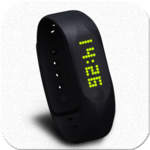
Are you looking for a smart wristband that seamlessly integrates with your daily activities? Look no further than the Smart Wristband app! With its simple setup and user-friendly interface, this app is designed to enhance your overall experience with your smart wristband.
The Smart Wristband app is incredibly easy to use and works straight away as soon as it is installed on your device. You don't have to worry about any complicated setup processes or technical glitches. Simply install the app, and you're ready to go!
Stay up to date with the latest time and date updates, thanks to the app's seamless synchronization with your smart wristband. You can trust that the information displayed is accurate and always up to date.
One of the standout features of the Smart Wristband app is its comprehensive fitness tracking capabilities. Whether you're into walking, cycling, swimming, or monitoring your sleep patterns, this app has got you covered.
The built-in pedometer accurately tracks your steps, helping you stay motivated and achieve your daily fitness goals. With the Smart Wristband app, you can monitor your progress and make informed decisions about your health and well-being.
Don't miss out on important calls, texts, or messages from WhatsApp and other social media platforms. The Smart Wristband app keeps you notified, ensuring that you're always in the loop, even when your phone is out of reach.
Experience the convenience of receiving notifications directly on your wrist, allowing you to stay connected without constantly checking your phone. With the Smart Wristband app, you'll never miss an important update or message again.
The Smart Wristband app works seamlessly with your smart wristband, providing a smooth and reliable user experience. While occasional disconnections may occur, simply rerunning the app resolves the issue, ensuring uninterrupted functionality.
For optimal performance, it is recommended to lock the app into Android's running apps to prevent it from being killed by the system. By following this simple step, you can enjoy the full potential of the Smart Wristband app without any interruptions.
The Smart Wristband app continues to evolve and adapt to meet the needs of its users. While it currently supports a wide range of popular apps, the developers are constantly working to expand its compatibility.
Although the app may not currently support all apps, the team behind Smart Wristband is dedicated to enhancing its capabilities and ensuring a seamless experience for all users. Stay tuned for future updates and exciting new features!
The Smart Wristband app is designed to work with a variety of smart wristbands. However, it is always recommended to check the app's compatibility with your specific device before installation.
The pedometer feature of the Smart Wristband app is highly accurate and provides reliable step tracking. It is a great tool to help you monitor your daily activity levels and achieve your fitness goals.
Yes, you can customize the notifications you receive on your smart wristband through the Smart Wristband app. Simply adjust the settings according to your preferences and stay informed about the updates that matter most to you.
If you encounter occasional disconnections with the Smart Wristband app, simply rerun the app to restore connectivity. Additionally, locking the app into Android's running apps can help prevent such issues.
Yes, the developers of the Smart Wristband app are constantly working on expanding its compatibility with a wider range of apps. Keep an eye out for future updates and exciting new features!
Experience the convenience and functionality of the Smart Wristband app today. Stay connected, track your fitness goals, and enjoy a seamless user experience with this fantastic companion for your smart wristband.
Yes, you can run Smart Wristband on PC, but first, you will need emulator software installed on your Windows or MAC, which you can download for free. In the below video, you will find Smart Wristband in action. Before you install the emulator, check out the minimum and recommended system requirements to run it seamlessly. They may change depending on which version of the emulator you choose. Therefore, we recommend you download the latest version of the emulator. Below you will find three free Android emulators that we have shortlisted based on their popularity:
Up to date graphics drivers from Microsoft or the chipset vendor.
Storage: 1 GB available under installation path, 1.5GB available hard drive space
Internet: Broadband Internet connection
Regardless of which Android emulator you install, the steps to install, configure, and running the Smart Wristband app on PC are the same.