
Published by Isha Foundation
Updated August 25, 2025
Learn yoga and meditation for free, and access Sadhguru’s wisdom on your mobile.
| Version | 9.4.3 |
| Size | 109.8 MB |
| What's New | [FIX] Minor bug fixes |
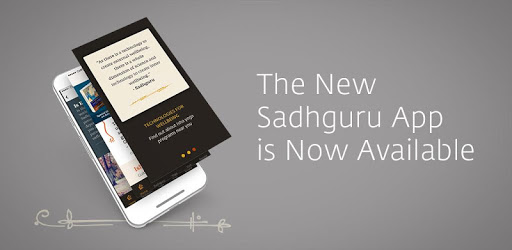
Sadhguru - Yoga, Meditation & Spirituality is an Android app developed and published by Isha Foundation at Google Play Store on Jul 3, 2012 for Android users. Sadhguru - Yoga, Meditation & Spirituality is so popular that it has gained 1000000 installs so far and growing.
The Sadhguru app offers a rich and immersive experience for anyone seeking a path towards better self-development. This app is much more than just a digital tool; it's a doorway into a blissful world filled with positivity and opportunities for profound inner growth.
The Sadhguru app is designed to be user-friendly, making it accessible to everyone who wants to explore the realms of yoga, meditation, and spirituality. It offers clear and compelling content that keeps users engaged. The app's aesthetics are pleasing to the eye, and its organization is thoughtful, making it easy for users to navigate and find the resources they need.
One of the standout features of the Sadhguru app is its extensive array of holistic tools. This includes guided meditations, such as the powerful Isha Kriya, and a variety of yoga practices that have the potential to deeply impact one's life. The app provides these resources in multiple languages, including English and Telugu, making them accessible to a wider audience.
The Sadhguru app offers daily nuggets of wisdom that can serve as inspiration and guidance. These are short, insightful pieces that resonate with users, helping them stay mindful and conscious throughout their day. The app also features podcasts and articles that delve into deeper aspects of spirituality, offering users a comprehensive learning experience.
The technical implementation of the Sadhguru app is commendable. It runs smoothly and offers a variety of features that enhance the user experience. From customizable alarms to regular updates that fix bugs and introduce new functionalities, the app is continually improving to meet the needs of its users.
The Sadhguru app caters to individual needs, providing customized content based on users' engagement levels and experience depth. This personalized approach ensures that users receive the most relevant and beneficial information, whether they are beginners or seasoned practitioners.
The Sadhguru app is an invaluable resource for those dedicated to spiritual growth. It offers a platform to connect with a real guru, Sadhguru himself, and to experience the presence of his guidance and grace. The app makes these spiritual tools easily accessible, allowing users to incorporate them into their daily lives effortlessly.
The app also offers a sense of community, connecting users with like-minded individuals on their spiritual journey. This supportive environment encourages users to continue their practice and explore new dimensions of their inner world.
As technology evolves, so does the Sadhguru app. It remains up-to-date with the latest advancements, ensuring that users receive the best possible experience. The app's developers are responsive to feedback, constantly working to enhance its features and resolve any issues that may arise.
The Sadhguru app is a wonderful tool for anyone looking to improve their well-being. It offers a wealth of knowledge and practical tools that are easy to access and use. Whether you're looking for guided meditations, daily wisdom, or support in your spiritual journey, the Sadhguru app has it all.
Dive into this empowering and eye-opening world, and discover the path to a more joyful and fulfilling life with the Sadhguru app.
Yes, you can run Sadhguru - Yoga, Meditation & Spirituality on PC, but first, you will need emulator software installed on your Windows or MAC, which you can download for free. In the below video, you will find Sadhguru - Yoga, Meditation & Spirituality in action. Before you install the emulator, check out the minimum and recommended system requirements to run it seamlessly. They may change depending on which version of the emulator you choose. Therefore, we recommend you download the latest version of the emulator. Below you will find three free Android emulators that we have shortlisted based on their popularity:
Up to date graphics drivers from Microsoft or the chipset vendor.
Storage: 1 GB available under installation path, 1.5GB available hard drive space
Internet: Broadband Internet connection
Regardless of which Android emulator you install, the steps to install, configure, and running the Sadhguru - Yoga, Meditation & Spirituality app on PC are the same.