Published by StockSpy Apps Inc.
Updated April 21, 2026
Stocks: Live Realtime Quotes, Chart, News tracker & Portfolio Watchlists
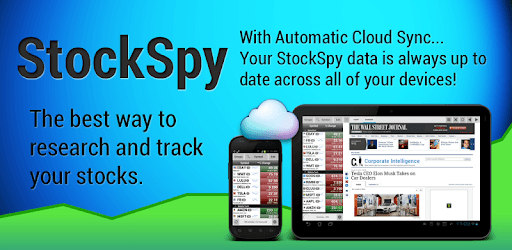
Stocks: Realtime Quotes Charts is an Android app developed and published by StockSpy Apps Inc. at Google Play Store on Mar 4, 2013 for Android users. Stocks: Realtime Quotes Charts is so popular that it has gained 1498439 installs so far and growing.
Are you looking for a reliable and user-friendly app to track your stocks and stay updated with real-time quotes and charts? Look no further! Stocks: Realtime Quotes Charts is the perfect solution for traders and investors like you. With its recent updates, this app has become even better, providing you with all the essential information you need to make informed decisions about your investments.
One of the standout features of Stocks: Realtime Quotes Charts is its ability to provide you with real-time closing prices as soon as they are posted. No more waiting around for delayed updates or relying on outdated information. With this app, you can stay ahead of the game and make timely decisions based on the most up-to-date data.
Unlike other apps that overwhelm you with precise gains and losses, Stocks: Realtime Quotes Charts takes a different approach. It allows you to track portfolio trends without getting caught up in the nitty-gritty details. This psychologically safe approach ensures that you can focus on the bigger picture and make strategic moves without feeling overwhelmed.
Managing multiple investment accounts can be a hassle, but not with Stocks: Realtime Quotes Charts. This app allows you to monitor all your accounts in one place, making it convenient and efficient. Whether you have stocks, bonds, or other investments, this app has got you covered.
When it comes to real-time quotes and analysis, Stocks: Realtime Quotes Charts is second to none. It provides you with in-depth analysis for each stock you select, giving you a clear understanding of its performance and potential. The graphs and charts offered by this app are not only visually appealing but also powerful tools that help you make informed decisions.
Stocks: Realtime Quotes Charts keeps you updated with the latest news related to your investments. While some apps bombard you with paid advertising disguised as news, this app focuses on delivering real news that matters. Say goodbye to irrelevant content and hello to valuable insights that can shape your investment strategies.
Stocks: Realtime Quotes Charts understands that every trader and investor has unique preferences. That's why it offers customization options to tailor the app to your specific needs. From choosing the market indexes you want to see to configuring moving day averages, this app puts you in control of your trading experience.
Yes, Stocks: Realtime Quotes Charts allows you to monitor all your accounts in one place, making it convenient and efficient.
Absolutely! Stocks: Realtime Quotes Charts provides you with real-time closing prices as soon as they are posted, ensuring that you have the most up-to-date information.
Yes, you can customize your experience with Stocks: Realtime Quotes Charts. From choosing the market indexes you want to see to configuring moving day averages, the app offers various customization options.
Yes, Stocks: Realtime Quotes Charts provides comprehensive analysis for each stock you select. It helps you understand the performance and potential of your investments.
Stocks: Realtime Quotes Charts focuses on delivering real news that matters to traders and investors. You can trust the app to keep you informed with the latest and most relevant information.
Don't miss out on the opportunity to take your trading and investing to the next level. Download Stocks: Realtime Quotes Charts now and experience the power of real-time data and analysis at your fingertips!
Yes, you can run Stocks: Realtime Quotes Charts on PC, but first, you will need emulator software installed on your Windows or MAC, which you can download for free. In the below video, you will find Stocks: Realtime Quotes Charts in action. Before you install the emulator, check out the minimum and recommended system requirements to run it seamlessly. They may change depending on which version of the emulator you choose. Therefore, we recommend you download the latest version of the emulator. Below you will find three free Android emulators that we have shortlisted based on their popularity:
Up to date graphics drivers from Microsoft or the chipset vendor.
Storage: 1 GB available under installation path, 1.5GB available hard drive space
Internet: Broadband Internet connection
Regardless of which Android emulator you install, the steps to install, configure, and running the Stocks: Realtime Quotes Charts app on PC are the same.