Published by IDSstudio
Updated September 23, 2026
Hide photos,videos, files etc as well as the app that hides them.
| Version | 1.3.7 |
| Size | 3.5 MB |
| What's New | v1.3.7-minor bug fixes-added facebook page button |
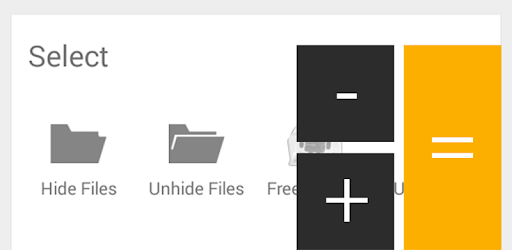
Smart Hide Calculator is an Android app developed and published by IDSstudio at Google Play Store on Dec 3, 2013 for Android users. Smart Hide Calculator is so popular that it has gained 1000000 installs so far and growing.
Smart Hide Calculator is an app that helps you hide your personal pictures, videos, and other files. It looks like a regular calculator, but behind the scenes, it serves as a secure vault for your private data. This makes it perfect for protecting information, as it blends in seamlessly with other apps on your phone.
One of the standout features of Smart Hide Calculator is its disguise. By appearing as a calculator, it ensures that only you know it's a hidden vault. This makes it an excellent choice for anyone looking to keep their private files under wraps.
Smart Hide Calculator offers a secure way to store your files. Whether it's photos, videos, or documents, you can trust that your data is safe. The app ensures that your files remain hidden from prying eyes.
Navigating through Smart Hide Calculator is simple. The interface is designed to be user-friendly, so even if you're not tech-savvy, you can still get the hang of it quickly. This makes it accessible to a broad range of users.
Whether you're hiding photos, videos, or documents, Smart Hide Calculator supports multiple file types. You don't have to worry about compatibility issues, as the app can handle a variety of file formats with ease.
Smart Hide Calculator provides enhanced privacy for your personal data. It's an ideal option for anyone who wants to keep their sensitive information secure without drawing attention to the app itself. The disguise as a calculator adds an extra layer of security, making it one of the most discreet options available.
You don’t need to be a tech expert to use Smart Hide Calculator. Its straightforward design makes it easy for anyone to understand and operate. The user-friendly interface ensures you can manage your hidden files without any hassle.
Compared to other apps like Vault or Hide it Pro, Smart Hide Calculator stands out for its unique features and reliability. Users find it more effective and efficient for hiding their private data. You can rely on it for securing your personal belongings without worrying about data loss.
Smart Hide Calculator not only hides your files but also functions as a regular calculator. This convenient dual-purpose nature makes it practical for everyday use. You won’t have to download multiple apps, as Smart Hide Calculator combines functionality and security in one package.
Adding files to Smart Hide Calculator is simple. Once you open the app, you can follow the on-screen instructions to find and add the files you want to hide. If you have any questions, the app's help section can provide additional guidance.
Sometimes, you might encounter issues with viewing your hidden files. If this happens, checking for updates or restarting the app usually helps. If you're still having trouble, consider reaching out to the support team for assistance.
Smart Hide Calculator offers robust security features to protect your files. The disguise as a calculator reduces the risk of someone discovering your hidden vault. This makes it one of the more secure options for hiding personal data.
No, as long as you don't share the secret, Smart Hide Calculator remains hidden in plain sight. It looks like a normal calculator to anyone who doesn't know its true purpose. This ensures your privacy remains intact.
Yes, you can run Smart Hide Calculator on PC, but first, you will need emulator software installed on your Windows or MAC, which you can download for free. In the below video, you will find Smart Hide Calculator in action. Before you install the emulator, check out the minimum and recommended system requirements to run it seamlessly. They may change depending on which version of the emulator you choose. Therefore, we recommend you download the latest version of the emulator. Below you will find three free Android emulators that we have shortlisted based on their popularity:
Up to date graphics drivers from Microsoft or the chipset vendor.
Storage: 1 GB available under installation path, 1.5GB available hard drive space
Internet: Broadband Internet connection
Regardless of which Android emulator you install, the steps to install, configure, and running the Smart Hide Calculator app on PC are the same.