
Published by AffinityClick Inc.
Updated December 1, 2025
Second Line Phone Numbers for Private Calls & Texting - Free Trial Burner Number
| Version | 5.31.0 |
| Size | 141.7 MB |
| What's New | Bug Fixes & Improvements:Some small issues popped up, and we took care of them. Enjoy a cleaner, quieter, more reliable Hushed app. |
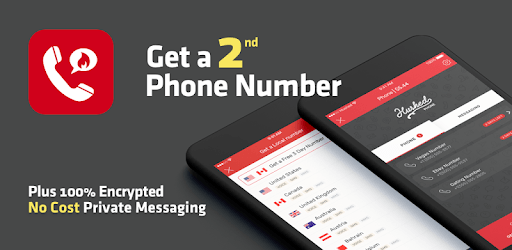
Hushed - 2nd Phone Number is an Android app developed and published by AffinityClick Inc. at Google Play Store on Jan 18, 2013 for Android users. Hushed - 2nd Phone Number is so popular that it has gained 10856350 installs so far and growing.
Are you tired of juggling multiple phones or worrying about your personal number being exposed? Look no further than Hushed - 2nd Phone Number, a damn solid software that has been trusted by users for years. With its exceptional features and reliable service, Hushed is the go-to app for anyone in need of a second phone number.
One of the greatest advantages of Hushed is its ability to work in 9 out of 10 places, making it a reliable choice for all your communication needs. Whether you're conducting business or simply trying to stay connected, Hushed has got you covered.
One satisfied user shares their experience of using Hushed for 1.5 years. They were able to port their physical SIM number to a digital SIM, allowing them to keep the same number without the need for a personal phone. The customer service provided by Hushed is excellent and quick, ensuring that any glitches or issues are promptly resolved.
Travelling abroad? Hushed is the perfect companion. With the ability to have a Canadian number open, you can stay connected no matter where you are. The app is designed to provide a seamless experience, ensuring that you never miss an important call or message.
Another user highlights the exceptional support staff of Hushed, who responded exceptionally fast and provided helpful assistance. Even though the app didn't work for them initially, they were impressed by the customer service and would definitely recommend the app to others.
With Hushed, you can enjoy the convenience of a Canadian number, which proves to be incredibly helpful for various reasons. The app has been praised for its flawless performance, and users have found no flaws thus far.
One user even updated their initial evaluation from 3 stars to 5 stars, emphasizing the app's best-in-class status. The affordability and flexibility of Hushed make it a top choice among users, and the easy installation process ensures a hassle-free experience.
When it comes to customer service, Hushed doesn't disappoint. Users have expressed their satisfaction with the app's good customer support, highlighting the security and ease of use that comes with having a second phone line.
For those who value their privacy and need a reliable second phone number, Hushed is the perfect solution. The app has been trusted by users for several years, with many opting for the lifetime phone number option for both business and personal use.
While some users have yet to experience the app fully, they have already given it a 5-star rating based on the free trial period. This speaks volumes about the reliability and trustworthiness of Hushed.
Of course, no app is without its flaws. However, Hushed has proven to be a reliable choice for most users. One reviewer mentions a past issue with making and receiving calls, but assures that the app has become very reliable following that period.
With Hushed, you can have peace of mind knowing that your primary telephone number is protected. The app allows you to manage multiple numbers by name, making it easy to keep track of your usage. Additionally, the ability to make texts searchable adds another layer of convenience to the app.
While there may be negative reviews from disgruntled users, it's important to remember that every app can have its challenges. Hushed strives to provide the best possible service and has a dedicated customer support team to address any issues that may arise.
Yes, Hushed allows you to make and receive international calls, making it a great choice for travelers or those with international contacts.
Yes, Hushed offers the option to port your existing phone number to a digital SIM, allowing you to keep the same number without the need for an additional phone.
Hushed accepts several payment methods, ensuring that you can choose the option that is most convenient for you.
Yes, Hushed is available for both Android and iOS devices, making it accessible to a wide range of users.
Hushed prides itself on providing excellent customer support. The support staff is responsive and helpful, ensuring that any issues or concerns are addressed in a timely manner.
Don't let the negative reviews deter you. Give Hushed - 2nd Phone Number a try and discover the convenience and reliability it offers. With its exceptional features, reliable service, and dedicated customer support, Hushed is the best-in-class app for all your communication needs.
Yes, you can run Hushed - 2nd Phone Number on PC, but first, you will need emulator software installed on your Windows or MAC, which you can download for free. In the below video, you will find Hushed - 2nd Phone Number in action. Before you install the emulator, check out the minimum and recommended system requirements to run it seamlessly. They may change depending on which version of the emulator you choose. Therefore, we recommend you download the latest version of the emulator. Below you will find three free Android emulators that we have shortlisted based on their popularity:
Up to date graphics drivers from Microsoft or the chipset vendor.
Storage: 1 GB available under installation path, 1.5GB available hard drive space
Internet: Broadband Internet connection
Regardless of which Android emulator you install, the steps to install, configure, and running the Hushed - 2nd Phone Number app on PC are the same.