Published by HEAVYPOLY
Updated April 7, 2026
Simple and powerful drawing and painting app
| Version | 2.7.73 |
| Size | 54.6 MB |
| What's New | Renamed to HEAVYPAINT classicFix reset UI scaleFix large UI scale bug causing setting menu to spawn off screenFix layer thumbnails input bug |
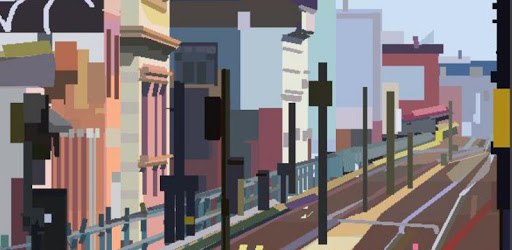
HEAVYPAINT is an Android app developed and published by HEAVYPOLY at Google Play Store on Aug 1, 2019 for Android users. HEAVYPAINT is so popular that it has gained 76944 installs so far and growing.
Are you an artist looking for a powerful and intuitive digital painting app? Look no further than HEAVYPAINT! With its fantastic features and unique tools, this app is a game-changer for artists of all levels. Whether you're a professional or just starting out, HEAVYPAINT has everything you need to unleash your creativity and take your artwork to new heights.
HEAVYPAINT offers a minimalist interface design that sets it apart from other painting apps. Say goodbye to cluttered screens and hello to a visually refreshing experience. The clean and intuitive interface allows you to focus on what matters most – your artwork. It's like having a blank canvas in your pocket, ready to be transformed into a masterpiece.
One of the standout features of HEAVYPAINT is its playback feature. Watch timelapses of your paintings in the sketchbook and see your artistic process come to life. It's a great way to learn and improve your skills. Plus, wouldn't it be amazing to share your timelapses with others? We hope the developers consider adding an export feature in the future.
HEAVYPAINT offers a range of unique tools that will revolutionize your digital painting experience. From textures to settings, layers to opacity, and so much more, this app has it all. The developers have thoughtfully designed these tools to cater to the needs of artists, ensuring a seamless and enjoyable painting process.
One of the standout tools in HEAVYPAINT is the pen pressure feature. Artists coming from traditional mediums will appreciate the addition of pen pressure, which adds a level of realism and control to your digital artwork. It's just one example of how HEAVYPAINT bridges the gap between traditional and digital art.
HEAVYPAINT prides itself on its simplicity and efficiency. The scaled-back UI and tools provide useful restraints, allowing you to focus on your creativity rather than getting overwhelmed by options. It's the perfect balance between power and simplicity, giving you the freedom to explore and experiment with your artwork.
Furthermore, the developers are continuously adding new tools and brushes to keep the app fresh and exciting. This commitment to improvement shows that HEAVYPAINT is dedicated to providing the best possible painting experience for its users.
Unfortunately, at the moment, there is no export feature in HEAVYPAINT. However, we hope that the developers will consider adding this functionality in future updates.
No, HEAVYPAINT does not have an eraser or support for different layers. This intentional design choice gives the app a traditional feel and encourages artists to embrace the limitations. The simplicity of the app allows you to focus on your creativity without getting bogged down by complex features.
Absolutely! HEAVYPAINT is designed to be used with both stylus and finger input. Even without a stylus, you can still enjoy a seamless and enjoyable painting experience.
Yes, HEAVYPAINT does have an undo feature. However, it's worth noting that undo performance on paintings with a lot of brush strokes may be slower. This is something to keep in mind, especially if you're using a device with lower processing power.
Overall, HEAVYPAINT is a must-have app for any artist looking to explore the world of digital painting. Its unique tools, minimalist interface, and commitment to simplicity make it a standout choice. Download HEAVYPAINT today and unlock your artistic potential!
Yes, you can run HEAVYPAINT on PC, but first, you will need emulator software installed on your Windows or MAC, which you can download for free. In the below video, you will find HEAVYPAINT in action. Before you install the emulator, check out the minimum and recommended system requirements to run it seamlessly. They may change depending on which version of the emulator you choose. Therefore, we recommend you download the latest version of the emulator. Below you will find three free Android emulators that we have shortlisted based on their popularity:
Up to date graphics drivers from Microsoft or the chipset vendor.
Storage: 1 GB available under installation path, 1.5GB available hard drive space
Internet: Broadband Internet connection
Regardless of which Android emulator you install, the steps to install, configure, and running the HEAVYPAINT app on PC are the same.