Published by GoodSoftTech
Updated May 5, 2026
Color by number great pictures, create pixel art in sandbox mode, collect likes.
| Version | 2026.01.25 |
| Size | 38.7 MB |
| What's New | 60 000+ of coloring books, color wonderful Pixyfy worlds, import pictures from your device gallery and create your own pixel art in Designer Room to share it with Pixyfy society. Various size pixel art coloring pages. Install now and have fun!Improved displaying pictures in atelierFixed color picker bugs |
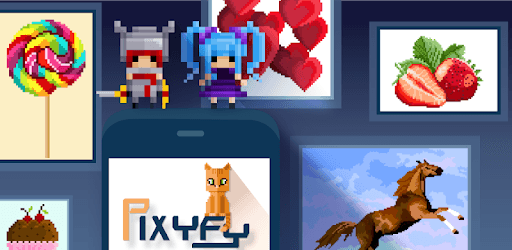
Pixyfy: color by number coloring book, pixel fun is an Android app developed and published by GoodSoftTech at Google Play Store on Feb 21, 2018 for Android users. Pixyfy: color by number coloring book, pixel fun is so popular that it has gained 3791898 installs so far and growing.
Are you looking for a fun and relaxing way to spend your free time? Look no further than Pixyfy: color by number coloring book, pixel fun! This app offers a wide range of colorful pictures that will keep you entertained for hours on end. Whether you're a beginner or an experienced colorist, Pixyfy has something for everyone.
One of the best things about Pixyfy is its smooth and seamless user experience. With the recent update, the app no longer crashes, ensuring uninterrupted playtime. The dedicated support team is also readily available to assist with any issues you may encounter, making sure you have a hassle-free experience.
Once you start playing Pixyfy, you'll find it hard to put down. The addictive nature of the game will keep you engaged and entertained, allowing you to immerse yourself in a world of colors and creativity. You'll be amazed at how quickly the hours fly by!
Pixyfy offers a wide variety of color-by-number pictures, ranging from simple to complex. Whether you're in the mood for a quick and easy coloring session or a more challenging masterpiece, this app has got you covered. You'll love the satisfaction of completing each picture and seeing it come to life.
One of the unique features of Pixyfy is the daily "mystery pictures." Every day, you'll be surprised with a new picture to color, adding an element of excitement and anticipation to your coloring experience. It's always fun to see what the mystery picture will become!
While Pixyfy offers a vast selection of pictures, some users have expressed a desire for more variety. The developers are constantly working to switch out the pictures and provide fresh content to keep the app engaging. You can expect to see new pictures added regularly, ensuring that there's always something new to color.
Additionally, Pixyfy is committed to catering to users of all ages. While some pictures may appear generic, the app offers a range of options suitable for adults and children alike. You can choose between pixel art or cross stitch styles, allowing you to personalize your coloring experience.
Yes, Pixyfy is available for both Android and iOS devices. You can easily download it from the respective app stores.
Yes, Pixyfy can be played offline. Once you've downloaded the pictures, you can enjoy coloring them even without an internet connection.
Unfortunately, Pixyfy does not currently have a feature that allows you to go back to pictures you've missed. However, with the wide variety of pictures available, you'll always find new ones to enjoy.
If you encounter any issues with Pixyfy, the dedicated support team is just a message away. They are committed to providing prompt assistance and ensuring that you have a smooth and enjoyable coloring experience.
Overall, Pixyfy: color by number coloring book, pixel fun is a fantastic app that offers a delightful and addictive coloring experience. With its vast selection of pictures, seamless user experience, and commitment to user satisfaction, it's no wonder that Pixyfy is loved by millions of users worldwide. Download the app today and unleash your creativity!
Yes, you can run Pixyfy: color by number coloring book, pixel fun on PC, but first, you will need emulator software installed on your Windows or MAC, which you can download for free. In the below video, you will find Pixyfy: color by number coloring book, pixel fun in action. Before you install the emulator, check out the minimum and recommended system requirements to run it seamlessly. They may change depending on which version of the emulator you choose. Therefore, we recommend you download the latest version of the emulator. Below you will find three free Android emulators that we have shortlisted based on their popularity:
Up to date graphics drivers from Microsoft or the chipset vendor.
Storage: 1 GB available under installation path, 1.5GB available hard drive space
Internet: Broadband Internet connection
Regardless of which Android emulator you install, the steps to install, configure, and running the Pixyfy: color by number coloring book, pixel fun app on PC are the same.