Published by Sky Map Devs
Updated November 13, 2025
Sky Map turns your Android device into a window on the night sky.
| Version | 1.11.0 Venus |
| Size | 5.6 MB |
| What's New | Educational Info Cards ✨ Tap objects in manual mode for info cards with fun facts and scientific data.Location Permissions ✨ Clear dialog replaces the old toast when permission isn't granted.Fixes & Improvements ✨ Fixed upside-down labels ✨ Help content updated & respects night modeTranslations ✨ Polish, Greek, and Portuguese |
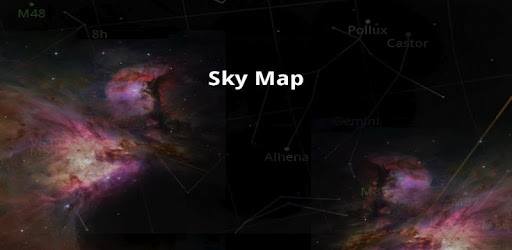
Sky Map is an Android app developed and published by Sky Map Devs at Google Play Store on for Android users. Sky Map is so popular that it has gained 71750207 installs so far and growing.
If you've ever gazed up at the night sky and wondered about the stars and planets above, then Sky Map might just become your favorite app. This app offers a fun and educational way to explore the cosmos, making it perfect for stargazers of all ages.
Sky Map is designed to be user-friendly, so you don't need to be an expert to navigate it. It’s intuitive and easy to use, making the stars and planets come to life with just a swipe of your finger. Whether you are a seasoned astronomer or a beginner, the simplicity of Sky Map ensures that everyone can enjoy exploring the night sky.
One of the standout features of Sky Map is its impressive details and accuracy. It features real-time updates of celestial positions, helping you identify stars, planets, and constellations with pinpoint precision. If you ever spot two bright dots in the sky and wonder what they are, Sky Map can quickly tell you whether they are Venus, Jupiter, or other celestial bodies.
Sky Map isn't just a tool for identifying stars and planets; it’s also an educational app. It allows users to delve deeper into the mysteries of the universe, learning about different celestial objects and their histories. This makes it an excellent educational resource for both children and adults, sparking a love of astronomy and the wonders of the cosmos.
The app comes with a handy search feature that guides you to specific celestial objects. Want to know where Saturn is? Just type it in, and Sky Map will direct you to its location in the sky. This feature is incredibly useful for anyone looking to learn more or impress their friends with their 'starry' knowledge.
Sky Map isn't limited to nighttime use. It can be just as enjoyable and informative during the day. Whether you are in the middle of a sunny afternoon or under a sky full of stars, this app makes learning about the cosmos accessible anytime, anywhere.
While Sky Map is designed to work on most devices, some users might experience issues due to hardware limitations. If you find that the app’s calibration is off, a quick recalibration of your phone’s internal compass usually solves the problem. Simply shaking your phone can often correct the orientation, ensuring that your stargazing experience remains accurate and enjoyable.
One of the best parts about Sky Map is that it’s free. This makes it an accessible resource for anyone with an interest in astronomy. While ads are present, they don’t detract from the overall experience. For those who might find ads intrusive, they are a small trade-off for the wealth of knowledge and fun that the app provides.
Sky Map is also a fantastic tool for parents and educators looking to inspire the next generation. For instance, it can ignite a young child's interest in the natural world, as it has done for children in places with clear night skies, such as Spain. It’s a wonderful way to introduce kids to the beauty and wonder of the universe.
Sky Map remains one of the best apps for digital stargazing. Its blend of accuracy, ease of use, and educational value makes it a standout choice for anyone eager to learn more about the night sky. So, whether you’re looking to identify constellations or learn more about planets, Sky Map is a stellar choice for any stargazing enthusiast.
Yes, you can run Sky Map on PC, but first, you will need emulator software installed on your Windows or MAC, which you can download for free. In the below video, you will find Sky Map in action. Before you install the emulator, check out the minimum and recommended system requirements to run it seamlessly. They may change depending on which version of the emulator you choose. Therefore, we recommend you download the latest version of the emulator. Below you will find three free Android emulators that we have shortlisted based on their popularity:
Up to date graphics drivers from Microsoft or the chipset vendor.
Storage: 1 GB available under installation path, 1.5GB available hard drive space
Internet: Broadband Internet connection
Regardless of which Android emulator you install, the steps to install, configure, and running the Sky Map app on PC are the same.