Published by Google LLC
Updated April 6, 2026
Send money, shop, pay bills & earn rewards — plus a secure mobile wallet
| Version | 317.1.1 (arm64-v8a_release_flutter) |
| Size | 67.5 MB |
| What's New | We're giving the app a fresh new look. Enjoy the latest features and offers, from Groups experiences to convenient card payments! |
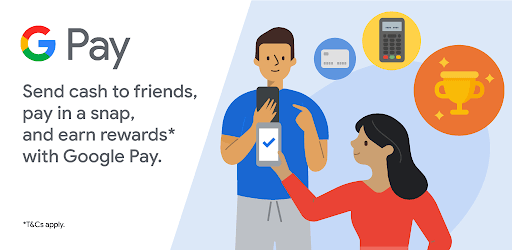
Google Pay: A safe & helpful way to manage money is an Android app developed and published by Google LLC at Google Play Store on Mar 3, 2021 for Android users. Google Pay: A safe & helpful way to manage money is so popular that it has gained 376480058 installs so far and growing.
Managing money has never been easier with Google Pay. This app offers a safe and secure platform for all your online transactions. Whether you're making payments, storing your cards digitally, or enjoying the perks and savings, Google Pay has got you covered.
One of the standout features of Google Pay is its convenience. With just a few taps on your phone, you can pay for almost everything. From groceries to bills, Google Pay simplifies the payment process, making your life easier.
But convenience doesn't mean compromising security. Google Pay takes your safety seriously, ensuring that your transactions are protected. You can trust this app to safeguard your financial information and provide you with peace of mind.
Who doesn't love getting something extra? With Google Pay, you have the opportunity to earn cashback on your payments. Unlike other payment apps, Google Pay offers cashback rewards, making it a favorite among users.
Imagine being able to save money while making your regular purchases. Google Pay makes it possible. So why not take advantage of this feature and enjoy the benefits of using this app for your online transactions?
When it comes to performance, Google Pay has proven itself to be a reliable companion. Many users, including myself, have been using this app for years without any major issues. The occasional glitches that were experienced in the early stages have been ironed out, and now transactions happen within seconds.
It's reassuring to know that when you need to make a payment, Google Pay delivers. Say goodbye to long waiting times and hello to seamless transactions.
Currently, Google Pay does not offer a savings feature that allows direct withdrawal from your bank. However, it provides a secure platform for online transactions and offers cashback rewards on payments.
Google Pay supports a wide range of banks, but there may be instances where certain banks are not linked immediately. If you encounter any issues linking your bank account, it's best to reach out to the Google Pay support team for assistance.
If you're facing issues with a UPI transaction, it's recommended to contact the Google Pay support team. They will be able to assist you in resolving the matter and ensuring a smooth experience with the app.
Google Pay prioritizes the security of your financial information. The app employs advanced security measures to protect your transactions and personal data. Rest assured that your information is in safe hands when using Google Pay.
Overall, Google Pay is a reliable and user-friendly app that simplifies your financial transactions. With its convenience, security, and savings features, it's no wonder that users trust Google Pay for all their online payments. Give it a try and experience the benefits for yourself!
Yes, you can run Google Pay: A safe & helpful way to manage money on PC, but first, you will need emulator software installed on your Windows or MAC, which you can download for free. In the below video, you will find Google Pay: A safe & helpful way to manage money in action. Before you install the emulator, check out the minimum and recommended system requirements to run it seamlessly. They may change depending on which version of the emulator you choose. Therefore, we recommend you download the latest version of the emulator. Below you will find three free Android emulators that we have shortlisted based on their popularity:
Up to date graphics drivers from Microsoft or the chipset vendor.
Storage: 1 GB available under installation path, 1.5GB available hard drive space
Internet: Broadband Internet connection
Regardless of which Android emulator you install, the steps to install, configure, and running the Google Pay: A safe & helpful way to manage money app on PC are the same.