
Published by General Mills, Inc.
Updated August 24, 2026
What’s for dinner? Who better to ask than Betty Crocker – now for Android.
| Version | 8.03.001 |
| Size | 3.8 MB |
| What's New | Updates!-Bug Fixes |
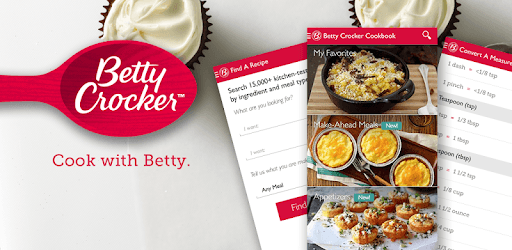
The Betty Crocker® Cookbook is an Android app developed and published by General Mills, Inc. at Google Play Store on Jan 3, 2011 for Android users. The Betty Crocker® Cookbook is so popular that it has gained 1000000 installs so far and growing.
Are you tired of flipping through countless cookbooks, searching for that perfect recipe? Look no further! The Betty Crocker® Cookbook app is here to revolutionize your cooking experience. With its extensive collection of mouthwatering recipes, user-friendly interface, and convenient features, this app is a must-have for any aspiring chef or seasoned home cook.
With the Betty Crocker® Cookbook app, the possibilities in the kitchen are endless. Whether you're in the mood for a comforting bowl of soup, a decadent dessert, or a show-stopping main course, this app has got you covered. Explore a wide range of recipes, from classic favorites to innovative dishes that will impress even the most discerning palate.
Each recipe is carefully crafted and tested to ensure foolproof results, so you can cook with confidence. With detailed instructions, ingredient lists, and step-by-step photos, you'll never feel overwhelmed in the kitchen again. The app also offers helpful tips and tricks to elevate your cooking game and unleash your culinary creativity.
One of the standout features of the Betty Crocker® Cookbook app is its seamless user experience. Designed with simplicity in mind, the app is incredibly easy to navigate, allowing you to find the perfect recipe in just a few taps. Whether you're a tech-savvy millennial or a tech novice, you'll feel right at home using this app.
Additionally, the app offers a convenient favorites feature, allowing you to save your go-to recipes for quick and easy access. No more flipping through pages or searching through bookmarks – your favorite recipes are just a tap away. Say goodbye to cluttered kitchen counters and hello to a streamlined cooking experience.
Cooking is more than just following a recipe – it's about sharing your creations and connecting with others who share your passion for food. The Betty Crocker® Cookbook app understands this, which is why it offers a vibrant and engaged community of fellow food enthusiasts.
Share your cooking triumphs, ask questions, and exchange tips and tricks with like-minded individuals who are just as passionate about food as you are. The app also provides a platform for you to showcase your culinary skills by allowing you to add pictures and comments to the recipes you've tried. Let your creativity shine and inspire others to embark on their own culinary adventures.
Yes, the favorites feature allows you to access your saved recipes offline, ensuring that you always have your go-to recipes at your fingertips, even without an internet connection.
To create a login, simply follow the on-screen instructions provided by the app. Make sure to enter a valid zip code that consists of 5-9 numbers to complete the registration process successfully.
Absolutely! The app allows you to personalize your cooking journey by adding pictures and comments to the recipes you've tried. Share your culinary masterpieces and engage with the vibrant Betty Crocker® community.
Get ready to embark on a culinary adventure like no other with the Betty Crocker® Cookbook app. Say goodbye to boring meals and hello to a world of delicious possibilities. Download the app today and let your inner chef shine!
Yes, you can run The Betty Crocker® Cookbook on PC, but first, you will need emulator software installed on your Windows or MAC, which you can download for free. In the below video, you will find The Betty Crocker® Cookbook in action. Before you install the emulator, check out the minimum and recommended system requirements to run it seamlessly. They may change depending on which version of the emulator you choose. Therefore, we recommend you download the latest version of the emulator. Below you will find three free Android emulators that we have shortlisted based on their popularity:
Up to date graphics drivers from Microsoft or the chipset vendor.
Storage: 1 GB available under installation path, 1.5GB available hard drive space
Internet: Broadband Internet connection
Regardless of which Android emulator you install, the steps to install, configure, and running the The Betty Crocker® Cookbook app on PC are the same.