Published by Gemalto PL
Updated November 24, 2025
Push Capable Two-Factor Authentication Solution using One Time Passwords
| Version | 3.0.1-202602034 |
| Size | 31.1 MB |
| What's New | Bug fix with SafeNet Authentication Service enrollment |
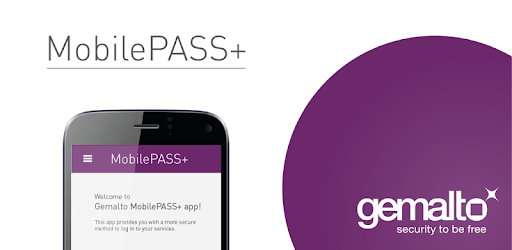
SafeNet MobilePASS+ is an Android app developed and published by Gemalto PL at Google Play Store on Jun 10, 2016 for Android users. SafeNet MobilePASS+ is so popular that it has gained 2518047 installs so far and growing.
SafeNet MobilePASS+ is an application that enhances security for accessing your work systems remotely. It provides a way to generate unique passcodes, ensuring that your information remains safe and secure. This app is particularly useful for those who need to access sensitive information but want to avoid the hassle of complicated passwords.
SafeNet MobilePASS+ offers a seamless authentication process that is both fast and efficient. Users simply input their PIN, and a unique passcode appears almost instantly. This passcode can then be entered into your laptop or other device to gain access. This straightforward process makes it incredibly easy to use, even for those who are not tech-savvy.
One standout feature is the push authentication option. This adds an extra layer of security and is particularly appreciated by professionals who need to meet stringent legal standards. With push authentication, the app sends a notification to your mobile device, which you can approve or deny with a single tap. This eliminates the need for complex passwords and makes it easier to authenticate securely.
The performance of SafeNet MobilePASS+ is remarkable. It consistently delivers fast and accurate codes, making remote access to work systems hassle-free. There are minimal delays, and the app functions exactly as intended every time, providing peace of mind for users who rely on it for their daily tasks.
Many users have found SafeNet MobilePASS+ to be highly reliable even over extended periods of use. Whether you need to use it occasionally or on a regular basis, its consistent performance remains unchanged. This long-term reliability is especially important for professionals who depend on it for critical work-related tasks.
The design of SafeNet MobilePASS+ is simple and intuitive, ensuring that users can navigate it without any issues. The process of generating a passcode is straightforward: just input your PIN, and you’re good to go. This ease of use makes it accessible to individuals of all technical skill levels.
Ease of use is a critical factor in the success of any security app, and SafeNet MobilePASS+ excels in this area. The app is not cluttered with unnecessary features, focusing solely on generating secure passcodes. This streamlined approach makes it incredibly user-friendly and efficient.
If you’re looking for a dependable, easy-to-use app for generating secure passcodes, SafeNet MobilePASS+ is an excellent choice. With its simple design, reliable performance, and added security features like push authentication, it stands out as a must-have tool for secure remote access.
Yes, you can run SafeNet MobilePASS+ on PC, but first, you will need emulator software installed on your Windows or MAC, which you can download for free. In the below video, you will find SafeNet MobilePASS+ in action. Before you install the emulator, check out the minimum and recommended system requirements to run it seamlessly. They may change depending on which version of the emulator you choose. Therefore, we recommend you download the latest version of the emulator. Below you will find three free Android emulators that we have shortlisted based on their popularity:
Up to date graphics drivers from Microsoft or the chipset vendor.
Storage: 1 GB available under installation path, 1.5GB available hard drive space
Internet: Broadband Internet connection
Regardless of which Android emulator you install, the steps to install, configure, and running the SafeNet MobilePASS+ app on PC are the same.