Published by Gamenauts, Inc.
Updated April 22, 2026
Sharpen your swords and swing your rods - it's time to fish...the NINJA way!
| Version | 2.10.4 |
| Size | 169.5 MB |
| What's New | Version 2.10.4 :- Bug Fix for the Fishing ShopVersion 2.10.2 :- Fix Problem accessing Pixel Island in the last Build- Fix Minor Issue with progress counter for Vampire Island- Fix Vampire Island Weight not showing up in Game.**..Sorry for this Bug...**Ninja Fishing Version 2.10.0 :- New Island : Vampire Island!- 24 new fish to collect- 11 new treasures- New Boats and items- Misc Bug Fixes and Tweaks |
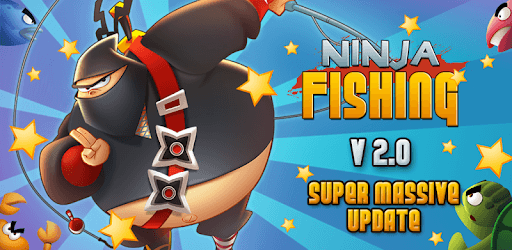
Ninja Fishing is an Android app developed and published by Gamenauts, Inc. at Google Play Store on Jul 2, 2012 for Android users. Ninja Fishing is so popular that it has gained 5410170 installs so far and growing.
Do you remember the good old days of 2010, when you could relax in your room, listening to your favorite music and immersing yourself in a fun game? Well, Ninja Fishing is here to bring back those memories and provide you with an amazing gaming experience. This fishing game may not have the highest ratings, but it holds a special place in the hearts of many players, including myself.
The developers of Ninja Fishing have done an incredible job in creating a game that captivates players and keeps them hooked for hours. The game allows you to embark on a fishing adventure like no other, where you can catch a wide variety of fish and explore different underwater worlds. The attention to detail and the vibrant graphics make the game visually appealing and enjoyable.
One of the standout features of Ninja Fishing is its ability to save your progress. Losing progress when switching phones can be frustrating, but thanks to this game, your progress is safe and sound. Whether your phone breaks or you simply upgrade to a new one, you can rest assured that your hard-earned progress will be waiting for you.
While Ninja Fishing is already an awesome game, there are always ways to enhance the experience. Some players have expressed their desire to obtain the Twitter boat for free, but have faced difficulties in doing so. The developers may want to consider addressing this issue to ensure that all players can fully enjoy the game without any obstacles.
Ninja Fishing has come a long way since its initial release. The developers have continuously worked on improving the game and providing updates to keep players engaged. From fixing occasional crashes to introducing new fish species and islands, they have shown their commitment to delivering a top-notch gaming experience.
One of the most exciting aspects of Ninja Fishing is the thrill of catching a "new" fish. The game rewards players who are determined and patient, making the achievement even more satisfying. With each update, players eagerly anticipate discovering what new fish species they can add to their collection.
Moreover, Ninja Fishing stands out from other fishing games by offering a unique and humorous concept. The absence of ads further enhances the gameplay, allowing players to fully immerse themselves in the game without any interruptions.
For long-time fans of Ninja Fishing, starting over on a new device can be bittersweet. However, the addition of cloud saving has brought relief to many players. Now, you can easily restore your progress from other devices, ensuring that you never have to lose your hard-earned achievements again.
Whether you have been playing Ninja Fishing for years or are just discovering it now, this game has something to offer to everyone. Its addictive gameplay, stunning visuals, and continuous updates make it a standout fishing game in the vast sea of mobile gaming.
Yes, Ninja Fishing offers cloud saving, allowing you to restore your progress on different devices.
While some players have faced difficulties in obtaining the Twitter boat for free, the developers may address this issue in future updates.
No, Ninja Fishing does not have any ads, ensuring an uninterrupted and immersive gaming experience.
Yes, the developers of Ninja Fishing are committed to providing regular updates, fixing any issues, and introducing new fish species and islands to keep the game fresh and exciting.
Absolutely! With the cloud saving feature, you can easily restore your progress on a new device, ensuring that you never lose your hard-earned achievements again.
Yes, you can run Ninja Fishing on PC, but first, you will need emulator software installed on your Windows or MAC, which you can download for free. In the below video, you will find Ninja Fishing in action. Before you install the emulator, check out the minimum and recommended system requirements to run it seamlessly. They may change depending on which version of the emulator you choose. Therefore, we recommend you download the latest version of the emulator. Below you will find three free Android emulators that we have shortlisted based on their popularity:
Up to date graphics drivers from Microsoft or the chipset vendor.
Storage: 1 GB available under installation path, 1.5GB available hard drive space
Internet: Broadband Internet connection
Regardless of which Android emulator you install, the steps to install, configure, and running the Ninja Fishing app on PC are the same.