Published by Gaia Interactive
Updated August 17, 2025
Explore a fantastic world to capture and train dragons and other magical beasts.
| Version | 1.3 |
| Size | 41.7 MB |
| What's New | Greetings, Tamers! We're excited to release the first version of Monster Galaxy on Android. Please bear with us as we discover and fix any bugs/errors/crashes that come up. |
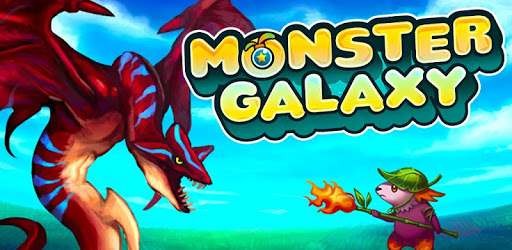
Monster Galaxy is an Android app developed and published by Gaia Interactive at Google Play Store on Jan 12, 2012 for Android users. Monster Galaxy is so popular that it has gained 1000000 installs so far and growing.
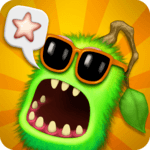
Monster Galaxy is an enchanting game that brings players back to the golden days of childhood. Differentiating it from other monster-catching games, Monster Galaxy offers unique gameplay and an immersive experience that captivates audiences of all ages.
For many players, Monster Galaxy offers a trip down memory lane. Originally introduced on Facebook, it became a beloved pastime, sparking joy and excitement among young gamers. Whether you first encountered it on your PC or are rediscovering it on mobile, the game’s charm remains timeless.
Monster Galaxy stands out with its simple yet addictive gameplay. Easy-to-understand mechanics make it accessible for younger players while offering enough challenge to keep it engaging. Players can catch and train Mogas, which are the creatures in the game. The game encourages exploration and strategy, as each Moga possesses unique abilities.
Unlike some monster-catching games, Monster Galaxy focuses on single-player adventures. However, fans often wish for features like PvP matches so they can challenge their friends. Despite this, the game’s existing battle system is still thrilling, with players encountering various Mogas and using strategic moves to outmaneuver their opponents.
One frequently desired feature is character customization. Though the current version lacks this, it still provides a personalized gaming experience through the different Mogas you catch and train. Additionally, players crave social elements like guilds or teams, which can enhance the fun by allowing them to engage with fellow gamers.
Monster Galaxy’s graphics are beautifully designed, bringing the world of Mogas to life. Each creature not only has its distinct look but also a set of animations that make capturing and battling them visually appealing. The vibrant colors and detailed backgrounds add to the immersive experience.
The controls in Monster Galaxy are intuitive, making it easy for anyone to pick up and play. Whether you’re navigating through the game on a PC or mobile, the straightforward design ensures a smooth and enjoyable experience. It’s a game that can be easily played without the need for constant instruction or complicated maneuvers.
The developers behind Monster Galaxy have worked hard to make sure the game evolves while staying true to its roots. Even with minor drawbacks, such as the difference in intros between PC and mobile or the absence of certain features, the game’s fundamental awesomeness keeps players coming back for more.
Many players find immense joy in rediscovering Monster Galaxy after years of not playing. The game serves as a reminder of happier, simpler times, allowing players to reminisce while also creating new memories. Raising Mogas and experiencing the magic once more brings smiles to their faces.
Monster Galaxy is more than just a game; it’s a beloved classic that continues to enchant players. There’s something truly special about catching Mogas and embarking on epic adventures, whether you’re new to the game or a returning veteran. Dive into the world of Monster Galaxy and see why it’s a timeless favorite for fans everywhere.
Yes, you can run Monster Galaxy on PC, but first, you will need emulator software installed on your Windows or MAC, which you can download for free. In the below video, you will find Monster Galaxy in action. Before you install the emulator, check out the minimum and recommended system requirements to run it seamlessly. They may change depending on which version of the emulator you choose. Therefore, we recommend you download the latest version of the emulator. Below you will find three free Android emulators that we have shortlisted based on their popularity:
Up to date graphics drivers from Microsoft or the chipset vendor.
Storage: 1 GB available under installation path, 1.5GB available hard drive space
Internet: Broadband Internet connection
Regardless of which Android emulator you install, the steps to install, configure, and running the Monster Galaxy app on PC are the same.