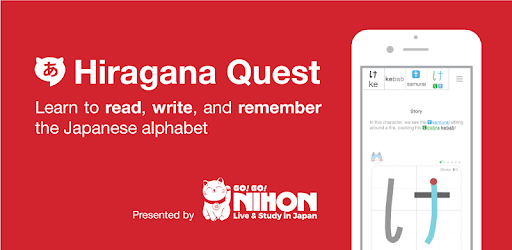
Hiragana Quest for PC

Hiragana Quest for PC

Published by Go! Go! Nihon - Live & Study in Japan

Updated November 3, 2026

Learn how to read, write, and remember the Japanese alphabet, known as Hiragana.

What's New

Version0.6.2
Size56.0 MB
What's New・Bug fixes and performance improvementsThank you for using Hiragana Quest! :)

Hiragana Quest Screenshots

Hiragana Quest PC screenshot

About Hiragana Quest For PC

Hiragana Quest is an Android app developed and published by Go! Go! Nihon - Live & Study in Japan at Google Play Store on Aug 5, 2018 for Android users. Hiragana Quest is so popular that it has gained 220214 installs so far and growing.

Learn Hiragana and Katakana Easily with Hiragana Quest

A Fun and Interactive Way to Master Japanese Characters

If you're looking for the best app to learn Hiragana and Katakana, look no further than Hiragana Quest. This app stands out from the rest with its interactive and fun teaching style that makes learning a breeze. With its brilliant learning ideas and effective mnemonics, you'll be able to remember the characters effortlessly.

One of the standout features of Hiragana Quest is its unique approach to teaching. Unlike other apps, it focuses on building characters from repeated basics and naming them after their appearance. Each character has a keyword and a mini-story associated with it, making it easier to remember. For example, the "fu" syllable word is Fuji, and its mini-story is that it looks like people round a campfire on Mt Fuji.

Not only does Hiragana Quest provide you with mnemonics, but it also guides you through the strokes of each character. It starts with guides and then gradually removes them, allowing you to practice writing the characters correctly. This method ensures that you develop a solid foundation in writing and recalling the characters.

With Hiragana Quest, you can learn at your own pace. The app provides building blocks that help you remember everything and practice writing each character. While it focuses on teaching hiragana and katakana, it's important to note that it doesn't teach the language itself. However, you can use it in conjunction with other language learning apps like Duolingo to enhance your overall learning experience.

What Users Are Saying About Hiragana Quest

Users have been raving about Hiragana Quest and its effectiveness in learning Japanese characters. Many have found it to be superior to other apps they've tried. One user mentioned, "This is the best app of many apps I've tried to learn. It's interactive and has a fun teaching style that makes it easy to remember the characters."

Another user praised the app for its mnemonics and stroke order practice, stating, "Hiragana Quest really understands how memory works. It has clever ways to make you remember the symbols faster and with superior recall. The app's attention to detail and understanding of human memory is evident."

Some users have mentioned minor issues with the app, such as sound interruptions when switching apps and notification reminders not working. However, these minor nitpicks don't overshadow the app's overall effectiveness and value.

Start Your Journey to Mastering Hiragana and Katakana

With a one-time fee of just $8, Hiragana Quest offers incredible value for anyone looking to learn Japanese characters. Whether you're a beginner or already have some knowledge of the language, this app will guide you through the process with its engaging and effective teaching methods.

Don't waste any more time struggling with confusing lessons or ineffective apps. Try Hiragana Quest today and embark on your journey to mastering Hiragana and Katakana. You'll be amazed at how quickly you can learn and retain the characters with this app's unique approach.

Frequently Asked Questions

1. Can I learn both hiragana and katakana with Hiragana Quest?

Yes, Hiragana Quest focuses on teaching both hiragana and katakana characters, allowing you to master both writing systems.

2. Does Hiragana Quest teach the Japanese language itself?

No, Hiragana Quest is primarily focused on teaching the characters and their writing. However, you can use it alongside other language learning apps to enhance your overall Japanese language skills.

3. How long does it take to learn all the characters with Hiragana Quest?

The learning time may vary from person to person, but many users have reported being able to learn all the characters within a few weeks of consistent practice with the app.

4. Are there any additional costs besides the one-time fee?

No, once you purchase Hiragana Quest, there are no additional costs. You'll have access to all the features and updates without any extra charges.

5. Can I use Hiragana Quest on multiple devices?

Yes, Hiragana Quest is designed to be used on multiple devices. You can sync your progress across devices and continue learning seamlessly.

Can I run Hiragana Quest on PC?

Yes, you can run Hiragana Quest on PC, but first, you will need emulator software installed on your Windows or MAC, which you can download for free. In the below video, you will find Hiragana Quest in action. Before you install the emulator, check out the minimum and recommended system requirements to run it seamlessly. They may change depending on which version of the emulator you choose. Therefore, we recommend you download the latest version of the emulator. Below you will find three free Android emulators that we have shortlisted based on their popularity:

How to Install Hiragana Quest on Windows PC

BlueStacks

Minimum
  • OS: Microsoft Windows 7 and above.
  • Processor: Intel or AMD Processor.
  • RAM: Your PC must have at least 4GB of RAM. (Note that having 4GB or more disk space is not a substitute for RAM)
  • Storage: 5GB Free Disk Space.
  • You must be an Administrator on your PC.
Recommended:
  • OS: Microsoft Windows 10
  • Processor: Intel or AMD Multi-Core Processor with Single Thread benchmark score > 1000.
  • Graphics: Intel/Nvidia/ATI, Onboard or Discrete controller with benchmark score >= 750.
  • Please ensure Virtualization is enabled on your PC/Laptop.
  • RAM: 8GB or higher
  • Storage: SSD (or Fusion/Hybrid Drives)
  • Internet: Broadband connection to access games, accounts and related content.

Up to date graphics drivers from Microsoft or the chipset vendor.

  • To start with, download Bluestacks from its official website. The latest version of BluesStacks is v 5, and it is around 400 MB.
  • Once the download is done, click on the Bluestacks set up file to install it on your Windows PC. Follow the on-screen instructions and install it accordingly.
  • The next step is to launch the emulator using the desktop shortcut and sign in using your Google account.
  • Now, head over to Bluestacks home screen and click on the Google Play Store icon.
  • Hit the search bar in Google Play and search for Hiragana Quest.
  • Install Hiragana Quest from the Play Store by clicking the Install option, which completes downloading of Hiragana Quest on PC.

NoxPlayer

Minimum
  • Operating System: Windows XP SP3, Windows Vista, Windows 7, Windows 8, Windows 10, and DirectX 9.0c
  • Processor: At least dual-core processor, both Intel, and AMD are OK
  • Video: Supports Open GL 2.0 or above
  • Memory: 1.5 GB RAM
Recommended
  • Operating System: Windows 7, Windows 8, Windows 10
  • Processor: Multiple core processors which support VT-x or AMB-V Virtualization Technology, better performance with this function enabled
  • Video: The higher performance, the better
  • Memory: 4 GB RAM

Storage: 1 GB available under installation path, 1.5GB available hard drive space

Internet: Broadband Internet connection

  • Download NoxPlayer from the official website. The latest version of NoxPlayer is v 3, and it is around 600 MB.
  • Now install the emulator using the downloaded setup file. Just go through the on-screen instructions and install NoxPlayer on your computer or laptop.
  • After the installation process, launch the Nox Android emulator and log in using your Google account when it asks you.
  • Click on the Google Play Store icon and head over to the search bar to search Hiragana Quest. Once found, click on the Install button to install Hiragana Quest for PC.
  • If you do not find Hiragana Quest on Google Play Store or if you want to skip logging in to Google, you can sideload APK (download the .APK file from this page and open it with NoxPlayer).
  • Launch Hiragana Quest from home-screen and start playing it on PC right away!

MEmu

Minimum
  • 2 cores x86/x86_64 Processor (Intel or AMD CPU)
  • WinXP SP3 / Win7 / Win8 / Win10 (Not recommended to run on Server/Enterprise)
  • Latest Windows DirectX 11 / Graphics driver with OpenGL 2.0
  • Hardware Virtualization Technology (Intel VT-x/AMD-V) shall be enabled in BIOS
  • 2GB of RAM (4GB for x64 system)
  • 5GB of hard disk free space
Recommended
  • OS: Microsoft Windows 10 with VT Enabled
  • CPU: Single Thread PassMark score > 1500 (Intel/AMD Multi-Core).
  • Graphics: Intel/Nvidia/ATI, Onboard or Discrete controller with PassMark score > 750.
  • Latest Windows DirectX 11 / Graphics driver with OpenGL 4.5 or higher
  • RAM: 8GB or higher
  • HDD: SSD, 10GB of hard disk free space
  • Internet: Broadband connection with low latency for FPS games
  • Download MEmu Play from the official website. The latest version of NoxPlayer is v 7.5.
  • When the download is completed, install the MEmu emulator on your PC. Follow the on-screen instructions and keep on clicking the Next button until the final step.
  • Now, using the desktop shortcut, look for the MEmu Play emulator and launch it. Once done, it will ask you to log in using your Google account, proceed with the same.
  • MEmu Play will ask you to log in using your Google account. When you log in, it will sync your Google account to MEmu Play. Launch the Google Play Store by clicking on the icon and search for Hiragana Quest.
  • Click on the Install button once you find Hiragana Quest from the search results. You can also sideload APK (download the .APK file from this page and open it with MEmu) if you want to skip above step.
  • After the installation of Hiragana Quest, you're all set to use the app on PC!

Regardless of which Android emulator you install, the steps to install, configure, and running the Hiragana Quest app on PC are the same.