Published by Foossi Inc.
Updated May 5, 2026
Search, Stream, Download HD Movie, HQ Music, Android Game, E-Book
| Version | 1.0.1 |
| Size | 10.7 MB |
| What's New | 1st release |
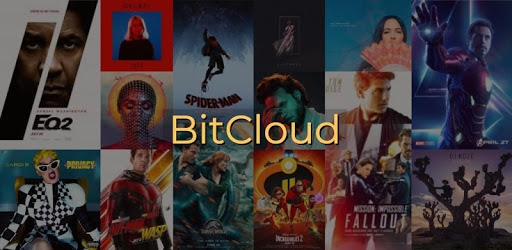
BitCloud🌩️Torrent Downloader (No Ad) is an Android app developed and published by Foossi Inc. at Google Play Store on May 29, 2018 for Android users. BitCloud🌩️Torrent Downloader (No Ad) is so popular that it has gained 100000 installs so far and growing.
Are you tired of dealing with annoying ads and in-app purchases when trying to download files on your phone? Look no further than BitCloud🌩️Torrent Downloader (No Ad), the ultimate solution for hassle-free downloading. With its easy-to-use interface and no ads or purchases, this app is a game-changer for anyone who loves downloading content.
BitCloud🌩️Torrent Downloader (No Ad) allows you to download anything when you're connected to a WiFi network. Whether it's music, movies, or other files, this app has got you covered. Say goodbye to the frustration of slow downloads or interrupted connections. With BitCloud, you can enjoy a seamless downloading experience.
One of the standout features of BitCloud is its search functionality. Unlike other torrent apps that require you to visit a search engine, BitCloud has its own built-in search engine. This not only saves you time but also ensures that you're not exposed to dangerous third-party sites that may contain viruses or illegal downloads. With BitCloud, you can search for and download content directly within the app, giving you peace of mind.
Additionally, BitCloud provides a comprehensive view of the torrent content, allowing you to see what you're downloading before making a selection. This feature is especially useful when you're looking for specific files within a torrent. You can easily choose the content you want and download it without any hassle.
While BitCloud already offers an impressive range of torrent providers, the app developers are constantly working to add more. This means that you'll always have access to a wide selection of content from various sources. Whether you're a movie buff, a music lover, or a fan of other types of files, BitCloud has you covered.
BitCloud is designed to be user-friendly, even for those who may not be tech-savvy. The app's interface is intuitive and easy to navigate, ensuring that you can find what you're looking for without any confusion. You don't need to be an expert to use BitCloud – it's designed for everyone.
No, BitCloud requires a WiFi network for downloading files. However, once the files are downloaded, you can enjoy them offline without the need for an internet connection.
Absolutely! BitCloud has its own built-in search engine, eliminating the need to visit potentially dangerous third-party sites. This ensures that your device remains safe from viruses and other malicious threats.
Yes, BitCloud offers a wide selection of torrent providers, including popular ones. You can easily find and download content from your favorite sources within the app.
Yes, BitCloud is compatible with multiple Android platforms, including Galaxy, Huaway, and Alcatel devices. It has been tested on various devices and has proven to be reliable and efficient.
Yes, BitCloud offers a decently wide selection of genres to choose from. Whether you're into movies, music, or other types of files, you'll find a variety of options to suit your preferences.
Overall, BitCloud🌩️Torrent Downloader (No Ad) is a powerful and user-friendly app that makes downloading content a breeze. With its seamless downloading experience, advanced features, and wide selection of torrent providers, BitCloud is a must-have for anyone who loves downloading files. Say goodbye to ads and in-app purchases – BitCloud has got you covered.
Yes, you can run BitCloud🌩️Torrent Downloader (No Ad) on PC, but first, you will need emulator software installed on your Windows or MAC, which you can download for free. In the below video, you will find BitCloud🌩️Torrent Downloader (No Ad) in action. Before you install the emulator, check out the minimum and recommended system requirements to run it seamlessly. They may change depending on which version of the emulator you choose. Therefore, we recommend you download the latest version of the emulator. Below you will find three free Android emulators that we have shortlisted based on their popularity:
Up to date graphics drivers from Microsoft or the chipset vendor.
Storage: 1 GB available under installation path, 1.5GB available hard drive space
Internet: Broadband Internet connection
Regardless of which Android emulator you install, the steps to install, configure, and running the BitCloud🌩️Torrent Downloader (No Ad) app on PC are the same.