Published by FCA US LLC
Updated April 8, 2026
Drive every mile connected with the new Uconnect® App!
| Version | 3.6.2 |
| Size | 25.4 MB |
| What's New | Performance improvements and bug fixes |
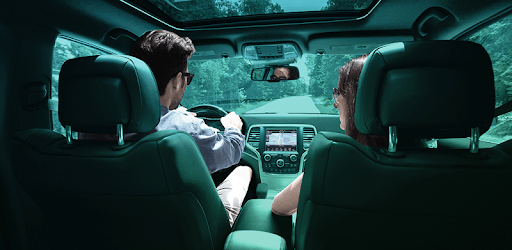
Uconnect® is an Android app developed and published by FCA US LLC at Google Play Store on Aug 9, 2017 for Android users. Uconnect® is so popular that it has gained 100000 installs so far and growing.
Imagine having complete control over your vehicle right at your fingertips. With the Uconnect® app, this is now a reality. Whether you're looking to remotely start your car on a freezing winter day or track your vehicle's location, Uconnect® offers a wide range of features that will enhance your driving experience. Let's dive into what makes this app a must-have for any vehicle owner.
One of the standout features of Uconnect® is its ability to remotely lock and unlock your car. Say goodbye to fumbling for your keys or worrying about whether you remembered to lock your doors. With just a few taps on your phone, you can ensure the safety and security of your vehicle from anywhere.
But Uconnect® goes beyond just basic remote control functionality. It also provides real-time vehicle location tracking, allowing you to keep tabs on your car's whereabouts at all times. This feature is not only useful for peace of mind, but it also comes in handy when planning your daily commute or keeping an eye on your loved ones' driving habits.
Uconnect® takes vehicle maintenance to the next level by offering oil change monitoring and general health checks. By keeping track of your car's maintenance needs, you can stay organized and ensure that your vehicle is always in top shape. No more guessing when it's time for an oil change or worrying about unexpected breakdowns.
Additionally, Uconnect® allows you to schedule maintenance appointments directly from the app, making it easier than ever to stay on top of your vehicle's needs. This level of convenience and peace of mind is truly invaluable for any car owner.
While Uconnect® already offers a wide range of features, the app continues to evolve to meet the needs of its users. The developers are constantly working to introduce more advanced technology and options for customers to enhance their driving experience.
Imagine being able to control the climate in your truck or receive real-time GPS updates through the app. These are just a few examples of the exciting possibilities that Uconnect® is exploring. With each update, the app becomes even more powerful and user-friendly, ensuring that you always have access to the latest technology.
If you encounter connection errors when using the Uconnect® app, try uninstalling and reinstalling the app. This simple step often resolves any connectivity issues and allows you to enjoy the full functionality of the app.
If you need to create a new login for the Uconnect® app, simply reach out to the Uconnect® customer support team. They will assist you in setting up a new login so that you can start enjoying the app's features right away.
Yes, you can continue using the Uconnect® app even after your subscription ends. However, please note that certain features may require an active subscription. Contact Uconnect® customer support for more information on subscription options.
The Uconnect® app is designed to work seamlessly with a wide range of vehicles, including Ram trucks and Jeeps. However, it's important to check the app's compatibility with your specific vehicle model to ensure optimal performance.
Experience the future of vehicle control with Uconnect®. From remote start and vehicle tracking to maintenance monitoring and advanced technology, this app has it all. Don't miss out on the ultimate convenience and peace of mind that Uconnect® brings to your driving experience.
Yes, you can run Uconnect® on PC, but first, you will need emulator software installed on your Windows or MAC, which you can download for free. In the below video, you will find Uconnect® in action. Before you install the emulator, check out the minimum and recommended system requirements to run it seamlessly. They may change depending on which version of the emulator you choose. Therefore, we recommend you download the latest version of the emulator. Below you will find three free Android emulators that we have shortlisted based on their popularity:
Up to date graphics drivers from Microsoft or the chipset vendor.
Storage: 1 GB available under installation path, 1.5GB available hard drive space
Internet: Broadband Internet connection
Regardless of which Android emulator you install, the steps to install, configure, and running the Uconnect® app on PC are the same.