Published by Duck Duck Moose, LLC
Updated October 13, 2025
Let’s ChatterPix! You can make anything talk -- pets, books, doodles, and more.
| Version | 1.9.2 |
| Size | 105.3 MB |
| What's New | Big News for Little Learners! Duck Duck Moose has launched Khan Academy Kids, a free comprehensive learning app for children 2-8 years old! It is 100% FREE with no ads or subscriptions, like all of our other apps!The latest version of ChatterPix includes some important bug fixes and graphic updates, so please update today! |
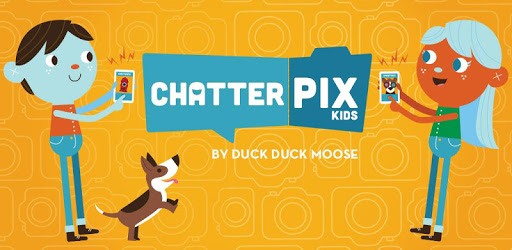
ChatterPix Kids by Duck Duck Moose is an Android app developed and published by Duck Duck Moose, LLC at Google Play Store on Dec 19, 2018 for Android users. ChatterPix Kids by Duck Duck Moose is so popular that it has gained 551452 installs so far and growing.
ChatterPix Kids by Duck Duck Moose is an incredible app that encourages creativity and fun. Perfect for children, it captivates their imagination by allowing them to make any photo talk. Whether it's a picture of a family member, a pet, or a doodle, ChatterPix Kids turns it into a speaking masterpiece. The app is not just about fun; it's engaging and educational.
Using ChatterPix Kids is a fantastic way to bond with family and friends. The app provides an opportunity for shared laughter and creativity, making it a great tool for family time. By decorating pictures and adding funny voices, you can create unique stories and memories. This collaborative experience helps strengthen relationships and brings joy to everyone involved.
One of the great features of ChatterPix Kids is its usefulness in educational settings. Teachers can incorporate this app into classroom activities to make learning more interactive. From animating book characters to voicing opinions in a discussion, the possibilities are limitless. By using ChatterPix Kids, students can express themselves in unique ways, enhancing their learning experience. It is easy to use, which makes it suitable for younger children too.
ChatterPix Kids is designed with kids in mind, making it extremely user-friendly. The interface is simple and intuitive, allowing children to navigate the app with ease. They can snap a photo, draw a line for the mouth, and record their voice to make their pictures talk. The app even allows for decorating photos with various stickers and text, adding more layers of fun and creativity.
In times of social distancing and quarantine, ChatterPix Kids has emerged as a wonderful way to stay connected with loved ones. Families can use it to send personalized, talking photos and light up each other's day. It keeps the spirit high and maintains communication in a fun and engaging manner. The app helps break the monotony and brings smiles and laughter to everyone involved.
The app has received high praise for its versatility and ease of use. It stands out as a valuable tool in both educational and recreational settings. Parents and teachers appreciate how it can help kids learn while having fun. The app’s ability to pick up even soft-spoken voices makes it even more remarkable. With ChatterPix Kids, you can explore an array of creative possibilities, from animating school projects to creating hilarious family albums.
ChatterPix Kids not only entertains but also aids in the development of communication skills. Children can use the app to express their thoughts and ideas in creative ways. It offers a platform for them to practice speaking and storytelling, which can be beneficial in their overall development. Engaging with the app can help children become more confident in expressing themselves.
If you haven’t tried ChatterPix Kids by Duck Duck Moose yet, now is the perfect time. This delightful app offers endless fun and educational opportunities for children and families alike. Start snapping pictures, adding voices, and creating joyful memories today!
Yes, you can run ChatterPix Kids by Duck Duck Moose on PC, but first, you will need emulator software installed on your Windows or MAC, which you can download for free. In the below video, you will find ChatterPix Kids by Duck Duck Moose in action. Before you install the emulator, check out the minimum and recommended system requirements to run it seamlessly. They may change depending on which version of the emulator you choose. Therefore, we recommend you download the latest version of the emulator. Below you will find three free Android emulators that we have shortlisted based on their popularity:
Up to date graphics drivers from Microsoft or the chipset vendor.
Storage: 1 GB available under installation path, 1.5GB available hard drive space
Internet: Broadband Internet connection
Regardless of which Android emulator you install, the steps to install, configure, and running the ChatterPix Kids by Duck Duck Moose app on PC are the same.