
Published by Scripture Union
Updated August 9, 2026
A free Bible adventure app for kids where they explore the stories of the Bible.
| Version | 3.5.2 |
| Size | 437.5 MB |
| What's New | What’s newUsers may delete their Player Account information from within the app, if they wishListen to the Bible words in Welsh at the Hall of MemoryCommunity newsfeed messages now in all six Guardians of Ancora languagesData and security upgrades |
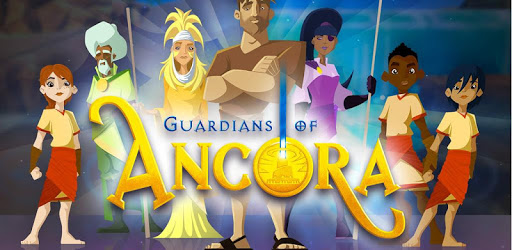
Guardians of Ancora is an Android app developed and published by Scripture Union at Google Play Store on Jun 22, 2015 for Android users. Guardians of Ancora is so popular that it has gained 50000 installs so far and growing.
Guardians of Ancora is an amazing game that offers a unique and enjoyable experience for players of all ages. With its engaging gameplay and educational content, this game is a must-have for anyone looking to learn more about the Bible and have fun at the same time.
One of the standout features of Guardians of Ancora is its immersive gameplay. The game takes you on a thrilling adventure through the world of Ancora, where you'll encounter various challenges and obstacles that you must overcome. The parkour mechanics and platforming elements add an extra layer of excitement to the game, keeping players engaged and entertained.
While some reviewers have mentioned that they would like to see slightly better graphics, it's important to note that the game's visuals are still impressive. The vibrant colors and detailed environments bring the world of Ancora to life, creating a visually stunning experience.
Guardians of Ancora is not just a game; it's also a valuable educational tool. The game allows players to learn about various Bible stories, making it a great resource for children and adults alike. From the story of Jesus and his disciples to other important events in the Bible, this game covers a wide range of topics that will deepen your understanding of the Scriptures.
Some players have expressed a desire for more Bible stories to be included in the game. While the current selection is already extensive, it's understandable that players would want to explore even more of the rich biblical narrative. The developers may consider expanding the game's content in the future to keep players engaged and eager to learn.
One of the standout aspects of Guardians of Ancora is its commitment to being a God-honoring game. In a world filled with games that may not align with Christian values, this game stands out as a positive and uplifting experience. It's refreshing to see a game that combines elements from popular titles like Zelda and Splatoon with a strong faith-based message.
While some players have mentioned that they would like to see a 3D, open-world exploration aspect added to the game, it's important to note that the game's main focus is on platforming and parkour mechanics. However, the developers may take this feedback into consideration for future updates, as it could add another layer of depth to the overall gameplay experience.
Currently, the game does not support multiplayer functionality. However, some players have expressed a desire to play with friends or family members. It would be great to see the developers introduce a multiplayer feature in the future, allowing players to embark on their biblical adventures together.
Progressing in Guardians of Ancora involves completing various levels and challenges. If you're stuck on a particular level or unsure of how to proceed, it's recommended to explore different strategies and approaches. Additionally, seeking guidance from online forums or official game guides can provide helpful tips and tricks to overcome any obstacles you may encounter.
While the game features several trophies to collect, some players have mentioned two specific trophies that they are struggling to obtain: the Easter trophy and the invite a friend trophy. It's important to note that unlocking these trophies may not be necessary for overall game progression. However, if you're determined to achieve 100% completion, it's worth exploring online resources or reaching out to the game's community for assistance in obtaining these trophies.
Absolutely! Guardians of Ancora is a game that is suitable for players of all ages, including children. With its educational content and positive messages, it's a great way to introduce kids to the Bible and its stories in a fun and interactive way. Parents can feel confident in allowing their children to play this game, knowing that it promotes values and teachings that align with their faith.
In conclusion, Guardians of Ancora is a phenomenal game that offers a unique blend of entertainment and education. With its immersive gameplay, stunning graphics, and commitment to being a God-honoring game, it's a must-have for anyone looking to deepen their understanding of the Bible while having a great time. So why wait? Embark on your biblical adventure today and discover the wonders of Ancora!
Yes, you can run Guardians of Ancora on PC, but first, you will need emulator software installed on your Windows or MAC, which you can download for free. In the below video, you will find Guardians of Ancora in action. Before you install the emulator, check out the minimum and recommended system requirements to run it seamlessly. They may change depending on which version of the emulator you choose. Therefore, we recommend you download the latest version of the emulator. Below you will find three free Android emulators that we have shortlisted based on their popularity:
Up to date graphics drivers from Microsoft or the chipset vendor.
Storage: 1 GB available under installation path, 1.5GB available hard drive space
Internet: Broadband Internet connection
Regardless of which Android emulator you install, the steps to install, configure, and running the Guardians of Ancora app on PC are the same.