Published by Dolphin Browser
Updated March 19, 2026
👻The ultra lightweight (only 500K) incognito mode private browser from Dolphin.
| Version | 2.1.0 |
| Size | 490.4 KB |
| What's New | Minor bug fixes and improvements. Install or update to the newest version to check it out! |
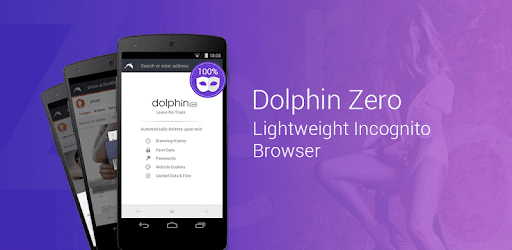
Dolphin Zero Incognito Browser - Private Browser is an Android app developed and published by Dolphin Browser at Google Play Store on Dec 18, 2013 for Android users. Dolphin Zero Incognito Browser - Private Browser is so popular that it has gained 1000000 installs so far and growing.
Dolphin Zero Incognito Browser - Private Browser is a powerful and super lightweight web browser that aims to deliver a fast, secure, and private browsing experience. If you're looking for a browser that provides simplicity without compromising on performance, this browser might just be what you need.
One of the standout features of Dolphin Zero Incognito Browser - Private Browser is its incredibly small size. At just under 1 MB, it is super light on your device's storage, ensuring that you can download and install it quickly without worrying about taking up too much space. Despite its compact size, this browser packs a punch when it comes to performance. It loads websites swiftly, making your browsing experience smooth and efficient.
Privacy and security are paramount in today's online environment, and Dolphin Zero Incognito Browser - Private Browser takes this seriously. It features automatic history clearance each time you finish a browsing session. This means you don’t have to worry about leaving any traces behind of your online activities. The browser is designed to keep your information private, giving you peace of mind as you explore the web.
The simple and intuitive design of Dolphin Zero Incognito Browser - Private Browser makes it easy to use for anyone. Whether you're tech-savvy or new to mobile browsing, you'll find it straightforward to navigate and use. The browser's interface is designed to be user-friendly, allowing you to explore the web without any hassle.
Dolphin Zero Incognito Browser - Private Browser excels in web exploration by providing a fast and responsive browsing experience. It quickly catches and loads every site you visit, ensuring you can browse efficiently. The ability to use one window at a time may seem like a limitation to some, but it enhances focus and speeds up the process significantly.
For those who need a browser that performs well on the go, Dolphin Zero Incognito Browser - Private Browser is an excellent choice. Its small size and quick loading times make it perfect for mobile use. You can access websites in seconds, making it convenient for rapid searches and quick web sessions while you're out and about.
The concept of Dolphin Zero Incognito Browser - Private Browser is simple, yet innovative. It combines the essential features of privacy and speed in one lightweight package. The auto-clear history function is a particularly notable feature, providing a secure and private browsing environment without any extra effort on your part.
Yes, you can run Dolphin Zero Incognito Browser - Private Browser on PC, but first, you will need emulator software installed on your Windows or MAC, which you can download for free. In the below video, you will find Dolphin Zero Incognito Browser - Private Browser in action. Before you install the emulator, check out the minimum and recommended system requirements to run it seamlessly. They may change depending on which version of the emulator you choose. Therefore, we recommend you download the latest version of the emulator. Below you will find three free Android emulators that we have shortlisted based on their popularity:
Up to date graphics drivers from Microsoft or the chipset vendor.
Storage: 1 GB available under installation path, 1.5GB available hard drive space
Internet: Broadband Internet connection
Regardless of which Android emulator you install, the steps to install, configure, and running the Dolphin Zero Incognito Browser - Private Browser app on PC are the same.