Published by D-Link Systems
Updated August 16, 2025
The QRS Mobile app gives you the power to manage your D-Link wireless network.
| Version | version 1.5.3.0 b03 |
| Size | 5.5 MB |
| What's New | Minor bug fixes and enhancements. |
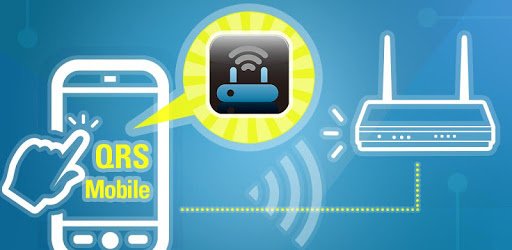
D-Link QRS Mobile is an Android app developed and published by D-Link Systems at Google Play Store on Jun 4, 2012 for Android users. D-Link QRS Mobile is so popular that it has gained 1000000 installs so far and growing.
Are you tired of struggling to set up your Wi-Fi booster manually? Do you wish there was a simpler and more efficient way to get the job done? Look no further than the D-Link QRS Mobile app! With its user-friendly interface and quick installation process, this app is a game-changer for anyone looking to boost their Wi-Fi signal.
Setting up your booster has never been easier. The D-Link QRS Mobile app provides a step-by-step guide that takes you through the entire process, ensuring a hassle-free experience. Simply plug in your Wi-Fi extender, connect to it via your phone's Wi-Fi, open the app, find your router, and connect to it. It's as simple as that!
Unlike manual setup methods that can leave you frustrated and swearing, the D-Link QRS Mobile app gets the job done in minutes. Say goodbye to complicated instructions and hello to a stress-free setup process.
Don't let the negative reviews fool you. The D-Link QRS Mobile app works perfectly for the majority of users. As long as you follow the instructions properly, you'll have your booster up and running in no time.
Some users have reported that they had to reboot their extender occasionally, which led to the need for reconfiguration. While this can be a minor inconvenience, the app itself cannot be blamed for this issue. However, it would be great if the app provided a simple option to reboot the extender without the need for manual intervention.
The D-Link QRS Mobile app not only helps you set up your booster but also allows you to customize your Wi-Fi network. You can easily change your Wi-Fi name and password, ensuring a secure connection for all your devices.
Whether you're using a D-Link router or a range extender, this app is compatible with a wide range of devices. It has been successfully tested with models such as the DAP-1330 and DIR-890L, among others.
Yes, the app is compatible with a wide range of D-Link routers and extenders, including models such as the DAP-1330 and DIR-890L.
Absolutely! The D-Link QRS Mobile app allows you to easily customize your Wi-Fi network by changing the name and password.
If you encounter any issues during the setup process, make sure to carefully follow the step-by-step instructions provided by the app. Additionally, you can refer to the negative reviews for troubleshooting tips and common user errors.
Don't let the negative reviews discourage you. The D-Link QRS Mobile app is a reliable and efficient tool for setting up your Wi-Fi booster. With its user-friendly interface and quick installation process, you'll have your booster up and running in no time. Say goodbye to complicated setups and hello to a stress-free Wi-Fi experience!
Yes, you can run D-Link QRS Mobile on PC, but first, you will need emulator software installed on your Windows or MAC, which you can download for free. In the below video, you will find D-Link QRS Mobile in action. Before you install the emulator, check out the minimum and recommended system requirements to run it seamlessly. They may change depending on which version of the emulator you choose. Therefore, we recommend you download the latest version of the emulator. Below you will find three free Android emulators that we have shortlisted based on their popularity:
Up to date graphics drivers from Microsoft or the chipset vendor.
Storage: 1 GB available under installation path, 1.5GB available hard drive space
Internet: Broadband Internet connection
Regardless of which Android emulator you install, the steps to install, configure, and running the D-Link QRS Mobile app on PC are the same.