Published by Beautiful Bingo Games by Difference Games LLC
Updated August 17, 2025
A more traditional Bingo game to enjoy, Rainbow Bingo Adventure
| Version | 1.264 |
| Size | 63.8 MB |
| What's New | Important bug fixes. |
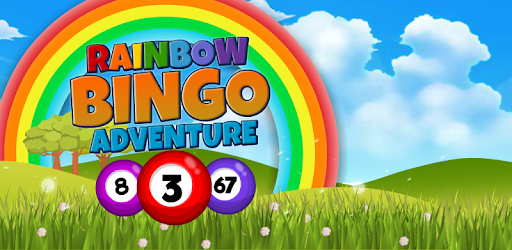
Rainbow Bingo Adventure is an Android app developed and published by Beautiful Bingo Games by Difference Games LLC at Google Play Store on May 17, 2017 for Android users. Rainbow Bingo Adventure is so popular that it has gained 100000 installs so far and growing.
Rainbow Bingo Adventure is a delightful game that brings hours of fun and excitement. This game is a favorite among players looking for an engaging and rewarding experience. With its vibrant graphics and smooth gameplay, it stands out among other bingo games in the market.
One of the most appealing features of Rainbow Bingo Adventure is its easy-to-understand gameplay. Players quickly get the hang of the game, making it accessible for everyone. The game also offers options to automate certain tasks, such as hitting the bingo button. This feature ensures you can focus on enjoying the game rather than worrying about missing a call.
Rainbow Bingo Adventure is generous with its rewards. You can earn rewards by participating in mini-games and watching short ads. The ads are brief and can be skipped after just a few seconds, making them less intrusive. Additionally, the game offers special limited sales and excellent deals, allowing you to get the most value for your money.
While the game currently allows playing with up to two cards, it still provides a satisfying experience. The ability to manage multiple cards can challenge players and keep them engaged. Despite this limitation, players find the game fun and continually return for more.
Rainbow Bingo Adventure has a noticeable advantage over other games due to its minimal ads. Players are not bombarded with ads after each game, creating a smooth and uninterrupted playing experience. Ads are also cleverly integrated, offering rewards for those who choose to watch them. This approach ensures that watching ads feels optional rather than forced.
Besides the main game, Rainbow Bingo Adventure offers a variety of mini-games. These mini-games are not only fun but also provide opportunities to earn more rewards. The mini-games are easy to understand and add an extra layer of excitement, ensuring you never get bored.
The game’s user-friendly features include a pleasant voice for the caller, which players appreciate. Additionally, you can adjust the speed of the calls to match your playing style. These options help customize the game to your preferences, making your gaming experience even more enjoyable.
Having a seamless gaming experience is crucial, and Rainbow Bingo Adventure delivers just that. Players rarely, if ever, encounter freezing or glitching issues. The game runs smoothly, allowing for continuous play without technical interruptions.
Tech support is readily available for those who need it. If you encounter any issues, timely assistance ensures that your problems are resolved quickly. This responsive support system enhances the overall user experience, keeping frustration at bay.
The combination of smooth gameplay, rewarding system, and minimal ads makes Rainbow Bingo Adventure highly addictive. Players find themselves hooked on the game, coming back repeatedly to enjoy the excitement and rewards. The game’s ability to hold players' interest is a testament to its well-designed features and captivating gameplay.
Yes, you can run Rainbow Bingo Adventure on PC, but first, you will need emulator software installed on your Windows or MAC, which you can download for free. In the below video, you will find Rainbow Bingo Adventure in action. Before you install the emulator, check out the minimum and recommended system requirements to run it seamlessly. They may change depending on which version of the emulator you choose. Therefore, we recommend you download the latest version of the emulator. Below you will find three free Android emulators that we have shortlisted based on their popularity:
Up to date graphics drivers from Microsoft or the chipset vendor.
Storage: 1 GB available under installation path, 1.5GB available hard drive space
Internet: Broadband Internet connection
Regardless of which Android emulator you install, the steps to install, configure, and running the Rainbow Bingo Adventure app on PC are the same.