Published by Dexcom
Updated August 28, 2025
Dexcom Follow – Monitor a Loved One’s Glucose Wherever You Are!
| Version | 4.6.1 |
| Size | 30.8 MB |
| What's New | Performance enhancements and bug fixes. |
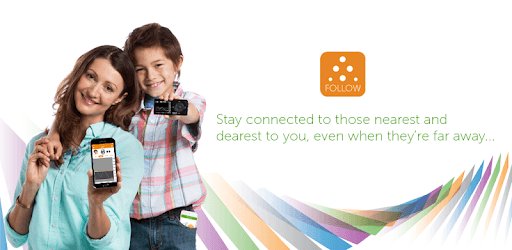
Dexcom Follow is an Android app developed and published by Dexcom at Google Play Store on Jun 1, 2015 for Android users. Dexcom Follow is so popular that it has gained 100000 installs so far and growing.
Managing diabetes can be a relentless task, but technology has made it easier. One tool that stands out is Dexcom Follow. This app allows family and friends to monitor their loved ones' blood glucose levels in real-time, offering peace of mind and immediate intervention capabilities.
Dexcom Follow is designed to work with the Dexcom Continuous Glucose Monitoring (CGM) system. It syncs the data from the Dexcom device, collecting real-time blood glucose readings and displaying them on a smartphone. The app allows users to invite up to ten followers to monitor their glucose levels. This is incredibly useful for parents, caregivers, or friends who want to keep an eye on someone else's health.
The real-time monitoring feature is highly beneficial. It helps parents track their children’s glucose levels even when they are not around. Friends and family can get alerts about abnormal readings, ensuring immediate action can be taken when necessary. This instant feedback loop helps in avoiding severe hypoglycemic or hyperglycemic events.
Dexcom Follow allows users to customize alerts for high or low blood glucose levels. The alerts can be annoying, but they serve a crucial purpose—keeping the user safe. High glucose alert? You know it's time to take corrective action. Low glucose alert? Immediate steps can prevent a dangerous situation. Alarms ensure that nothing goes unnoticed, making Dexcom Follow indispensable for managing diabetes effectively.
While the app generally works well on most devices, there have been occasional compatibility issues with some phone models. However, it remains a reliable tool for most users. The app can send updates to followers through WiFi or cellular data, ensuring they're always informed, no matter where they are.
One potential improvement many people would love to see is a widget feature, making the glucose levels visible without opening the app. This would offer even quicker access to vital information. Despite this minor enhancement, the app remains a robust and life-saving tool.
Dexcom's customer support is there to help resolve any issues, although some users have found it lacking at times. Nevertheless, the company has been recognized for its innovative approach in diabetes management, and many users are hopeful for future improvements and new features.
Dexcom Follow has made a significant impact on the lives of people with diabetes and their loved ones. It offers comprehensive, real-time monitoring, customizable alerts, and the peace of mind that comes from knowing someone is always watching. As technology advances, we can only expect further improvements, making this essential tool even better.
Yes, you can run Dexcom Follow on PC, but first, you will need emulator software installed on your Windows or MAC, which you can download for free. In the below video, you will find Dexcom Follow in action. Before you install the emulator, check out the minimum and recommended system requirements to run it seamlessly. They may change depending on which version of the emulator you choose. Therefore, we recommend you download the latest version of the emulator. Below you will find three free Android emulators that we have shortlisted based on their popularity:
Up to date graphics drivers from Microsoft or the chipset vendor.
Storage: 1 GB available under installation path, 1.5GB available hard drive space
Internet: Broadband Internet connection
Regardless of which Android emulator you install, the steps to install, configure, and running the Dexcom Follow app on PC are the same.