Published by davidgiga1993
Updated September 22, 2025
Remote control any Qu series mixer with your android device.
| Version | 1.3.1 |
| Size | 22.9 MB |
| What's New | Changelog V1.2.1= Added- SI: Add invert colors to soundcraft versions- Option: Fader reset with double tap- Support for latest xair firmware- Wing: New PEQ filter types- Dl32S: Routing matrix for B input- DL32S: Channel link and snapshots- XM32: Show console name in search results (and in console settings)- Wing: Layout for L100 and PIA2250 channel FX- Metering for DCAs (peak of members)= FixedFull changelog: https://dev-core.org/mixing-station/changelogs |
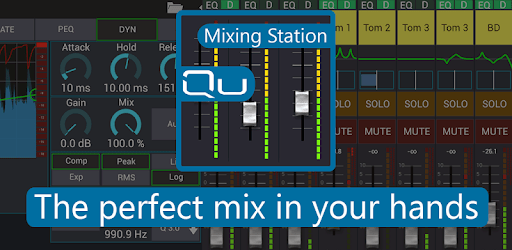
Mixing Station Qu is an Android app developed and published by davidgiga1993 at Google Play Store on Dec 16, 2015 for Android users. Mixing Station Qu is so popular that it has gained 100000 installs so far and growing.
Are you tired of being limited by the functionality of your mixer? Do you wish you had more control and flexibility when it comes to mixing your music? Look no further than Mixing Station Qu, the app that takes your mixing experience to the next level. With its innovative features and user-friendly interface, this app is a game-changer for musicians and sound engineers alike.
Mixing Station Qu offers a wide range of functionalities that go beyond what your mixer can do. One of its standout features is the ability to overlay RTA (Real-Time Analyzer) on top of peq (parametric equalizer) and geq (graphic equalizer). This allows you to fine-tune your sound with precision and accuracy, giving you complete control over your mix. Say goodbye to limitations and hello to endless possibilities.
If you're truly serious about taking your mixing skills to the next level, supporting the author by unlocking the pro mode is well worth it. By doing so, you gain access to even more advanced features and functionalities that will elevate your mixing experience. Don't miss out on the opportunity to enhance your skills and support the development of this incredible app.
While Mixing Station Qu is a great app for Android users, it's important to note that it may not support the latest firmware for the Qu mixer (1.93). However, the dedicated team behind this app is constantly working on updates and improvements to ensure compatibility with the latest firmware. Rest assured that your needs as a user are a top priority, and updates will be released to address any compatibility issues.
Yes, Mixing Station Qu is the first app that allows you to control a remote mixer. Whether you're using an old phone or a newer device, this app is designed to provide a seamless and intuitive experience for controlling your mix.
No, one of the best things about Mixing Station Qu is its user-friendly interface. Even if you're not a sound engineer, you can easily navigate the app and find your controls. There's no need to spend hours learning how to use it – simply open the app and start mixing!
No, Mixing Station Qu is designed to work harmoniously with other control devices, such as iPad controls. You can trust that there will be no conflicts or technical problems when using this app alongside other control devices.
While Mixing Station Qu is specifically designed for the Qu series, there may be plans to expand its compatibility to other mixer series in the future. Stay tuned for updates and announcements from the development team.
Absolutely! Mixing Station Qu is fully compatible with Chromebook Flip, allowing you to enjoy all its features and functionalities on your device. Say goodbye to limitations and hello to a whole new level of mixing.
With Mixing Station Qu, the power to control your mix is in your hands. Don't miss out on this incredible app that brings the functionality of a complex mixing board to a single, user-friendly interface. Upgrade your mixing experience today and unlock your true potential as a musician or sound engineer.
Yes, you can run Mixing Station Qu on PC, but first, you will need emulator software installed on your Windows or MAC, which you can download for free. In the below video, you will find Mixing Station Qu in action. Before you install the emulator, check out the minimum and recommended system requirements to run it seamlessly. They may change depending on which version of the emulator you choose. Therefore, we recommend you download the latest version of the emulator. Below you will find three free Android emulators that we have shortlisted based on their popularity:
Up to date graphics drivers from Microsoft or the chipset vendor.
Storage: 1 GB available under installation path, 1.5GB available hard drive space
Internet: Broadband Internet connection
Regardless of which Android emulator you install, the steps to install, configure, and running the Mixing Station Qu app on PC are the same.