Geek - Smarter Shopping for PC

Geek - Smarter Shopping for PC

Published by Wish Inc.

Updated October 11, 2025

Trending products at 50-80% OFF what you would pay at your local stores

What's New

Version4.47.6
Size24.6 MB
What's NewNew features and improvements

Geek - Smarter Shopping Screenshots

Geek - Smarter Shopping PC screenshot

About Geek - Smarter Shopping For PC

Geek - Smarter Shopping is an Android app developed and published by Wish Inc. at Google Play Store on Nov 19, 2014 for Android users. Geek - Smarter Shopping is so popular that it has gained 10000000 installs so far and growing.

Geek - Smarter Shopping

Welcome to a shopping experience like no other with Geek - Smarter Shopping, your one-stop app for everything from tech gadgets to trendy fashion. If you love finding great deals on unique items, then Geek is just the app for you. But what sets Geek apart, and why should it be your go-to shopping app?

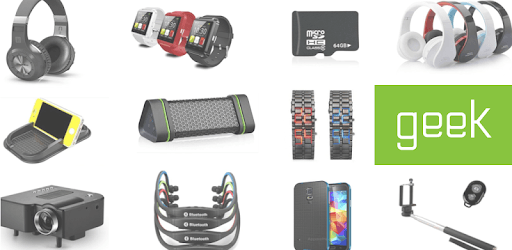
Amazing Variety of Products

Geek offers a huge range of products to choose from. Whether you're looking for modded Wii consoles, trendy hoodies, car radios, or even remote-controlled toys, Geek has something for everyone. It’s like stepping into a shopping mall from the comfort of your own home. Diverse product categories ensure that you can find almost anything you need, whether it's tech gear or stylish clothes.

Great Prices and Deals

One of the most appealing aspects of Geek is its pricing. Many users find items at almost half the price they would get elsewhere. You don’t have to worry about breaking the bank to get quality products. From electronics to fashion, you’ll discover incredible discounts and deals. In addition, Geek often offers special promotions and discounts, making your shopping experience even more rewarding.

Outstanding Customer Service

If you ever run into any issues with your order, Geek is there to help. Whether your item gets lost in the mail, arrives broken, or simply doesn't meet your expectations, Geek will make sure to resolve the situation promptly. You can easily return items or get store credits for future purchases, guaranteeing that you're satisfied with every buy. This level of care makes Geek a customer-friendly shopping app.

Simple and Easy to Use

Navigating Geek is simple and intuitive. You can easily search for items, view detailed descriptions, and read reviews before making a purchase. The app's interface is user-friendly, making it accessible for all ages. Whether you're a tech-savvy shopper or someone new to online shopping, Geek ensures a smooth and hassle-free experience.

Flexible Payment Options

Geek offers interest-free payment plans, making it easier to purchase your favorite items without stressing about the budget. This flexible payment option allows you to spread out the cost over time, so you can enjoy your products without any financial pressure. Coupled with the app's affordable prices, this feature makes Geek stand out among other shopping apps.

Rewards and Referrals

Geek knows how to keep loyal customers happy. You can earn $$ for referrals and even get special perks for being a regular shopper. Sharing the app with friends and family not only helps them discover a great shopping tool but also rewards you for spreading the word. This makes shopping on Geek more fun and community-driven.

Timely Deliveries

While shipping times can sometimes vary, Geek is improving its delivery services. Many shoppers report receiving their items on the day or just a day after the expected arrival date, making the wait times reasonable. Despite occasional delays, the overall experience is positive, with most people happy with the timely deliveries.

In the world of online shopping, finding a reliable app that offers variety, great deals, and excellent customer service can be challenging. Geek - Smarter Shopping seems to check all these boxes, making it an ideal choice for shoppers of all kinds. So why not give it a try and see what unique treasures you can find?

Can I run Geek - Smarter Shopping on PC?

Yes, you can run Geek - Smarter Shopping on PC, but first, you will need emulator software installed on your Windows or MAC, which you can download for free. In the below video, you will find Geek - Smarter Shopping in action. Before you install the emulator, check out the minimum and recommended system requirements to run it seamlessly. They may change depending on which version of the emulator you choose. Therefore, we recommend you download the latest version of the emulator. Below you will find three free Android emulators that we have shortlisted based on their popularity:

How to Install Geek - Smarter Shopping on Windows PC

BlueStacks

Minimum
  • OS: Microsoft Windows 7 and above.
  • Processor: Intel or AMD Processor.
  • RAM: Your PC must have at least 4GB of RAM. (Note that having 4GB or more disk space is not a substitute for RAM)
  • Storage: 5GB Free Disk Space.
  • You must be an Administrator on your PC.
Recommended:
  • OS: Microsoft Windows 10
  • Processor: Intel or AMD Multi-Core Processor with Single Thread benchmark score > 1000.
  • Graphics: Intel/Nvidia/ATI, Onboard or Discrete controller with benchmark score >= 750.
  • Please ensure Virtualization is enabled on your PC/Laptop.
  • RAM: 8GB or higher
  • Storage: SSD (or Fusion/Hybrid Drives)
  • Internet: Broadband connection to access games, accounts and related content.

Up to date graphics drivers from Microsoft or the chipset vendor.

  • To start with, download Bluestacks from its official website. The latest version of BluesStacks is v 5, and it is around 400 MB.
  • Once the download is done, click on the Bluestacks set up file to install it on your Windows PC. Follow the on-screen instructions and install it accordingly.
  • The next step is to launch the emulator using the desktop shortcut and sign in using your Google account.
  • Now, head over to Bluestacks home screen and click on the Google Play Store icon.
  • Hit the search bar in Google Play and search for Geek - Smarter Shopping.
  • Install Geek - Smarter Shopping from the Play Store by clicking the Install option, which completes downloading of Geek - Smarter Shopping on PC.

NoxPlayer

Minimum
  • Operating System: Windows XP SP3, Windows Vista, Windows 7, Windows 8, Windows 10, and DirectX 9.0c
  • Processor: At least dual-core processor, both Intel, and AMD are OK
  • Video: Supports Open GL 2.0 or above
  • Memory: 1.5 GB RAM
Recommended
  • Operating System: Windows 7, Windows 8, Windows 10
  • Processor: Multiple core processors which support VT-x or AMB-V Virtualization Technology, better performance with this function enabled
  • Video: The higher performance, the better
  • Memory: 4 GB RAM

Storage: 1 GB available under installation path, 1.5GB available hard drive space

Internet: Broadband Internet connection

  • Download NoxPlayer from the official website. The latest version of NoxPlayer is v 3, and it is around 600 MB.
  • Now install the emulator using the downloaded setup file. Just go through the on-screen instructions and install NoxPlayer on your computer or laptop.
  • After the installation process, launch the Nox Android emulator and log in using your Google account when it asks you.
  • Click on the Google Play Store icon and head over to the search bar to search Geek - Smarter Shopping. Once found, click on the Install button to install Geek - Smarter Shopping for PC.
  • If you do not find Geek - Smarter Shopping on Google Play Store or if you want to skip logging in to Google, you can sideload APK (download the .APK file from this page and open it with NoxPlayer).
  • Launch Geek - Smarter Shopping from home-screen and start playing it on PC right away!

MEmu

Minimum
  • 2 cores x86/x86_64 Processor (Intel or AMD CPU)
  • WinXP SP3 / Win7 / Win8 / Win10 (Not recommended to run on Server/Enterprise)
  • Latest Windows DirectX 11 / Graphics driver with OpenGL 2.0
  • Hardware Virtualization Technology (Intel VT-x/AMD-V) shall be enabled in BIOS
  • 2GB of RAM (4GB for x64 system)
  • 5GB of hard disk free space
Recommended
  • OS: Microsoft Windows 10 with VT Enabled
  • CPU: Single Thread PassMark score > 1500 (Intel/AMD Multi-Core).
  • Graphics: Intel/Nvidia/ATI, Onboard or Discrete controller with PassMark score > 750.
  • Latest Windows DirectX 11 / Graphics driver with OpenGL 4.5 or higher
  • RAM: 8GB or higher
  • HDD: SSD, 10GB of hard disk free space
  • Internet: Broadband connection with low latency for FPS games
  • Download MEmu Play from the official website. The latest version of NoxPlayer is v 7.5.
  • When the download is completed, install the MEmu emulator on your PC. Follow the on-screen instructions and keep on clicking the Next button until the final step.
  • Now, using the desktop shortcut, look for the MEmu Play emulator and launch it. Once done, it will ask you to log in using your Google account, proceed with the same.
  • MEmu Play will ask you to log in using your Google account. When you log in, it will sync your Google account to MEmu Play. Launch the Google Play Store by clicking on the icon and search for Geek - Smarter Shopping.
  • Click on the Install button once you find Geek - Smarter Shopping from the search results. You can also sideload APK (download the .APK file from this page and open it with MEmu) if you want to skip above step.
  • After the installation of Geek - Smarter Shopping, you're all set to use the app on PC!

Regardless of which Android emulator you install, the steps to install, configure, and running the Geek - Smarter Shopping app on PC are the same.


Download Geek - Smarter Shopping For PC