
Published by Code lunatics: 3D Art Pose tools. Poser app
Updated April 19, 2026
Easy to use pose tool for artist. 3D art poser app.
| Version | 1.5.2 |
| Size | 246.0 MB |
| What's New | Minor updates |
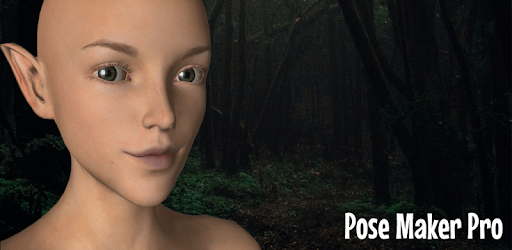
Pose Maker Pro - 3D art poser app is an Android app developed and published by Code lunatics: 3D Art Pose tools. Poser app at Google Play Store on Dec 16, 2018 for Android users. Pose Maker Pro - 3D art poser app is so popular that it has gained 500 installs so far and growing.
Are you ready to take your artistic skills to the next level? Look no further than Pose Maker Pro - 3D Art Poser App. This innovative app is designed to unleash your creativity and bring your imagination to life. With its recent update, this app has become even more powerful and user-friendly, offering a range of exciting features that will leave you amazed. Let's dive in and explore what makes Pose Maker Pro the ultimate tool for artists and creators.
One of the standout features of Pose Maker Pro is the ability to choose the material of the objects you create. Whether it's glass, wood, or sand, you have the freedom to experiment and bring your creations to life with stunning realism. This level of customization allows you to create unique scenes and environments that truly reflect your artistic vision.
With the latest update, Pose Maker Pro now allows you to create groups, which is essential for building intricate scenes and rooms. Whether you're designing a cozy living space or a battlefield, the ability to organize objects into groups makes the process seamless and efficient. Say goodbye to cluttered scenes and hello to organized creativity.
Pose Maker Pro understands the importance of having a diverse range of objects at your disposal. That's why they have added military and kitchen objects to their already impressive collection. Now, you can bring your war scenes to life or design the perfect kitchen setting with ease. The expanded object library ensures that you have everything you need to create captivating artwork.
First impressions matter, and Pose Maker Pro knows it. With their new user interface, the app now boasts a professional and sleek look that enhances the overall user experience. The updated UI not only makes navigation a breeze but also adds a touch of sophistication to your creative process. Get ready to be impressed by the app's polished and modern design.
Pose Maker Pro is not just another app; it's a game-changer for artists and creators. With its advanced joint movement capabilities, you can dive into the world of 3D modeling and bring your characters to life with intricate details. The app's morphing system allows you to create the perfect reference for comics or illustrations, making it an invaluable tool for any artist.
While Pose Maker Pro offers an incredible range of features for free, the pro version takes your creativity to new heights. With the pro version, you gain access to premium features such as bone addition to models, expanded clothing options, and the ability to upload and download models from a catalog. The pro version truly unlocks the app's full potential and is worth every penny.
Yes, the pro version of Pose Maker Pro allows you to import and export models, giving you even more flexibility in your creative process.
Yes, the developers at Pose Maker Pro are constantly working on expanding the app's offerings. You can expect to see more characters, clothes, hair, and additional features in future updates.
Yes, the pro version of Pose Maker Pro allows for custom face and clothes customization, giving you complete control over your character's appearance.
Yes, Pose Maker Pro is an actively developed app. The developers are dedicated to improving the app and incorporating user feedback to make it even better.
While Pose Maker Pro currently relies on joint movement for posing, the developers are open to user suggestions and may consider adding touch pose functionality in future updates.
Unlock your creative potential with Pose Maker Pro - 3D Art Poser App. Whether you're a seasoned artist or just starting your creative journey, this app is a must-have. With its powerful features and user-friendly interface, it's never been easier to bring your imagination to life. Download Pose Maker Pro today and let your creativity soar!
Yes, you can run Pose Maker Pro - 3D art poser app on PC, but first, you will need emulator software installed on your Windows or MAC, which you can download for free. In the below video, you will find Pose Maker Pro - 3D art poser app in action. Before you install the emulator, check out the minimum and recommended system requirements to run it seamlessly. They may change depending on which version of the emulator you choose. Therefore, we recommend you download the latest version of the emulator. Below you will find three free Android emulators that we have shortlisted based on their popularity:
Up to date graphics drivers from Microsoft or the chipset vendor.
Storage: 1 GB available under installation path, 1.5GB available hard drive space
Internet: Broadband Internet connection
Regardless of which Android emulator you install, the steps to install, configure, and running the Pose Maker Pro - 3D art poser app app on PC are the same.