Published by bytebolt
Updated April 9, 2026
Visualize & play midi / kar files using soundfonts. Change tempo, pitch, presets
| Version | 5.4.11 |
| Size | 7.7 MB |
| What's New | BugFix: Workaround for restricted file access in Android 10 Files and folders should be accessible outside the app's internal storage again. |
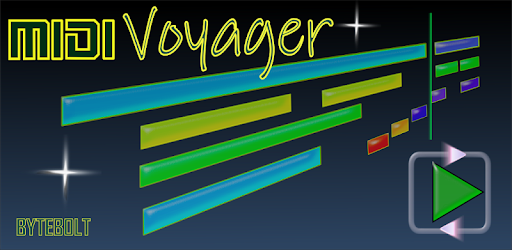
MIDI Voyager Karaoke Player is an Android app developed and published by bytebolt at Google Play Store on Mar 13, 2014 for Android users. MIDI Voyager Karaoke Player is so popular that it has gained 100000 installs so far and growing.
Are you a music lover who enjoys the flexibility of customizing MIDI files? Look no further than MIDI Voyager Karaoke Player, a top-notch app that allows you to explore the world of MIDI like never before. With its impressive features and user-friendly interface, this app is a must-have for both beginners and experienced musicians.
One of the standout features of MIDI Voyager Karaoke Player is its exceptional performance. Users rave about its ability to play MIDI files with up to 300,000 notes per second without any visible lag. What's even more impressive is that your device won't overheat, ensuring a seamless and uninterrupted music experience. Say goodbye to frustrating lags and hello to smooth playback.
With MIDI Voyager Karaoke Player, you have the power to customize your MIDI files to suit your preferences. While not all parameters can be modified, this app still offers a wide range of options to enhance your listening experience. Whether you want to adjust the tempo, change the visualization, or experiment with different settings, this app has got you covered.
If you're a fan of Black MIDI, MIDI Voyager Karaoke Player is the perfect companion for you. This app can handle Black MIDI files flawlessly, allowing you to enjoy the intricate and complex compositions that this genre is known for. Experience the power and beauty of Black MIDI like never before with this exceptional app.
MIDI Voyager Karaoke Player values user feedback and continuously strives to improve its features. If you have any requests or suggestions, the developers are open to hearing your ideas. Whether it's adding a 3D piano, fixed piano keys, or a 128 key soundfont, they are dedicated to making this app even better. Your input matters, and they are committed to delivering the best possible experience for their users.
At the moment, MIDI Voyager Karaoke Player is only available for mobile devices. However, the developers are considering creating a PC version to cater to users who prefer a larger screen and faster loading times for short and small MIDI files. Stay tuned for updates!
To unlock the Pro version of MIDI Voyager Karaoke Player, you can make a purchase through the Google Play Store. If you encounter any issues during the purchase process, ensure that your Google Play Store is functioning correctly and try again. Enjoy the enhanced features and premium experience offered by the Pro version!
Currently, MIDI Voyager Karaoke Player focuses primarily on providing a seamless MIDI playback experience. While it does not offer a dedicated lyrics editor or MIDI event viewer, the developers are always open to new ideas and suggestions. They appreciate your feedback and may consider adding these features in future updates.
Absolutely! The Pro version of MIDI Voyager Karaoke Player offers tempo (BPM) automation, allowing you to create dynamic and expressive MIDI compositions. Take your MIDI files to the next level by adding tempo changes and creating a more immersive musical experience.
In conclusion, MIDI Voyager Karaoke Player is a game-changer in the world of MIDI players. Its exceptional performance, endless flexibility, and support for Black MIDI make it a standout choice for music enthusiasts. Unlock the full potential of your MIDI files and enjoy a seamless music experience with this remarkable app. Get your hands on MIDI Voyager Karaoke Player now and elevate your music journey to new heights!
Yes, you can run MIDI Voyager Karaoke Player on PC, but first, you will need emulator software installed on your Windows or MAC, which you can download for free. In the below video, you will find MIDI Voyager Karaoke Player in action. Before you install the emulator, check out the minimum and recommended system requirements to run it seamlessly. They may change depending on which version of the emulator you choose. Therefore, we recommend you download the latest version of the emulator. Below you will find three free Android emulators that we have shortlisted based on their popularity:
Up to date graphics drivers from Microsoft or the chipset vendor.
Storage: 1 GB available under installation path, 1.5GB available hard drive space
Internet: Broadband Internet connection
Regardless of which Android emulator you install, the steps to install, configure, and running the MIDI Voyager Karaoke Player app on PC are the same.