Published by Boomerang
Updated April 12, 2026
Watch classic cartoons and new originals with the Boomerang app!
| Version | 2.61 |
| Size | 85.9 MB |
| What's New | ¡Hemos corregido algunos errores para que Boomerang sea mejor que nunca! Disfruta de más de 5000 dibujos animados y películas, además de toneladas de listas de reproducción seleccionadas para toda la familia. |
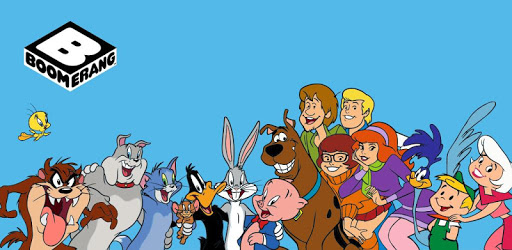
Boomerang is an Android app developed and published by Boomerang at Google Play Store on Apr 11, 2017 for Android users. Boomerang is so popular that it has gained 1000000 installs so far and growing.
Remember waking up on Saturday mornings as a kid, eagerly waiting to watch your favorite cartoons? Relive those cherished memories with Boomerang, the ultimate app for cartoon lovers. With a vast collection of classic and modern cartoons, Boomerang brings the joy and nostalgia of your childhood right to your fingertips.
Boomerang offers a wide range of beloved cartoons, including the iconic Scooby-Doo. Whether you're a fan of the old classics or enjoy the more recent additions, this app has something for everyone. Indulge in hours of wholesome family entertainment that will make you feel like a kid again.
One of the best things about Boomerang is its user-friendly interface. The app is incredibly easy to navigate, allowing you to quickly find and enjoy your favorite cartoons. With just a few taps, you can immerse yourself in a world of animated adventures.
What's even better is that Boomerang is affordable. For just $6 a month, you gain access to a vast library of cartoons that will keep you entertained for hours on end. It's a small price to pay for the joy and happiness this app brings.
Some users may have experienced performance issues with other streaming apps, but Boomerang stands out from the crowd. Countless users, including myself, have had a seamless experience with the app. Whether you're using it on your phone or streaming it on your Roku TV, you can expect smooth playback without any glitches or freezing.
However, it's worth mentioning that the Boomerang app is not currently available on Samsung TVs. While this may be disappointing for some, it doesn't take away from the overall satisfaction and enjoyment that the app provides.
Boomerang values its users and their feedback. The team behind the app is prompt in addressing any questions or concerns you may have. They strive to provide the best possible experience for their users, ensuring that you feel heard and supported.
Whether you're a long-time fan of Boomerang or just discovering it for the first time, this app is a must-download. Relive the magic of your favorite cartoons and create new memories with your loved ones. Subscribe to Boomerang today and embark on a journey filled with laughter, adventure, and endless entertainment.
Unfortunately, Boomerang is not currently available on Samsung TVs or other smart TV platforms. However, you can still enjoy the app on your phone or stream it on devices like Roku TV.
Boomerang offers a monthly subscription for just $6. It's an affordable way to access a vast library of cartoons and enjoy hours of family entertainment.
At the moment, Boomerang does not have an autoplay option. However, you can still enjoy your favorite cartoons and create a nostalgic atmosphere as you fall asleep.
Currently, there is no option to clear your watch history on Boomerang. This is something that some users have requested, and it may be considered in future updates.
Unfortunately, Boomerang does not currently offer the option to turn on closed captions. This is a feature that some users have expressed interest in, and it may be implemented in the future.
Yes, you can run Boomerang on PC, but first, you will need emulator software installed on your Windows or MAC, which you can download for free. In the below video, you will find Boomerang in action. Before you install the emulator, check out the minimum and recommended system requirements to run it seamlessly. They may change depending on which version of the emulator you choose. Therefore, we recommend you download the latest version of the emulator. Below you will find three free Android emulators that we have shortlisted based on their popularity:
Up to date graphics drivers from Microsoft or the chipset vendor.
Storage: 1 GB available under installation path, 1.5GB available hard drive space
Internet: Broadband Internet connection
Regardless of which Android emulator you install, the steps to install, configure, and running the Boomerang app on PC are the same.