Published by Bee Square Games
Winner of ⚠️ Best Mobile Game ⚠️ on reddit's Incremental Games community! 🙌
| Version | 5.8.7 |
| Size | 114.5 MB |
| What's New | - Game optimization and some bugs are fixed |
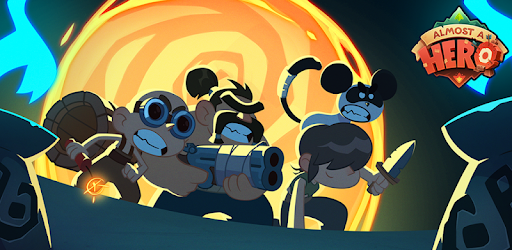
Almost a Hero - Idle RPG is an Android app developed and published by Bee Square Games at Google Play Store on Mar 23, 2017 for Android users. Almost a Hero - Idle RPG is so popular that it has gained 5557791 installs so far and growing.
If you're looking for a fun and interactive mobile game that will keep you entertained for hours on end, look no further than Almost a Hero - Idle RPG. With its engaging gameplay, rewarding progression system, and entertaining characters, this game has become a favorite among players worldwide. Whether you're a casual gamer or a dedicated fan of idle games, Almost a Hero is sure to captivate your attention.
One of the standout features of Almost a Hero - Idle RPG is its commitment to improving the player experience. The developers have been diligent in addressing any issues that arise, ensuring that the game runs smoothly and without any freezing. They have also listened to player feedback and made necessary adjustments, such as fixing the relic system. This level of dedication to quality and player satisfaction is truly commendable.
Furthermore, Almost a Hero has been around for almost 7 years, and it's still going strong. This longevity is a testament to its enduring appeal and the enjoyment it brings to players. Whether you're a returning player or new to the game, you're in for a treat.
Almost a Hero - Idle RPG stands out from other mobile games in its genre due to its unique gameplay mechanics. It strikes the perfect balance between being an idle game and offering a sense of progression that keeps you engaged. You can easily jump in, prepare your heroes, and then leave the game running in the background as they continue to progress. However, if you prefer a more hands-on approach, there is plenty to do within the game to keep you entertained.
The characters in Almost a Hero are a true highlight. They are well-designed and come with their own funny lines and personalities that add depth to the game. It would be great to have a menu where you can listen to all their quotes because they say some truly hilarious stuff. This attention to detail shows the level of care and thought put into creating a memorable gaming experience.
Almost a Hero - Idle RPG caters to both free-to-play and pay-to-play players, ensuring that everyone can enjoy the game at their own pace. Whether you want to invest time or money into the game, there is space for everyone to progress and have a great time. The developers have struck a perfect balance, making sure that the game doesn't pressure you to spend money while still offering a rewarding experience.
Additionally, Almost a Hero has a fantastic soundtrack that adds to the overall enjoyment of the game. The sounds and music create a captivating atmosphere that enhances the gameplay experience. It's clear that the developers have put thought into every aspect of the game, ensuring that players are fully immersed in the world of Almost a Hero.
Yes, Almost a Hero - Idle RPG is free to download and play. However, there are optional in-app purchases available for those who wish to enhance their gaming experience.
Yes, you can play Almost a Hero on multiple devices as long as you use the same account to log in. This allows you to seamlessly switch between devices without losing your progress.
The developers of Almost a Hero are dedicated to providing regular updates and new content to keep the game fresh and exciting. They listen to player feedback and continuously improve the game based on user suggestions.
Yes, Almost a Hero - Idle RPG can be played offline. This makes it a perfect game for those times when you don't have an internet connection but still want to enjoy some gaming fun.
Absolutely! Almost a Hero - Idle RPG is designed to be accessible and enjoyable for both casual and dedicated gamers. Its easy-to-learn mechanics and engaging gameplay make it a great choice for players of all skill levels.
Overall, Almost a Hero - Idle RPG is a must-play mobile game for anyone looking for a fun and rewarding gaming experience. With its engaging gameplay, entertaining characters, and regular updates, this game is sure to keep you entertained for hours on end. Download it now and embark on an epic adventure!
Yes, you can run Almost a Hero - Idle RPG on PC, but first, you will need emulator software installed on your Windows or MAC, which you can download for free. In the below video, you will find Almost a Hero - Idle RPG in action. Before you install the emulator, check out the minimum and recommended system requirements to run it seamlessly. They may change depending on which version of the emulator you choose. Therefore, we recommend you download the latest version of the emulator. Below you will find three free Android emulators that we have shortlisted based on their popularity:
Up to date graphics drivers from Microsoft or the chipset vendor.
Storage: 1 GB available under installation path, 1.5GB available hard drive space
Internet: Broadband Internet connection
Regardless of which Android emulator you install, the steps to install, configure, and running the Almost a Hero - Idle RPG app on PC are the same.