Published by Bang & Olufsen a/s
Updated August 6, 2025
Turn your smartphone into a Bang & Olufsen-designed control centre.
| Version | 7.4.1 |
| Size | 77.6 MB |
| What's New | · Dark mode is now available in Menu > Settings > Appearance.· Beocare can now be enabled for all eligible products at once.· App release notes are now published in the app under Menu > About.· Improved responsiveness and smoother transitions.· Fixed software update getting stuck.· Bug fixes and stability improvements. |
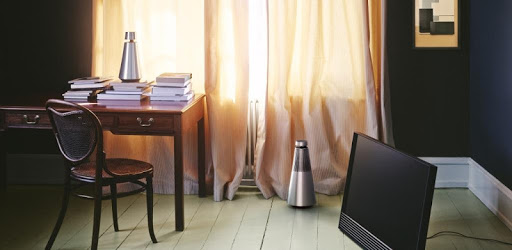
Bang & Olufsen is an Android app developed and published by Bang & Olufsen a/s at Google Play Store on Nov 27, 2016 for Android users. Bang & Olufsen is so popular that it has gained 50000 installs so far and growing.
Bang & Olufsen, a name synonymous with high-quality audio, brings an immersive experience through its app, designed mainly for users of their exceptional earphones and other audio components. The Bang & Olufsen app is a must-have tool for anyone looking to get the most out of their B&O devices, providing seamless connectivity and a host of features that enhance the audio experience.
When it comes to sound quality, Bang & Olufsen sets the bar high. Users consistently praise the superb sound that Bang & Olufsen earphones and other audio products deliver. Whether you're listening to music or on a call, the audio is clear and smooth, ensuring an enjoyable listening experience. The app further enhances this with its intuitive equalizer, allowing users to customize bass, treble, and other sound settings to their liking.
One of the standout features of the Bang & Olufsen app is its seamless connectivity with various Bluetooth devices. From Beoplay HX headphones to multi-room setups, the app provides easy integration and controls for all your B&O devices. Though some users have experienced occasional connectivity issues, recent updates have significantly improved reliability and performance.
The Bang & Olufsen app boasts a clean, user-friendly interface that makes managing your audio devices a breeze. The intuitive design ensures that even those not particularly tech-savvy can navigate and use the app efficiently. Features like checking battery life, adjusting sound settings, and managing multiple devices are straightforward and accessible.
For users who have multiple B&O components, the app's multi-room functionality is a game-changer. It allows you to stream the same music across different rooms, creating a cohesive audio experience throughout your home. This feature is particularly appreciated by users who want to enjoy uninterrupted music as they move from room to room.
The ability to customize your audio settings is one of the app's most praised features. With the built-in equalizer, users can tailor the sound to their personal preference, enhancing the listening experience. Whether you prefer deep bass or clear treble, the app provides the tools needed to get the perfect sound.
Bang & Olufsen continually updates the app to improve functionality and address any issues. Recent updates have resolved previous connectivity problems, making the app more reliable than ever. Additionally, B&O provides excellent customer service, ensuring that any technical faults are promptly addressed to keep customers happy.
Another handy aspect of the Bang & Olufsen app is the range of features it offers. For instance, users can see the battery percentage of their headsets and customize touch controls for their earphones. Some users have suggested adding widgets to view battery status directly on the home screen, which could further enhance convenience.
In summary, the Bang & Olufsen app enhances the experience of using B&O products with its superb sound quality, user-friendly interface, and reliable connectivity. Its range of customizable features and ability to manage multiple devices seamlessly make it an invaluable tool for any B&O user. With ongoing updates and excellent customer support, it continues to meet and exceed expectations.
Yes, you can run Bang & Olufsen on PC, but first, you will need emulator software installed on your Windows or MAC, which you can download for free. In the below video, you will find Bang & Olufsen in action. Before you install the emulator, check out the minimum and recommended system requirements to run it seamlessly. They may change depending on which version of the emulator you choose. Therefore, we recommend you download the latest version of the emulator. Below you will find three free Android emulators that we have shortlisted based on their popularity:
Up to date graphics drivers from Microsoft or the chipset vendor.
Storage: 1 GB available under installation path, 1.5GB available hard drive space
Internet: Broadband Internet connection
Regardless of which Android emulator you install, the steps to install, configure, and running the Bang & Olufsen app on PC are the same.