Published by Babbel
Updated October 11, 2025
Spanish, French, German... - 14 languages in all. Learn real-life conversations
| Version | 21.92.0 |
| Size | 54.1 MB |
| What's New | Minor bug fixes and improvements. Install or update to the newest version to check it out! |
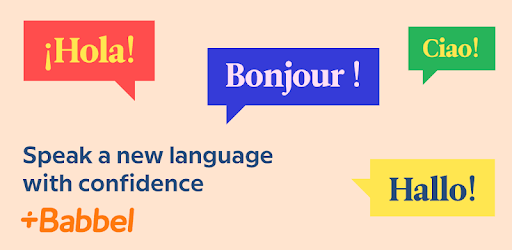
Babbel – Learn Languages is an Android app developed and published by Babbel at Google Play Store on Feb 21, 2012 for Android users. Babbel – Learn Languages is so popular that it has gained 10000000 installs so far and growing.
Babbel stands out as a robust language learning tool that offers a comprehensive approach to mastering new languages. Many users have found it to be an effective, engaging, and efficient platform for language acquisition.
One of Babbel's key strengths is its ability to quickly immerse learners in practical conversations. From the very beginning, lessons introduce you to everyday dialogues, enabling a real-world context for the words and phrases you learn. This approach helps you start speaking and understanding the language sooner, making your learning experience more relevant and motivating.
Babbel's educational design is quite versatile, employing various learning methods within each lesson. This includes speaking, listening, reading, and writing exercises, all aimed at ensuring comprehensive language acquisition. By engaging multiple senses and skills, Babbel helps ingrain the subject matter more deeply and quickly compared to other language learning platforms.
The platform offers a variety of languages, allowing you to pick one that suits your personal or professional interests. Whether you’re learning Spanish to communicate better with your family, picking up Italian to revive your long-forgotten skills, or diving into Russian or Danish for new challenges, Babbel provides lessons tailored to your language level and goals.
Babbel is designed with convenience in mind. You can engage in quick, bite-sized lessons perfect for fitting into your day. This flexibility is ideal for busy schedules, allowing consistent learning even when time is limited. The one-time price also offers great value, making it easier to commit without worrying about recurring costs.
Beyond standard lessons, Babbel includes features essential for solidifying your language skills. Dialogues and practical phrases are consistently used, providing context and practical application. While flashcards help with memorization, the platform’s emphasis on context is especially useful for understanding how to use phrases naturally in conversations.
Babbel also offers robust support for its users. Should any technical issues arise, the support team is responsive and helpful, ensuring a smooth learning experience. It’s also great for those who seek to connect with a global community of learners, offering opportunities to practice and engage with others.
While Babbel excels in many areas, there are suggestions for enhancements. For instance, adding specialized reading or story exercises could greatly benefit those studying more advanced material or seeking additional context for vocabulary. Some users have expressed interest in having a repository of dialogues and phrases accessible for review outside of structured lessons.
With its immersive, multi-faceted approach, Babbel proves to be a valuable tool for learners of all levels. Whether you are a beginner or seeking to polish advanced skills, Babbel's well-structured lessons and effective learning tools make it a worthy choice for anyone passionate about mastering a new language.
Yes, you can run Babbel – Learn Languages on PC, but first, you will need emulator software installed on your Windows or MAC, which you can download for free. In the below video, you will find Babbel – Learn Languages in action. Before you install the emulator, check out the minimum and recommended system requirements to run it seamlessly. They may change depending on which version of the emulator you choose. Therefore, we recommend you download the latest version of the emulator. Below you will find three free Android emulators that we have shortlisted based on their popularity:
Up to date graphics drivers from Microsoft or the chipset vendor.
Storage: 1 GB available under installation path, 1.5GB available hard drive space
Internet: Broadband Internet connection
Regardless of which Android emulator you install, the steps to install, configure, and running the Babbel – Learn Languages app on PC are the same.