Published by Cybrain Software Solutions Pvt Ltd
Updated April 7, 2026
A Compete Solution to Manage all School Needs
| Version | 2.3.5 |
| Size | 33.7 MB |
| What's New | Bug fixes and updates. |
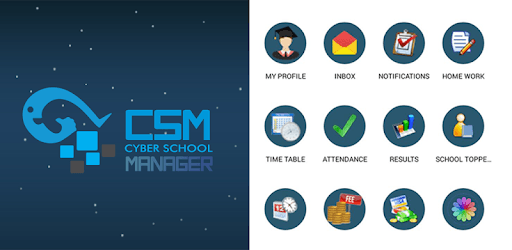
Cyber School Manager is an Android app developed and published by Cybrain Software Solutions Pvt Ltd at Google Play Store on Nov 1, 2016 for Android users. Cyber School Manager is so popular that it has gained 177421 installs so far and growing.
Welcome to the world of Cyber School Manager, the app that has revolutionized the way students, parents, and teachers interact with each other. With its user-friendly interface and powerful features, this app has become a go-to solution for all your school-related tasks. Whether you're a student trying to keep up with your homework or a parent wanting to stay updated on your child's progress, Cyber School Manager has got you covered.
Cyber School Manager is designed to support and enhance your hard work. Its hygienic features ensure a seamless experience, allowing you to focus on your studies without any distractions. The app provides a user-friendly platform that makes it easy to navigate and access all the necessary tools and resources.
One of the standout features of Cyber School Manager is its ability to handle PDF files. While some apps limit the file size, Cyber School Manager understands the importance of larger files and allows you to upload PDFs up to 5 MB in size. This ensures that you can access all the study materials and resources you need without any restrictions.
But the benefits of Cyber School Manager go beyond file size. This app is fully satisfying, offering a range of features that are truly helpful. Whether you're a student trying to manage your homework online or a teacher looking for an efficient way to communicate with your students, Cyber School Manager has got you covered.
In the midst of the COVID-19 pandemic, Cyber School Manager has emerged as a game-changer. With schools transitioning to online learning, this app has become a lifeline for students, parents, and teachers. It provides a centralized platform where students can access their assignments, submit homework, and stay connected with their classmates.
Parents can also breathe a sigh of relief knowing that they can monitor their child's progress and stay updated on important notifications. Cyber School Manager ensures quick notifications, keeping everyone in the loop and ensuring a smooth flow of communication.
Don't just take our word for it. Countless users have expressed their satisfaction with Cyber School Manager. They describe it as an excellent, informative, and easy-to-use application. The positive tone and simplicity of the app make it a joy to use, and the quick notifications ensure that you never miss out on any important updates.
Whether you're a student, parent, or teacher, Cyber School Manager is the ultimate solution for all your school needs. Its fantastic features and user-friendly interface make it a must-try app. Download it now and experience the best that the world of education has to offer.
No, Cyber School Manager currently has a file size limit of 5 MB for PDF uploads. However, this should be sufficient for most study materials and resources.
Yes, Cyber School Manager is available for both Android and iOS devices. You can download it from the Play Store or the App Store, depending on your device.
Parents can create an account on Cyber School Manager and link it to their child's profile. This allows them to access attendance records, homework assignments, and important notifications related to their child's education.
Absolutely! Cyber School Manager provides a convenient platform for teachers to communicate with their students. They can share announcements, assignments, and other important information through the app.
No, Cyber School Manager is available worldwide. While it is a genuine app of India, it has gained popularity and recognition globally for its exceptional features and functionality.
Yes, you can run Cyber School Manager on PC, but first, you will need emulator software installed on your Windows or MAC, which you can download for free. In the below video, you will find Cyber School Manager in action. Before you install the emulator, check out the minimum and recommended system requirements to run it seamlessly. They may change depending on which version of the emulator you choose. Therefore, we recommend you download the latest version of the emulator. Below you will find three free Android emulators that we have shortlisted based on their popularity:
Up to date graphics drivers from Microsoft or the chipset vendor.
Storage: 1 GB available under installation path, 1.5GB available hard drive space
Internet: Broadband Internet connection
Regardless of which Android emulator you install, the steps to install, configure, and running the Cyber School Manager app on PC are the same.