Published by Autobrain LLC
Updated April 9, 2026
Autobrain helps keep your family safe and connected on the road.
| Version | 4.4.4b |
| Size | 7.5 MB |
| What's New | Fixes for Background Services Dialog |
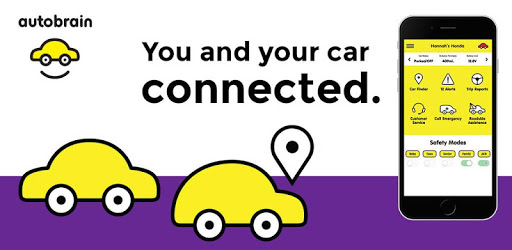
Autobrain is an Android app developed and published by Autobrain LLC at Google Play Store on Sep 12, 2016 for Android users. Autobrain is so popular that it has gained 5000 installs so far and growing.
Are you looking for a reliable and affordable way to keep track of your teen driver or monitor the location and condition of your vehicles? Look no further than Autobrain, the app that has been impressing customers with its simplicity, effectiveness, and unbeatable price. In this article, we will explore why Autobrain is the go-to choice for those seeking peace of mind and real-time updates on their vehicles.
One of the standout features of Autobrain is its effortless installation process. Customers have praised the app for its simplicity and ease of use. Whether you're a tech-savvy individual or not, Autobrain ensures that anyone can set it up without any hassle. The user-friendly interface makes navigating the app a breeze, allowing you to access all the features with just a few taps.
Autobrain takes vehicle tracking to the next level with its real-time updates. Customers have been amazed by the accuracy of the location tracking, with a range of 5 to 15 feet. Whether you're concerned about the safety of your car or want to keep an eye on your teen driver's whereabouts, Autobrain provides you with up-to-date information that you can rely on.
Autobrain goes beyond just tracking the location of your vehicle. It also provides valuable insights into the health and performance of your car. With Autobrain, you can monitor speed limits, receive car codes, and even get a general overview of your vehicle's condition. This comprehensive monitoring feature ensures that you have all the information you need to keep your vehicle running smoothly.
One of the hidden gems of Autobrain is its roadside assistance service. Customers have been pleasantly surprised to discover that this app not only tracks their vehicles but also provides them with invaluable roadside assistance. From flat tires to battery jump-starts, Autobrain has saved customers hundreds of dollars by offering prompt and reliable assistance when they needed it the most.
Installing Autobrain is a breeze, even for those who are not tech-savvy. Simply follow the step-by-step instructions provided, and you'll have the app up and running in no time.
Absolutely! Autobrain allows you to monitor multiple vehicles, making it the perfect solution for families with multiple cars or fleet owners.
Yes, Autobrain is compatible with most vehicles, including cars, trucks, and SUVs. It works with both old and new models, ensuring that you can track any vehicle you own.
Autobrain provides highly accurate location updates, with a range of 5 to 15 feet. You can trust that the app will give you real-time information about the whereabouts of your vehicle.
Yes, Autobrain is an excellent tool for recovering stolen vehicles. With its real-time tracking and comprehensive monitoring features, you can provide law enforcement with the necessary information to locate and retrieve your car.
Autobrain is the ultimate app for those who want to keep track of their vehicles and ensure the safety of their loved ones. With its easy installation, user-friendly interface, and comprehensive features, Autobrain offers unbeatable value for money. Don't miss out on the peace of mind that Autobrain can provide - get it today!
Yes, you can run Autobrain on PC, but first, you will need emulator software installed on your Windows or MAC, which you can download for free. In the below video, you will find Autobrain in action. Before you install the emulator, check out the minimum and recommended system requirements to run it seamlessly. They may change depending on which version of the emulator you choose. Therefore, we recommend you download the latest version of the emulator. Below you will find three free Android emulators that we have shortlisted based on their popularity:
Up to date graphics drivers from Microsoft or the chipset vendor.
Storage: 1 GB available under installation path, 1.5GB available hard drive space
Internet: Broadband Internet connection
Regardless of which Android emulator you install, the steps to install, configure, and running the Autobrain app on PC are the same.