
Published by AppTrends
Updated May 2, 2026
Easily change your photos backgrounds with Nature backgrounds & add Stickers
| Version | 1.0.56 |
| Size | 29.9 MB |
| What's New | 🌟 Bugs fixed and UI details optimized.🌐 Added Languages👑 Added more Photo editing features🎁 Added Pro feature.🌟 Added All background categories like anniversary, nature, good morning, love, travel, airplane, family backgrounds, etc. |
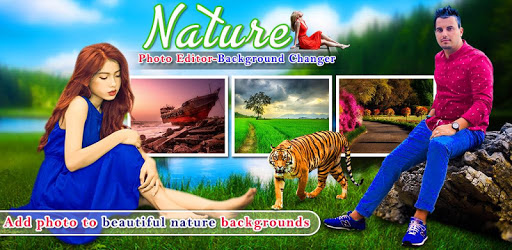
Nature Photo Editor - Background Changer is an Android app developed and published by AppTrends at Google Play Store on Jan 4, 2018 for Android users. Nature Photo Editor - Background Changer is so popular that it has gained 1000000 installs so far and growing.
Have you ever looked at your photos and wished you could change the background to something more beautiful or exciting? With Nature Photo Editor - Background Changer, you can effortlessly transform the atmosphere of your photographs. This powerful and user-friendly app allows you to replace the existing background with lush landscapes, serene beaches, vibrant gardens, or even dynamic cityscapes.
Nature Photo Editor - Background Changer stands out because it is incredibly user-friendly. Whether you're tech-savvy or not, you'll find it a breeze to navigate through its features. Simply select a photo from your gallery, choose a background, and the app does the rest. It replaces the original background seamlessly, making your photos look naturally impressive.
The app not only offers ease of use but also adds an element of fun and creativity to your photos. With countless backgrounds to choose from, you can let your imagination run wild. Whether you're aiming for a peaceful nature scene or a bustling cityscape, Nature Photo Editor - Background Changer has got you covered.
What really sets Nature Photo Editor - Background Changer apart is its rich array of features designed for creating stunning pictures. Use it to:
These features ensure that you can fine-tune every detail of your photo. The app’s advanced editing tools help to create smooth and realistic transitions between the subject and the new background. This results in a harmonious and visually pleasing end product.
Nature Photo Editor - Background Changer has received positive feedback for its remarkable capabilities. Users have highlighted how the app has transformed their ordinary pictures into extraordinary ones. They find it enjoyable and commend the team behind it for crafting such an innovative tool. Many users appreciate the variety of backgrounds and the smooth integration it offers.
From creating memorable vacation photos to designing captivating social media posts, Nature Photo Editor - Background Changer is versatile. It caters to different needs, whether you are a casual user wanting to spice up personal photos or a more dedicated photo enthusiast looking to try new things. The app is a great tool to add a touch of creativity and uniqueness to your photo collection.
What’s more, Nature Photo Editor - Background Changer ensures a seamless experience. It’s designed to work smoothly on most devices, meaning you can edit your photos anytime, anywhere. Even if you're on the go, you can quickly open the app and start editing, making it a perfect companion for spontaneous editing sessions.
Overall, Nature Photo Editor - Background Changer is a delightful tool that brings creativity and joy into photo editing. Its ease of use, wide range of backgrounds, and advanced editing features make it a must-have app for anyone looking to enhance their photos with stunning nature scenes. Download it today and start exploring the endless possibilities it offers!
Yes, you can run Nature Photo Editor - Background Changer on PC, but first, you will need emulator software installed on your Windows or MAC, which you can download for free. In the below video, you will find Nature Photo Editor - Background Changer in action. Before you install the emulator, check out the minimum and recommended system requirements to run it seamlessly. They may change depending on which version of the emulator you choose. Therefore, we recommend you download the latest version of the emulator. Below you will find three free Android emulators that we have shortlisted based on their popularity:
Up to date graphics drivers from Microsoft or the chipset vendor.
Storage: 1 GB available under installation path, 1.5GB available hard drive space
Internet: Broadband Internet connection
Regardless of which Android emulator you install, the steps to install, configure, and running the Nature Photo Editor - Background Changer app on PC are the same.