Published by 4English Team
Updated September 16, 2025
Tap on a word to translate. It will help you read English on any websites easily
| Version | 2.1.9 |
| Size | 36.0 MB |
| What's New | **v2.1.9**- Fixbug pronunciation**v2.1.8**- Fixbug upgrade PRO**v2.1.4**- Add Trending Word, Suggestion Word- Fixbug blank FlashCard**v2.1.2**- Concise dictionary- Mark saved vocabulary to learn**v2.0.7**- New feature: Exercises**v2.0.0**- BIG UPDATE - NEW UI/UX**v1.9.8**- New Game mode: Solo, Offline**v1.9.6**- Practice saved words with multiple choice and writing**v1.9.4**- Save words with photo**v1.8.4**- Quick dictionary, translate everywhere |
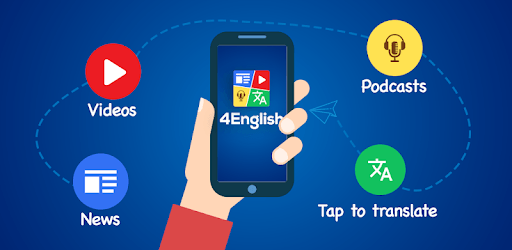
4English: Learn English via News, Videos, Podcasts is an Android app developed and published by 4English Team at Google Play Store on Aug 8, 2018 for Android users. 4English: Learn English via News, Videos, Podcasts is so popular that it has gained 10000 installs so far and growing.
Are you looking for a fun and efficient way to improve your English? Look no further than 4English: Learn English via News, Videos, Podcasts. This amazing tool offers a variety of features to help you enhance your English skills. From reading newspapers to watching videos and listening to podcasts, 4English makes learning an engaging and enjoyable experience.
Expanding your vocabulary is essential for mastering a new language. With 4English, you can read the latest news articles, which not only keeps you informed but also helps you learn new words. This method is particularly effective because you see the words used in context, making it easier to remember and understand them.
Listening to native speakers is a fantastic way to improve your comprehension and pronunciation. 4English offers a wide range of videos that cater to different interests and learning levels. Whether it’s watching interviews, documentaries, or tutorial videos, you’ll find something that captures your attention while helping you practice listening to English in various accents and speeds.
Podcasts are a valuable resource for learning English because they can be listened to anywhere and at any time. 4English includes a collection of podcasts covering different topics, perfect for on-the-go learners. Play a podcast during your commute or while exercising to make the most of your downtime. It’s an excellent way to immerse yourself in the language and pick up new phrases and idiomatic expressions.
An essential feature of 4English is its built-in dictionary and translator. Learning new words is made easy with the instant translation function. Just tap on any word to see its meaning and translation. This feature is especially useful for non-native speakers as it reduces the time and effort needed to understand unfamiliar words. Additionally, the app includes a Vietnamese dictionary, making it even more accessible to Vietnamese learners.
One of the best ways to gain confidence in a new language is by practicing with native speakers. 4English includes resources that allow you to listen to and imitate native speakers, improving your pronunciation and speaking fluency. By mimicking the tone, pace, and accent of native speakers, you can develop more natural speaking habits.
The recent addition of full-featured e-book support has made 4English even more comprehensive. You can now read e-books directly within the app, which is a fantastic way to immerse yourself in longer texts and stories. This feature enriches your learning experience by providing more content to read, which in turn helps with language retention and comprehension.
4English boasts a user-friendly interface, making it easy to navigate and use all its features effectively. Though there may seem to be a lot going on, the layout is designed to support and enhance your learning experience. Additionally, the support team is friendly and always ready to help, ensuring you get the most out of the app.
In conclusion, 4English: Learn English via News, Videos, Podcasts is a fantastic resource for anyone looking to improve their English skills. Its wide range of features, from reading news and watching videos to listening to podcasts and using interactive dictionaries, make it a comprehensive and powerful tool for learning English. Dive into the world of 4English and take your English proficiency to new heights!
Yes, you can run 4English: Learn English via News, Videos, Podcasts on PC, but first, you will need emulator software installed on your Windows or MAC, which you can download for free. In the below video, you will find 4English: Learn English via News, Videos, Podcasts in action. Before you install the emulator, check out the minimum and recommended system requirements to run it seamlessly. They may change depending on which version of the emulator you choose. Therefore, we recommend you download the latest version of the emulator. Below you will find three free Android emulators that we have shortlisted based on their popularity:
Up to date graphics drivers from Microsoft or the chipset vendor.
Storage: 1 GB available under installation path, 1.5GB available hard drive space
Internet: Broadband Internet connection
Regardless of which Android emulator you install, the steps to install, configure, and running the 4English: Learn English via News, Videos, Podcasts app on PC are the same.