Published by Apalon Apps
Updated August 30, 2026
Wake up to this great alarm clock and use a stylish clock to be always on time.
| Version | 2.85.3 |
| Size | 99.1 MB |
| What's New | Bug fixes and performance improvements. |
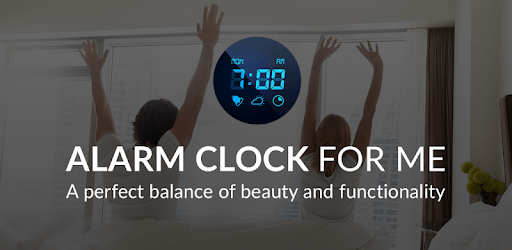
Alarm Clock for Me free is an Android app developed and published by Apalon Apps at Google Play Store on Mar 5, 2013 for Android users. Alarm Clock for Me free is so popular that it has gained 67370240 installs so far and growing.
Are you tired of waking up to a boring, generic alarm clock? Do you want an app that not only wakes you up on time but also provides you with a range of features to enhance your daily routine? Look no further than Alarm Clock for Me, the ultimate app for all your timekeeping needs.
One of the standout features of Alarm Clock for Me is its user-friendly interface. The app is designed to be easy to read and easy to use, ensuring that you can set your alarms and timers with just a few taps. Whether you're a tech-savvy individual or someone who prefers simplicity, this app caters to all.
Unlike other alarm clock apps, Alarm Clock for Me offers a wide variety of sounds to choose from. From soothing melodies to energetic tunes, you can find the perfect sound to wake up to. With this app, you can say goodbye to the monotonous beeping of traditional alarm clocks.
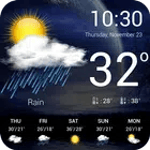
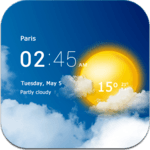
Why install another unnecessary app to check the weather when Alarm Clock for Me provides you with all the information you need? This app conveniently displays local weather information, ensuring that you're always prepared for the day ahead. Whether it's rain or shine, you'll never be caught off guard.
Alarm Clock for Me understands that everyone has different preferences when it comes to their alarm clocks. That's why the app offers a range of customizable features. From adjusting the brightness of your screen to setting the vibration and sound preferences, you have full control over your alarm clock experience.
Yes, Alarm Clock for Me allows you to use your own music as an alarm sound. Simply select the song from your device's library, and you're good to go.
Absolutely! Alarm Clock for Me allows you to set multiple alarms, ensuring that you never oversleep or miss an important event.
Yes, Alarm Clock for Me is compatible with both phones and tablets. You can enjoy all its features on multiple devices without any hassle.
Yes, Alarm Clock for Me has a snooze function that allows you to temporarily silence the alarm and get a few extra minutes of sleep.
Yes, Alarm Clock for Me offers an ad-free experience. Say goodbye to annoying pop-ups and enjoy a seamless timekeeping experience.
With its user-friendly interface, customizable features, and a wide selection of sounds, Alarm Clock for Me is the perfect app for all your timekeeping needs. Download it today and start your day off right!
Yes, you can run Alarm Clock for Me free on PC, but first, you will need emulator software installed on your Windows or MAC, which you can download for free. In the below video, you will find Alarm Clock for Me free in action. Before you install the emulator, check out the minimum and recommended system requirements to run it seamlessly. They may change depending on which version of the emulator you choose. Therefore, we recommend you download the latest version of the emulator. Below you will find three free Android emulators that we have shortlisted based on their popularity:
Up to date graphics drivers from Microsoft or the chipset vendor.
Storage: 1 GB available under installation path, 1.5GB available hard drive space
Internet: Broadband Internet connection
Regardless of which Android emulator you install, the steps to install, configure, and running the Alarm Clock for Me free app on PC are the same.